PLX32-EIP-MBTCP-UA ♦ Multi-Protocol Gateway OPC UA Server
User Manual
ProSoft Technology, Inc. Page 117 of 156
March 8, 2018
7.2.5 Refreshing the Status Tab
Once the certificates have been created, the PSW-UACM software is
ready to connect and configure OPC UA Servers.
The Status tab is used to display the current status of the selected device.
You can also test if PSW-UACM can establish connection with the device.
1 In the Devices pane of PSW-UACM, select the device to connect to and
click on the Status tab. This tab displays the current status of the PLX32-
EIP-MBTCP-UA Server. Initially, the parameters are blank.
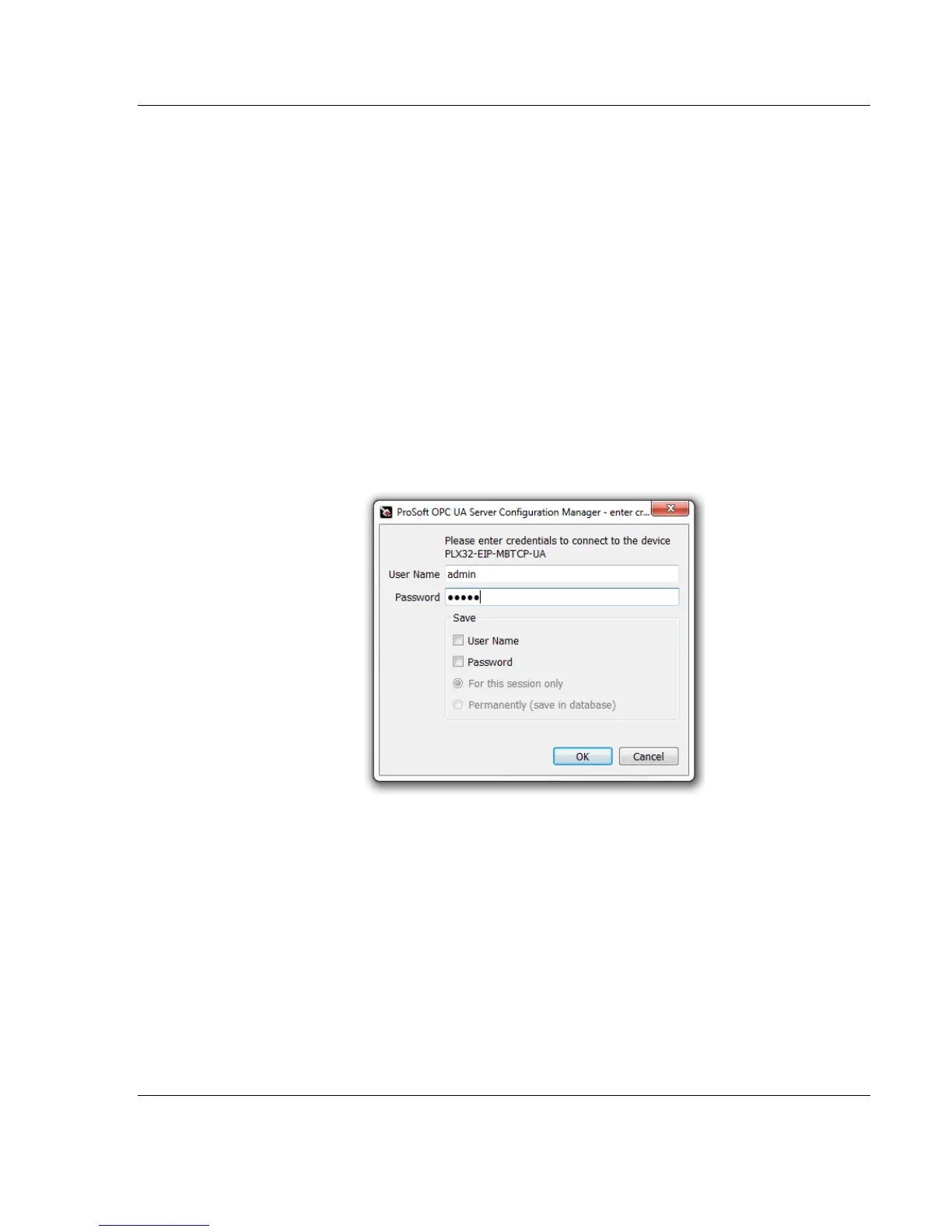
2 In order to connect to the selected device, enter the user name and
password in the Enter Credentials dialog window. The default credentials
for a user with administrator rights are:
User Name: admin
Password: 12345
You can save the User Name and Password for future use by checking
the boxes.
3 Click OK.



 To Next Page