PLX32-EIP-MBTCP-UA ♦ Multi-Protocol Gateway OPC UA Server
User Manual
ProSoft Technology, Inc. Page 123 of 156
March 8, 2018
7.3 Importing a Certificate Public Key File
This section describes how to import the Certificate Public Key File of an OPC
UA Client into PSW-UACM. This import is required to add the OPC UA Client’s
Application Instance Certificate into the trust list of the device’s OPC UA Server.
This allows the client to connect in a secure mode.
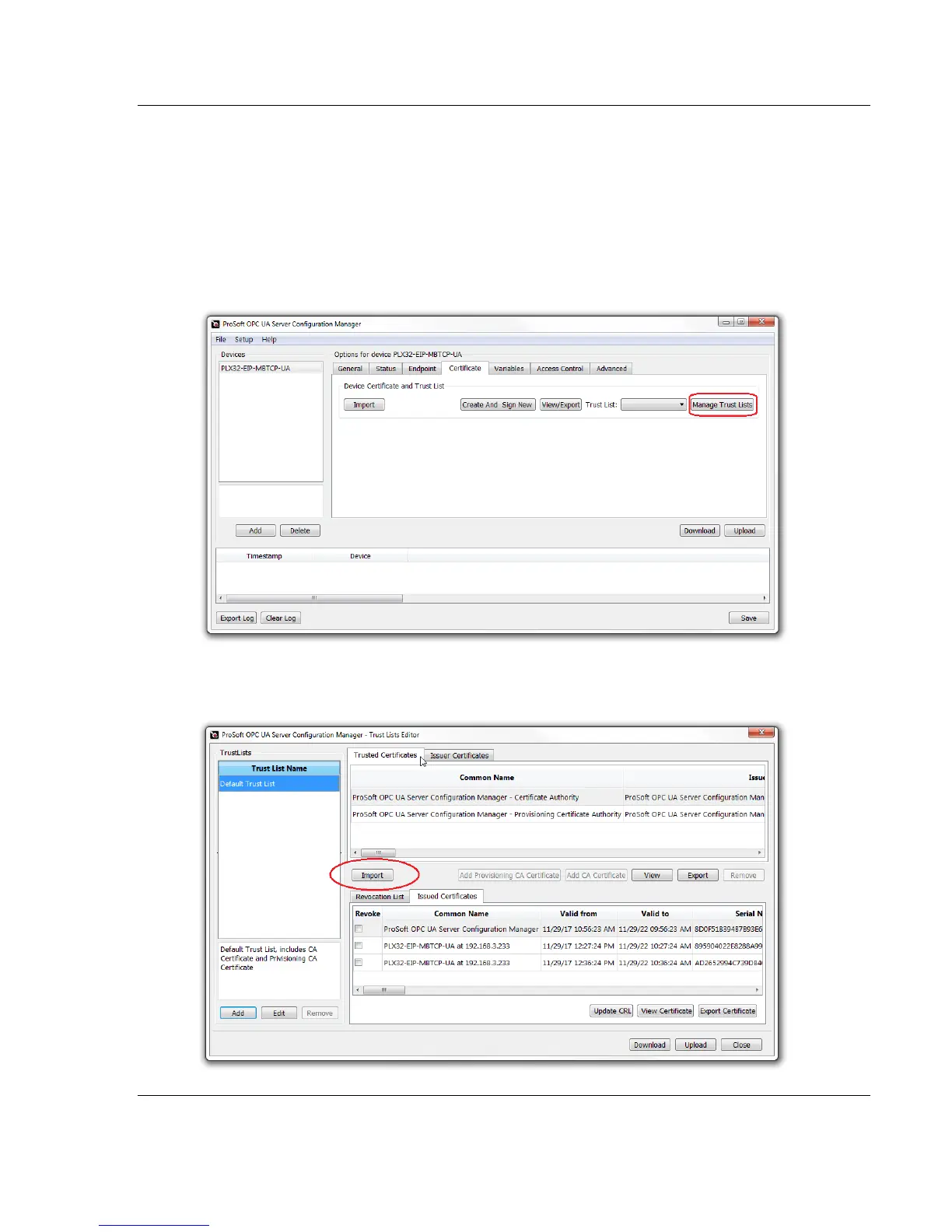
1 From the Certficate tab in PSW-UACM, click on the MANAGE TRUST LISTS
button.
2 The Trust Lists Editor dialog box opens. Under the Trusted Certificates
tab, click on the IMPORT button.


 To Next Page