PLX32-EIP-MBTCP-UA ♦ Multi-Protocol Gateway MBTCP Protocol
User Manual
ProSoft Technology, Inc. Page 97 of 156
March 8, 2018
6.2.3 Configuring MBTCP Client [x] Commands
The MBTCP Client [x] Commands section defines the Modbus TCP/IP
commands to be issued from the gateway to server devices on the network. You
can use these commands for data collection and/or control of devices on the
TCP/IP network.
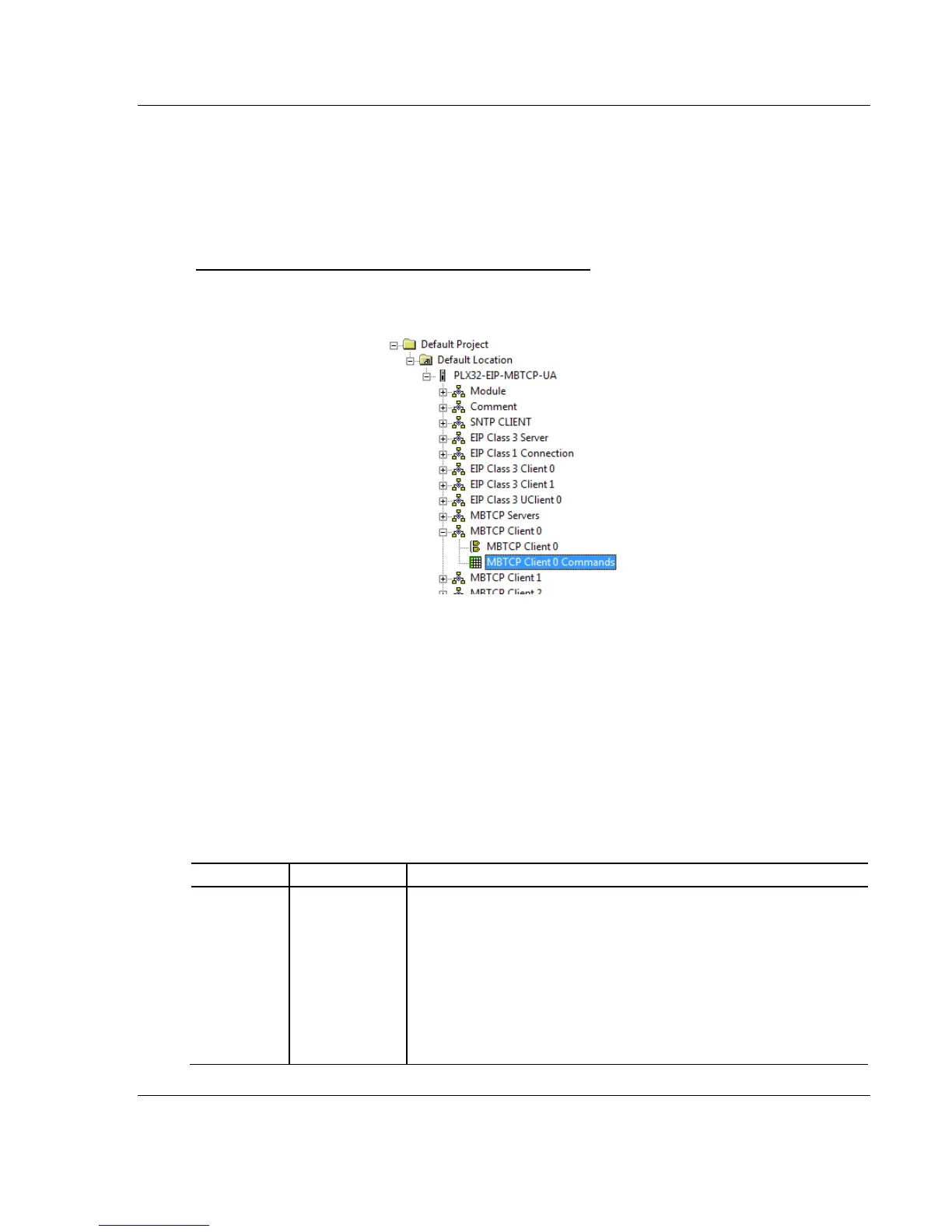
To configure the MBTCP Client [x] commands in PCB
1 In ProSoft Configuration Builder, click the [+] next to the gateway, then click
the [+] next to MBTCP Client [x].
2 Double-click MBTCP Client [x] Commands to display the Edit - MBTCP Client
[x] Commands dialog box.
3 In the dialog box, click ADD ROW to add a command, then click EDIT ROW to
enter values for the command.
You must construct a command list in order to interface the PLX32-EIP-MBTCP-
UA with Modbus TCP/IP server devices. The commands in the list specify the
server device to be addressed, the function to be performed (read or write), the
data area in the device to interface with and the registers in the internal database
to be associated with the device data. The client command list supports up to 16
commands per client. The gateway processes the command list from top
(command #0) to bottom.
The following table describes the command list configuration parameters:
Specifies if the command is to be executed and under what conditions.
NO (0) - the command is disabled and is not executed in the normal
polling sequence.
YES (1) - the command is executed upon each scan of the Command
List if the Poll Interval is set to zero (0). If the Poll Interval is set to a non-
zero value, the command is executed when the interval timer for that
command expires.
CONDITIONAL (2) - the command is executed only if the internal bit data
associated with the command changes. This parameter is valid for write
commands (FC 5, 6, 15 and 16).



 To Next Page