Using ProSoft Configuration Builder PLX32-EIP-MBTCP-UA ♦ Multi-Protocol Gateway
User Manual
Page 24 of 156 ProSoft Technology, Inc.
March 8, 2018
2.7 Mapping Data in Module Memory
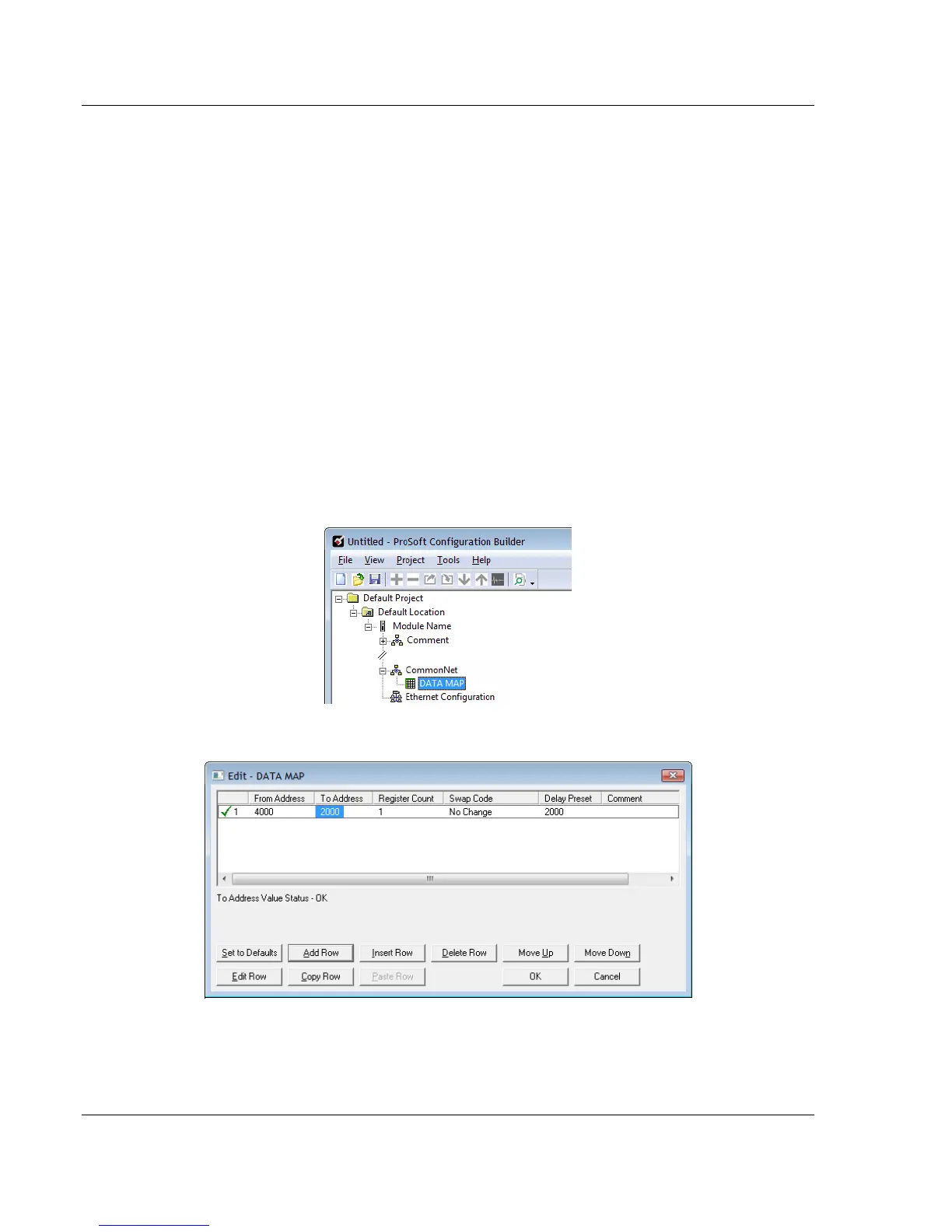
Use the DATA MAP section in the ProSoft Configuration Builder to copy data
between areas in the gateway's internal database. This allows you to copy data
to different addresses within the gateway database in order to create simpler
data requests and control. You can use this feature for the following tasks.
Copy a maximum of 100 registers per Data Map command, and you can
configure a maximum of 200 separate copy commands.
Copy data from the error or status tables in upper memory to internal
database registers in the user data area.
Rearrange the byte and/or word order during the copy process. For example,
by rearranging byte or word order, you can convert floating-point values to
the correct format for a different protocol.
Use the Data Map to condense widely dispersed data into one contiguous
data block, making it easier to access.
1 In the ProSoft Configuration Builder, expand the module tree by clicking the
[+] next to the module name.
2 Click the [+] next to COMMONNET, and then double-click DATA MAP.
3 In the Edit - Data Map dialog box, click ADD ROW.



 To Next Page