PLX32-EIP-MBTCP-UA ♦ Multi-Protocol Gateway Using ProSoft Configuration Builder
User Manual
ProSoft Technology, Inc. Page 15 of 156
March 8, 2018
2 Using ProSoft Configuration Builder
ProSoft Configuration Builder (PCB) provides a quick and easy way to manage
gateway configuration files customized to meet your application needs. PCB
allows you to import information from previously installed (known working)
configurations to new projects.
2.1 Connecting the PC to the Gateway
With the gateway securely mounted, connect one end of the Ethernet cable to
the ETH 1 Port, and the other end to an Ethernet hub or switch accessible from
the same network as the PC. Or, connect directly from the Ethernet Port on the
PC to the ETH 1 Port on the gateway.
2.2 Setting a Temporary IP Address in the Gateway
Important: ProSoft Discovery Service (PDS) locates the gateway through UDP broadcast
messages. PDS is an application that is built into PCB. These messages may be blocked by
routers or layer 3 switches. In that case, PDS is unable to locate the gateways.
To use PDS, arrange the Ethernet connection so that there is no router or layer 3 switch between
the computer and the gateway OR reconfigure the router or layer 3 switch to allow the routing of
the UDP broadcast messages.
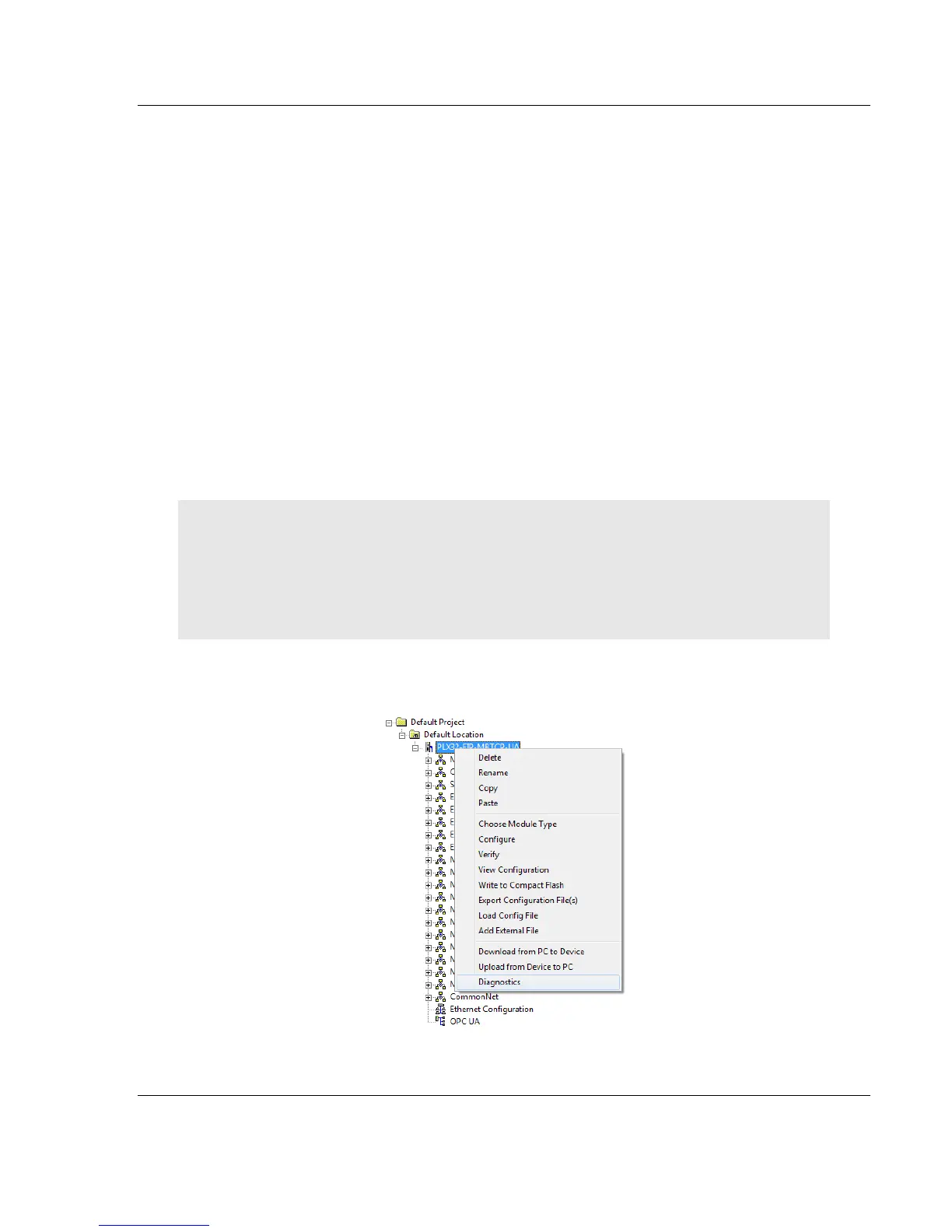
1 To open PDS, right-click on the PLX32-EIP-MBTCP-UA icon in PCB and
click on DIAGNOSTICS.



 To Next Page