Using ProSoft Configuration Builder PLX32-EIP-MBTCP-UA ♦ Multi-Protocol Gateway
User Manual
Page 16 of 156 ProSoft Technology, Inc.
March 8, 2018
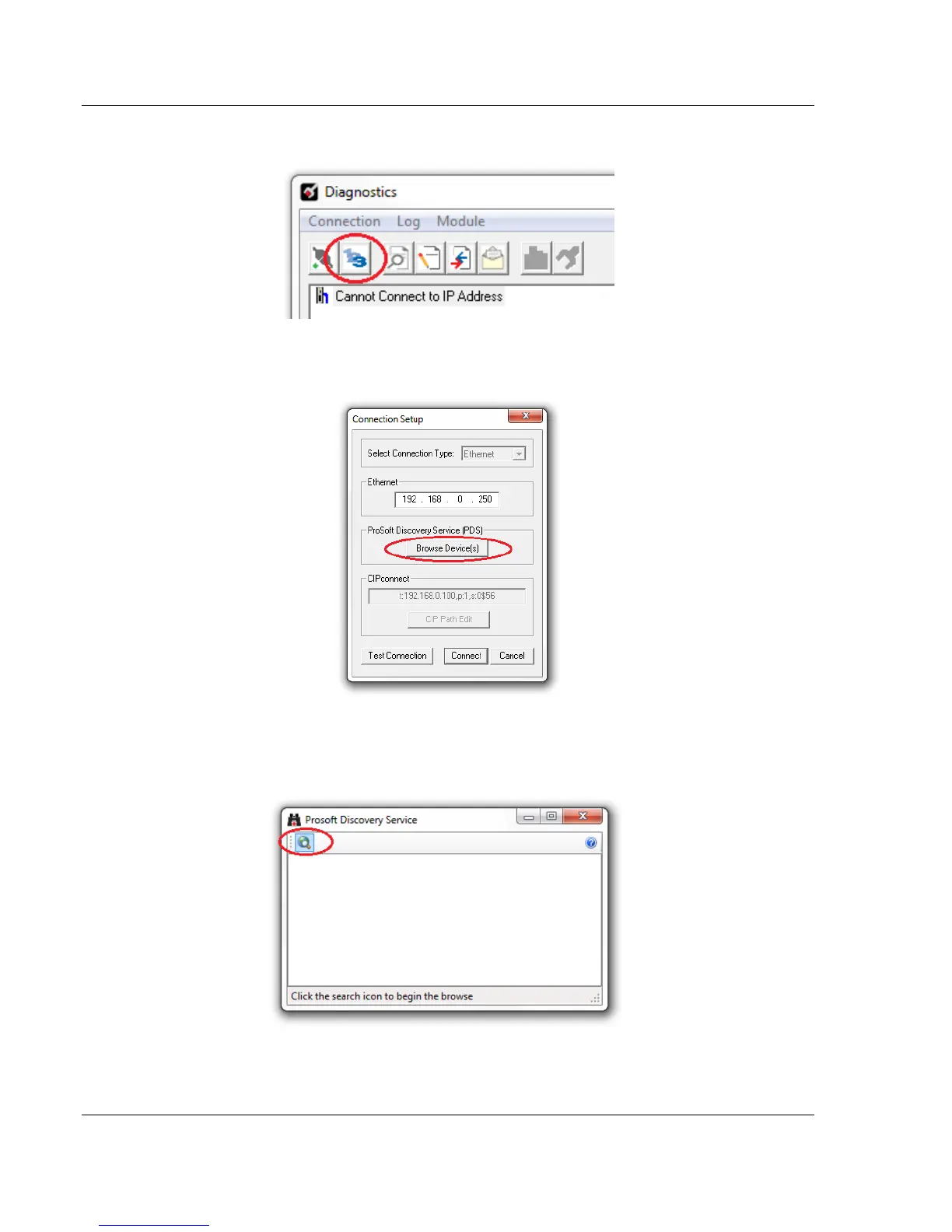
2 In the Diagnostics dialog box, click on the CONNECTION SETUP icon.
3 In the Connection Setup dialog box, click the BROWSE DEVICE(S) button under
the ProSoft Discovery Service (PDS) heading.
4 In the ProSoft Discovery Service dialog box, click on the BROWSE FOR
PROSOFT MODULES icon to search for ProSoft Technology modules on the
network.



 To Next Page