PLX32-EIP-MBTCP-UA ♦ Multi-Protocol Gateway OPC UA Server
User Manual
ProSoft Technology, Inc. Page 131 of 156
March 8, 2018
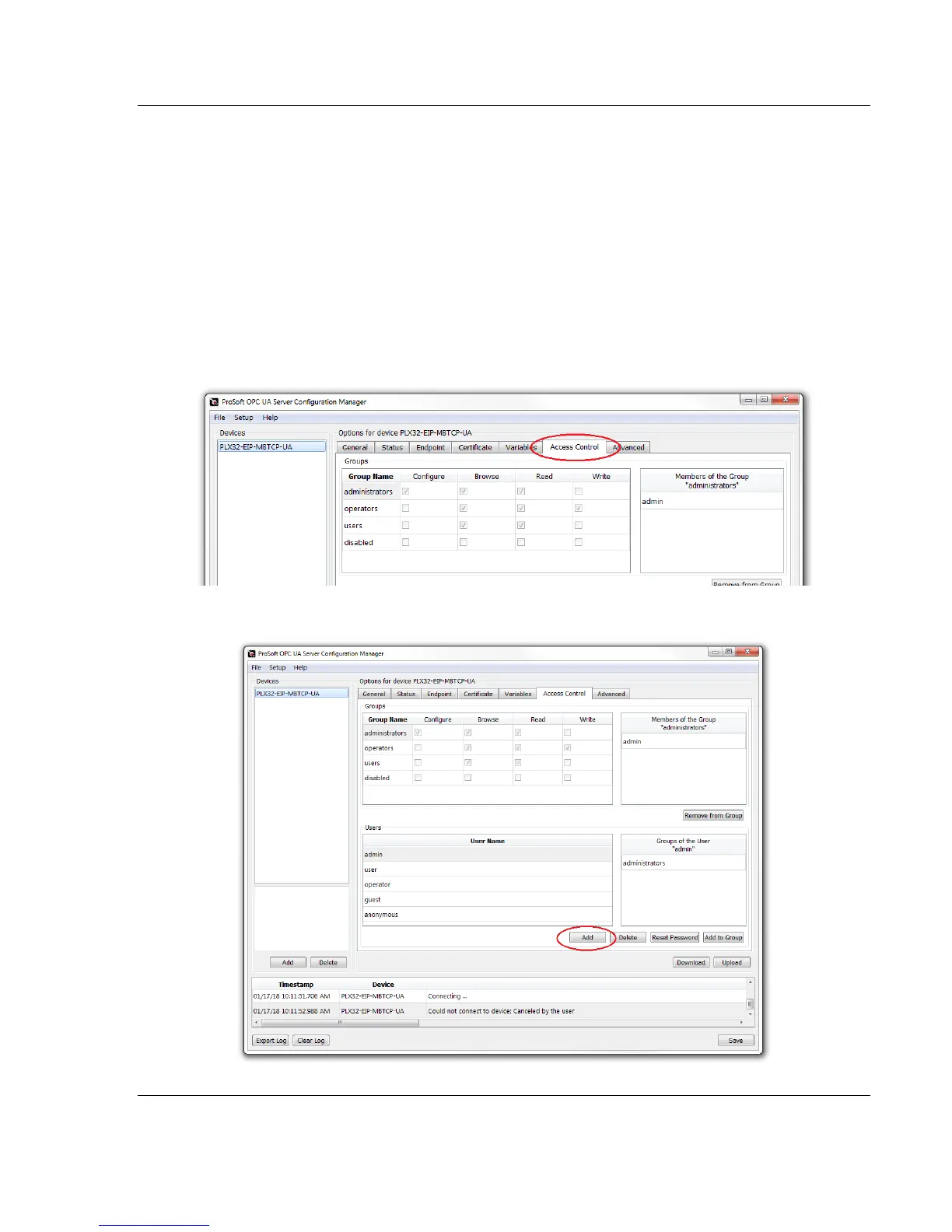
7.7 User Access Control
The Access Control tab contains the configuration of the permissions for
assigned users. An individual account is set up as a User. Each User is then
placed in a Group with certain permissions.
By default, you are working as:
User: admin
Group: administrators
7.7.1 Adding a User
1 In PSW-UACM, click on the Access Control tab.
2 Click the ADD button to add a new User.



 To Next Page