Start Here PLX32-EIP-MBTCP-UA ♦ Multi-Protocol Gateway
User Manual
Page 12 of 156 ProSoft Technology, Inc.
March 8, 2018
Without an SD Card
The ProSoft Configuration Builder downloads the configuration to the internal
memory of the gateway. The gateway uses the configuration from internal
memory.
If you insert a blank SD Card into the gateway after the gateway has been
configured, the gateway does not use the configuration on the SD card
unless you reboot the gateway. If you want to copy the configuration to the
SD card, you must download the configuration to the gateway while the SD
card is in the gateway.
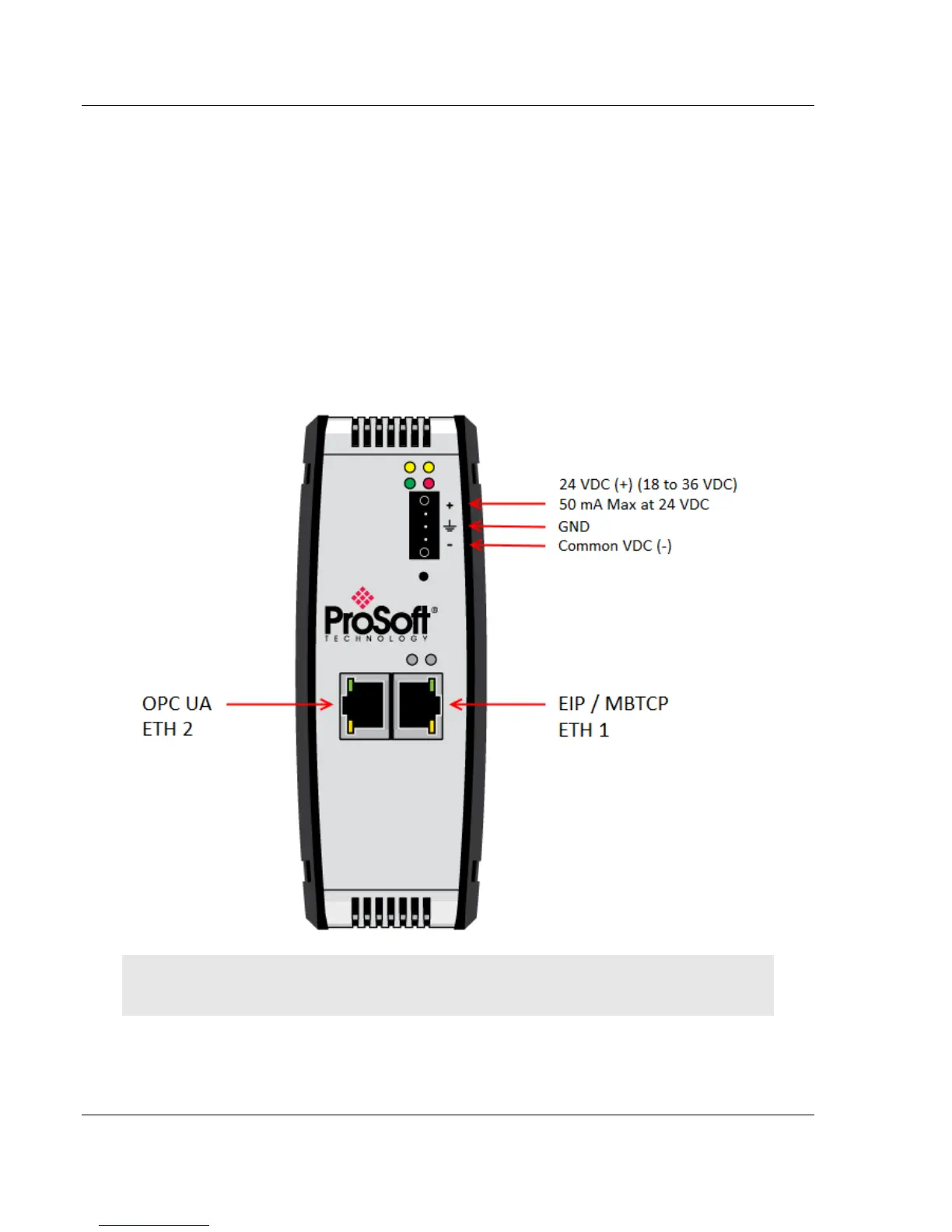
1.7 Connecting Power to the Unit
WARNING: Be sure not to reverse polarity when applying power to the gateway. This causes
permanent damage to the gateway’s internal power distribution circuits.



 To Next Page