OPC UA Server PLX32-EIP-MBTCP-UA ♦ Multi-Protocol Gateway
User Manual
Page 136 of 156 ProSoft Technology, Inc.
March 8, 2018
7.8 Creating Tags
The UA Client accesses data within the UA Server of the PLX32-EIP-MBTCP-UA
by using tags. These tags are mapped to the PLX32-EIP-MBTCP-UA’s 4000-
register user data range. Creating such tags are done in the PSW-UACM
software.
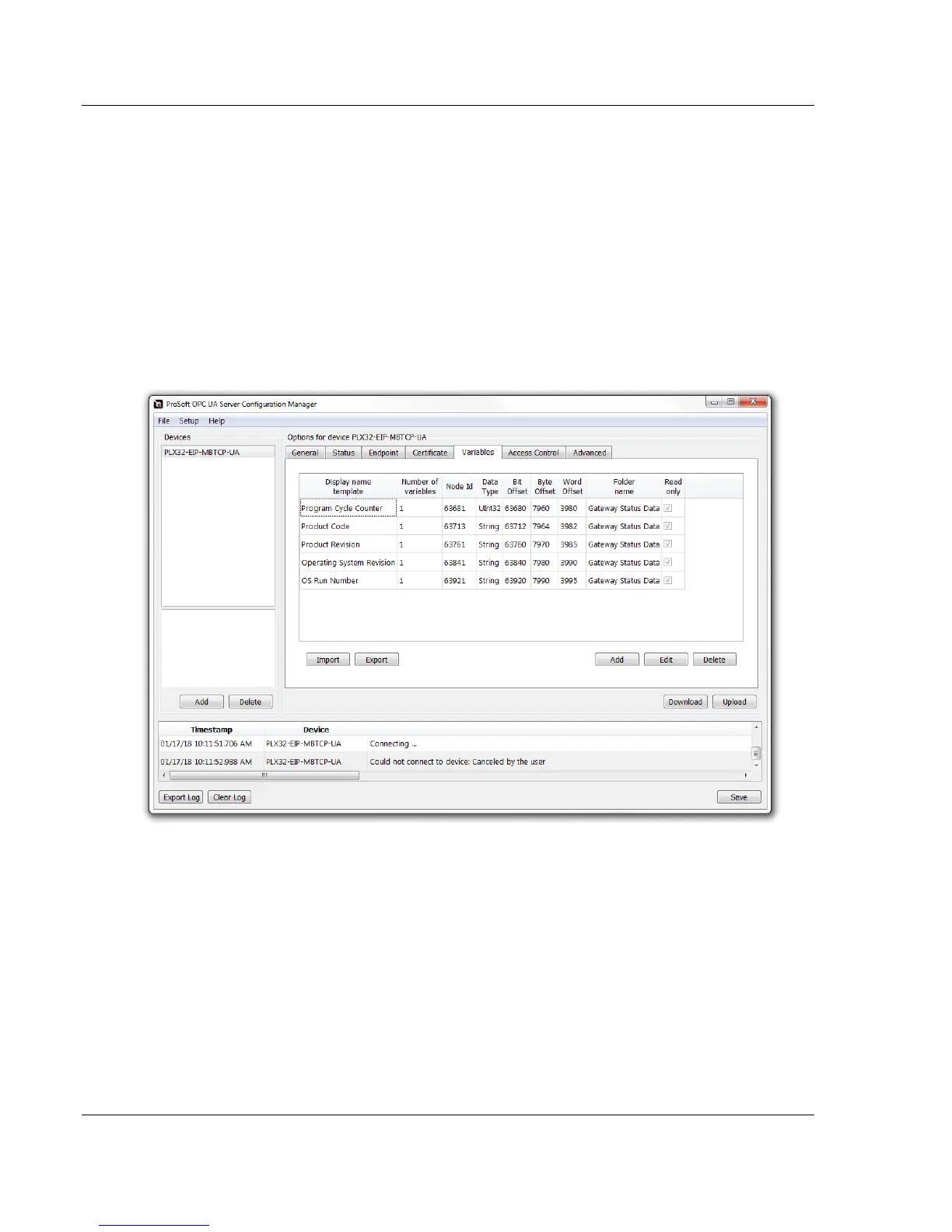
1 Within PSW-UACM, click on the Variables tab. This tab displays the
current tags that are mapped to the PLX32-EIP-MBTCP-UA Server. By
default, there are five PLX32-EIP-MBTCP-UA gateway status tags
mapped within the 4000-register user data range. This data in this range
is accessible by the EIP and MBTCP drivers, allowing data exchange
across different protocols.
2 To create a new tag, click the ADD button.



 To Next Page