MBTCP Protocol PLX32-EIP-MBTCP-UA ♦ Multi-Protocol Gateway
User Manual
Page 90 of 156 ProSoft Technology, Inc.
March 8, 2018
6.1.2 MBTCP Internal Database
The internal database is central to the functionality of the PLX32-EIP-MBTCP-
UA. The gateway shares this database between all the communications ports on
the gateway and uses it as a conduit to pass information from one protocol to
another device on one network to one or more devices on another network. This
permits data from devices on one communication port to be accessed and
controlled by devices on another communication port.
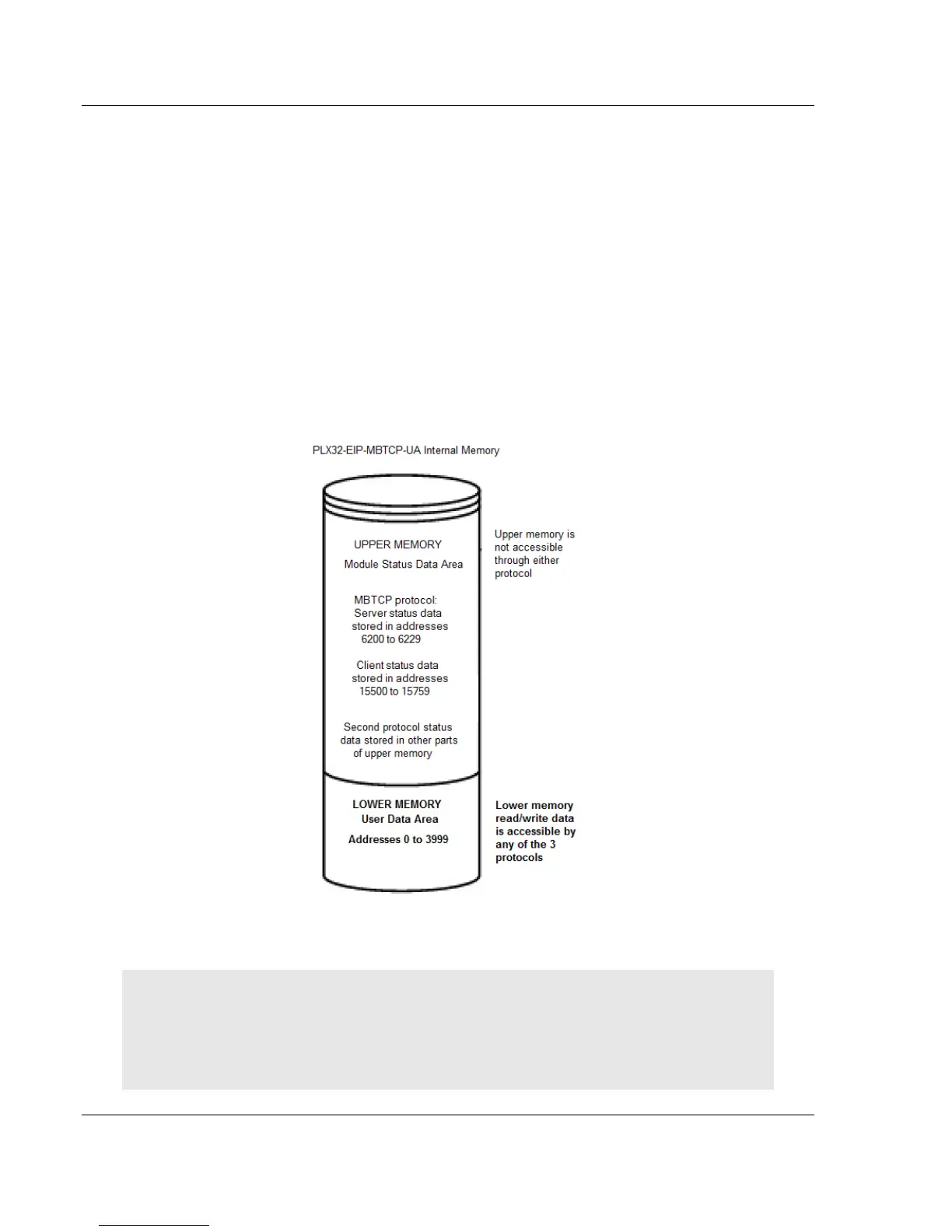
In addition to data from the client and server, you can map status and error
information generated by the gateway into the user data area of the internal
database. The internal database is divided into two areas:
Upper memory for the gateway status data area. This is where the gateway
writes internal status data for the protocols supported by the gateway.
Lower memory for the user data area. This is where incoming data from
external devices is stored and accessed.
Each protocol in the PLX32-EIP-MBTCP-UA can write data to and read data from
the user data area.
Note: If you want to access gateway status data in the upper memory, you can use the data
mapping feature in the gateway to copy data from the gateway status data area to the user data
area. See Mapping Data in Module Memory (page 24). Otherwise, you can use the diagnostic
functions in ProSoft Configuration Builder to view gateway status data. For more information on the
gateway status data, see Network Diagnostics (page 100).



 To Next Page