Using ProSoft Configuration Builder PLX32-EIP-MBTCP-UA ♦ Multi-Protocol Gateway
User Manual
Page 20 of 156 ProSoft Technology, Inc.
March 8, 2018
2.4 Disabling Gateway Protocol Functionalities
ProSoft Configuration Builder (PCB) gives you the option to disable one or more
driver functionalities if you do not need them. Disabling driver functionalities can
simplify the number of configuration options, making it easier to set up the
gateway.
It is easiest to disable driver functionalities when you add the gateway to the
project in PCB; however, you can enable and disable them after you have added
it to the project. Both methods are described in this topic.
Note: Disabling driver functionalities does not affect the performance of the gateway, and is not
required.
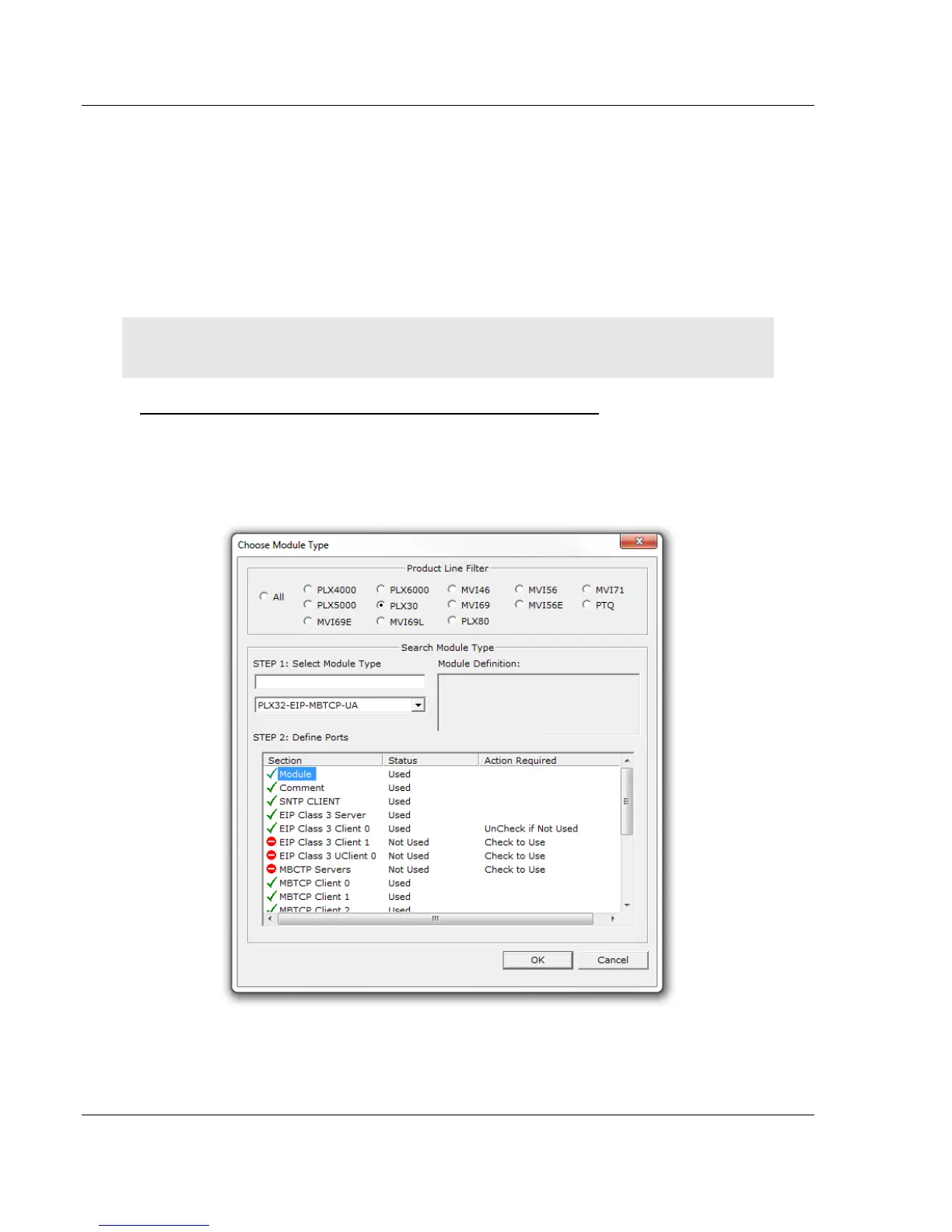
To disable driver functionalities when you add it to the project
The best time to disable one or more driver functionalities on the gateway is
when you add the gateway to the project in PCB. You can disable them in the
Choose Module Type dialog box after you select the module you want to add to
the project. The following image gives an example.



 To Next Page