OPC UA Server PLX32-EIP-MBTCP-UA ♦ Multi-Protocol Gateway
User Manual
Page 116 of 156 ProSoft Technology, Inc.
March 8, 2018
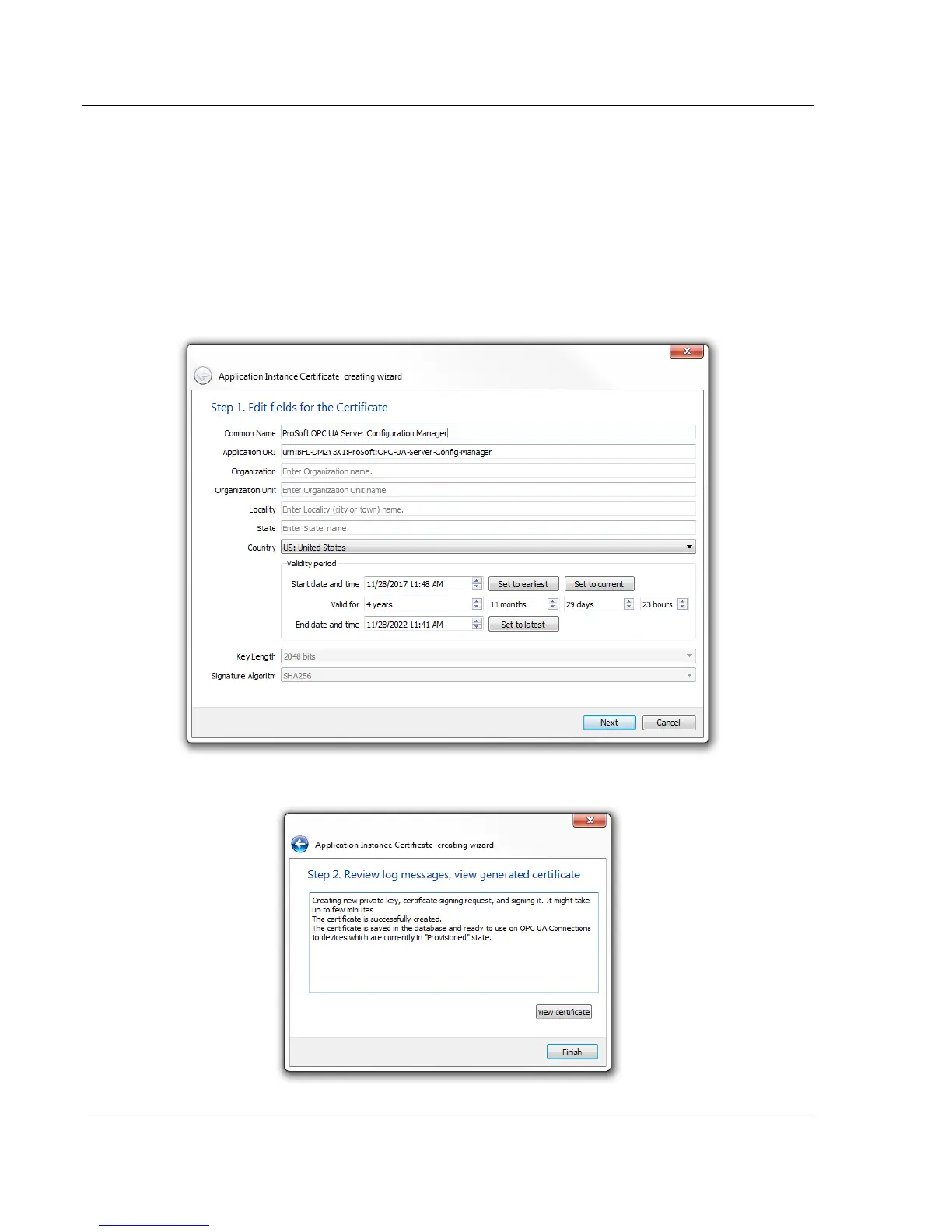
7.2.4 Creating an Application Instance Certificate
This certificate is used by the PSW-UACM as its OPC UA Application Instance
Certificate for its connections to devices that are in the Provisioned state.
This certificate can be recreated multiple times, if needed.
1 In PSW-UACM, click on SETUP > CREATE APPLICATION INSTANCE
CERTIFICATE
2 Enter your application information in the setup wizard. Click the NEXT
button.
3 The software creates the Application Instance certificate with your
application information. Click FINISH.



 To Next Page