PLX32-EIP-MBTCP-UA ♦ Multi-Protocol Gateway MBTCP Protocol
User Manual
ProSoft Technology, Inc. Page 95 of 156
March 8, 2018
6.2.2 Configuring MBTCP Client [x]
The MBTCPClient [x] section of the configuration specifies the parameters for the
client to be emulated on the gateway. The command list for the client is entered
in a separate section.
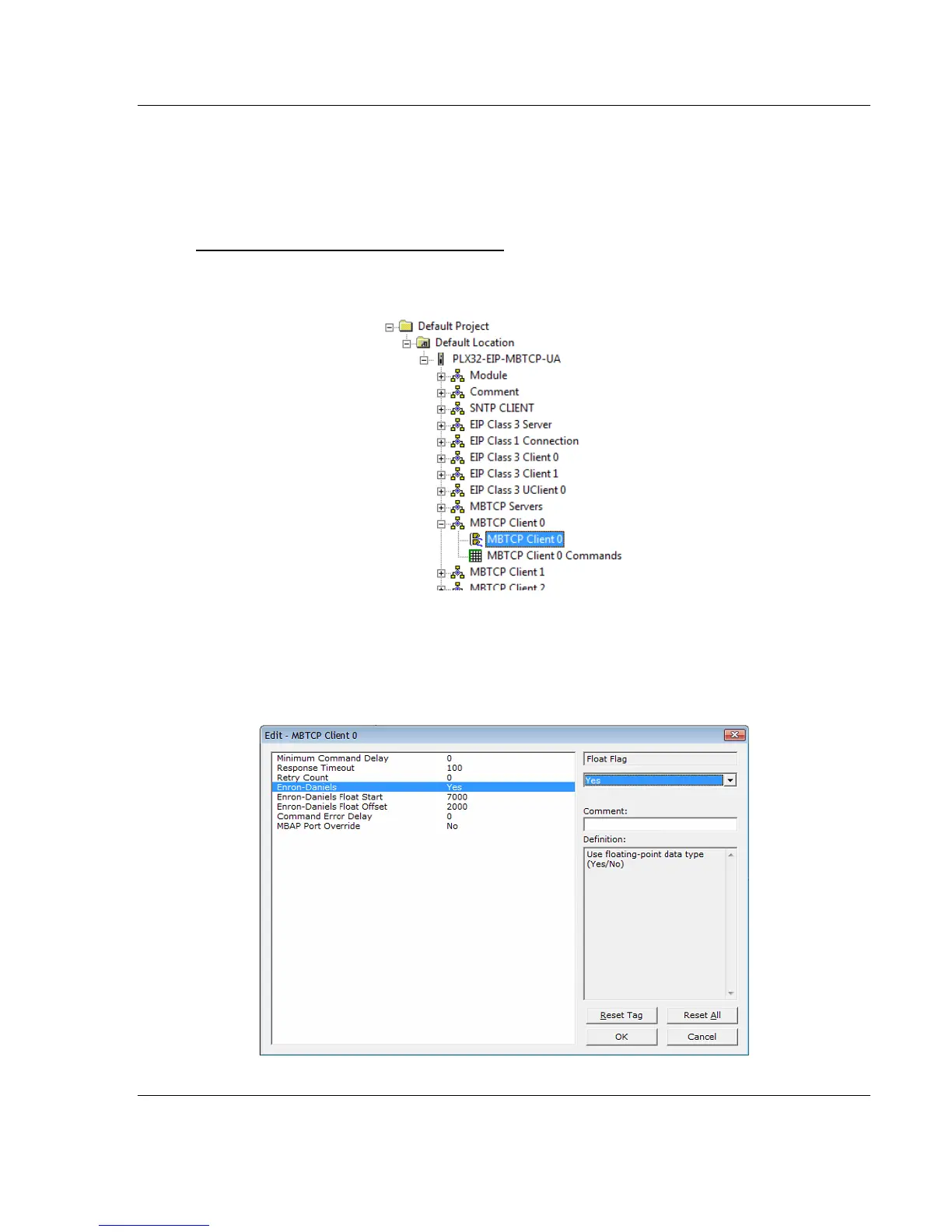
To configure the MBTCP Client [x] in PCB
1 In ProSoft Configuration Builder, click the [+] next to the gateway, then click
the [+] next to MBTCP Client [x].
2 Double-click the second MBTCP Client [x] to display the Edit - MBTCP Client
[x] dialog box.
3 In the dialog box, click a parameter and then enter a value for the parameter.
Note that the Float Start and Float Offset parameters only appear if you set
Float Flag to YES.



 To Next Page