PLX32-EIP-MBTCP-UA ♦ Multi-Protocol Gateway Diagnostics and Troubleshooting
User Manual
ProSoft Technology, Inc. Page 35 of 156
March 8, 2018
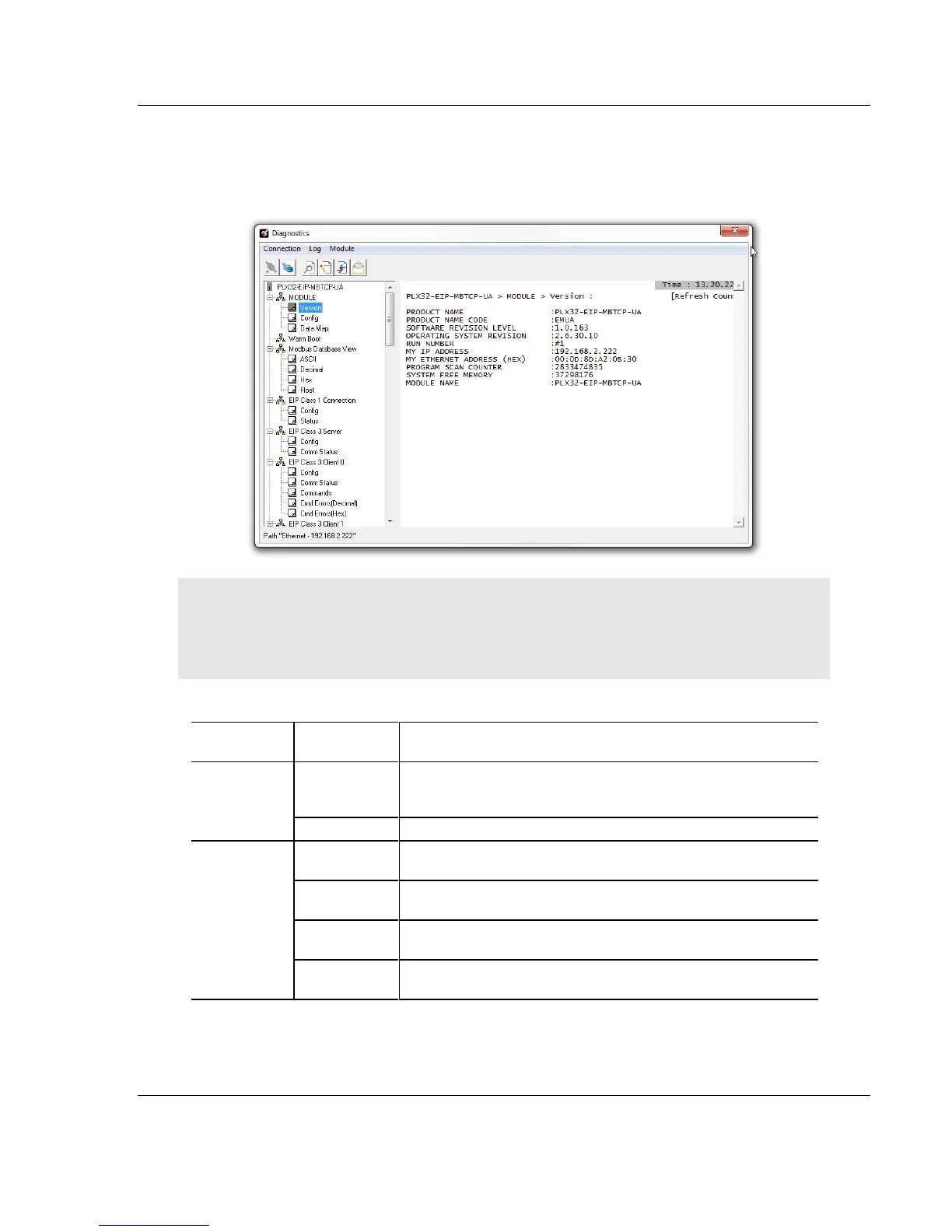
3.2.1 Diagnostics Menu
The Diagnostics menu is arranged as a tree structure in the left side of the
Diagnostics window.
Caution: Some commands in this menu are designed for advanced debugging and system testing
only, and can cause the gateway to stop communicating, potentially resulting in data loss or other
communication failures. Use these commands only if you fully understand their potential effects, or
if you are specifically directed to do so by ProSoft Technology Technical Support engineers.
The following menu commands are shown below:
Displays the gateway’s current software version and other
important values. You may be asked to provide this information
when calling for technical support.
Displays the gateway’s Data Map configuration.
Displays the contents of the gateway’s database in ASCII
character format.*
Displays the contents of the gateway’s database in decimal
number format.*
Displays the contents of the gateway’s database in hexadecimal
number format.*
Displays the contents of the gateway’s database in floating-point
number format.*
*Use the scroll bar on the right edge of the window to navigate through the
database. Each page displays 100 words of data. The total number of pages
available depends on your gateway’s configuration.



 To Next Page