PLX32-EIP-MBTCP-UA ♦ Multi-Protocol Gateway OPC UA Server
User Manual
ProSoft Technology, Inc. Page 133 of 156
March 8, 2018
7.7.2 Adding a User to a Group
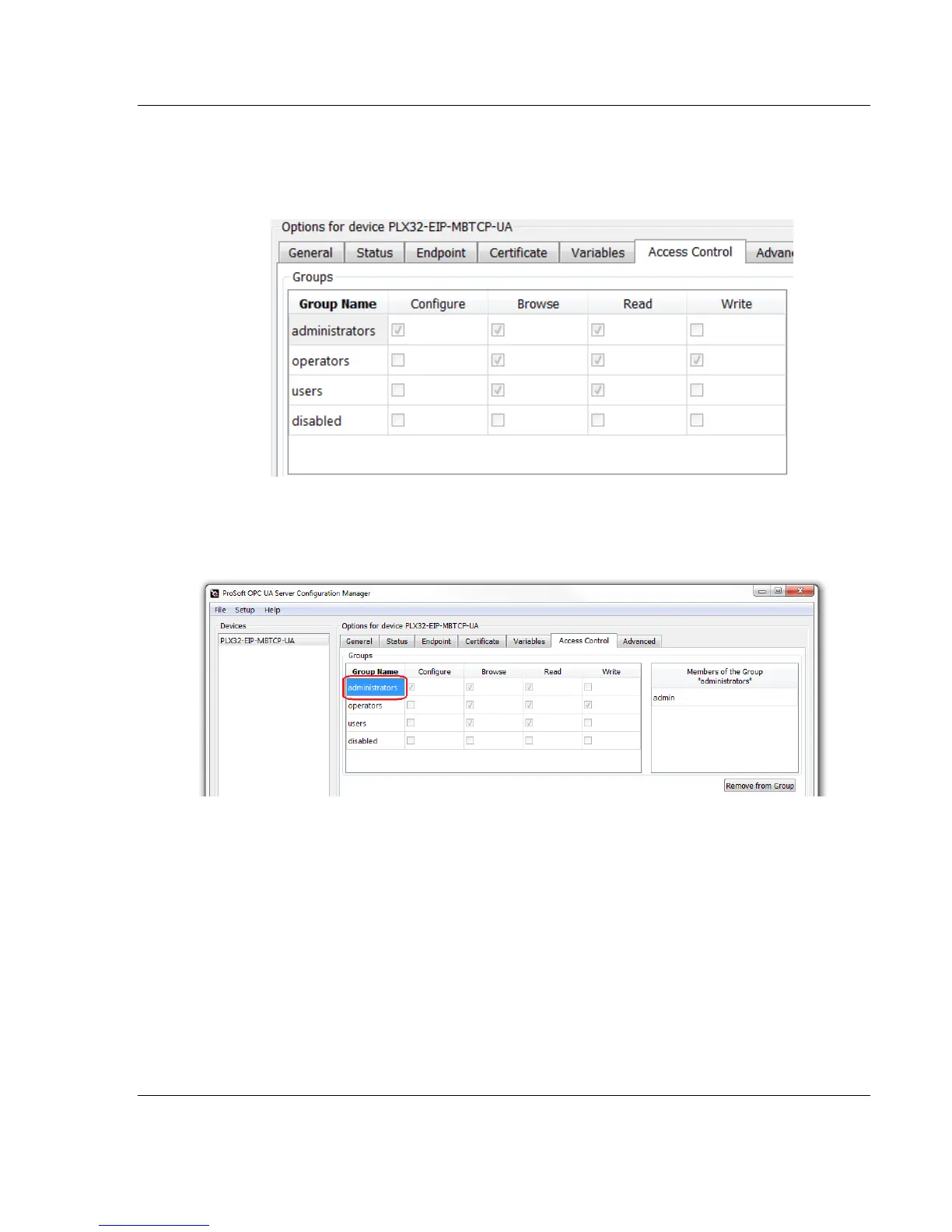
Each Group has their own set of permissions that you can assign
individual Users to. The default Group permissions cannot be edited.
1 Under the Groups section in the Access Control tab, highlight the desired
Group Name that the User will be placed into.
Notice the “Members of the Group” section on the right side of the
window. These are the current Users that are assigned in the highlighted
Group.



 To Next Page