OPC UA Server PLX32-EIP-MBTCP-UA ♦ Multi-Protocol Gateway
User Manual
Page 110 of 156 ProSoft Technology, Inc.
March 8, 2018
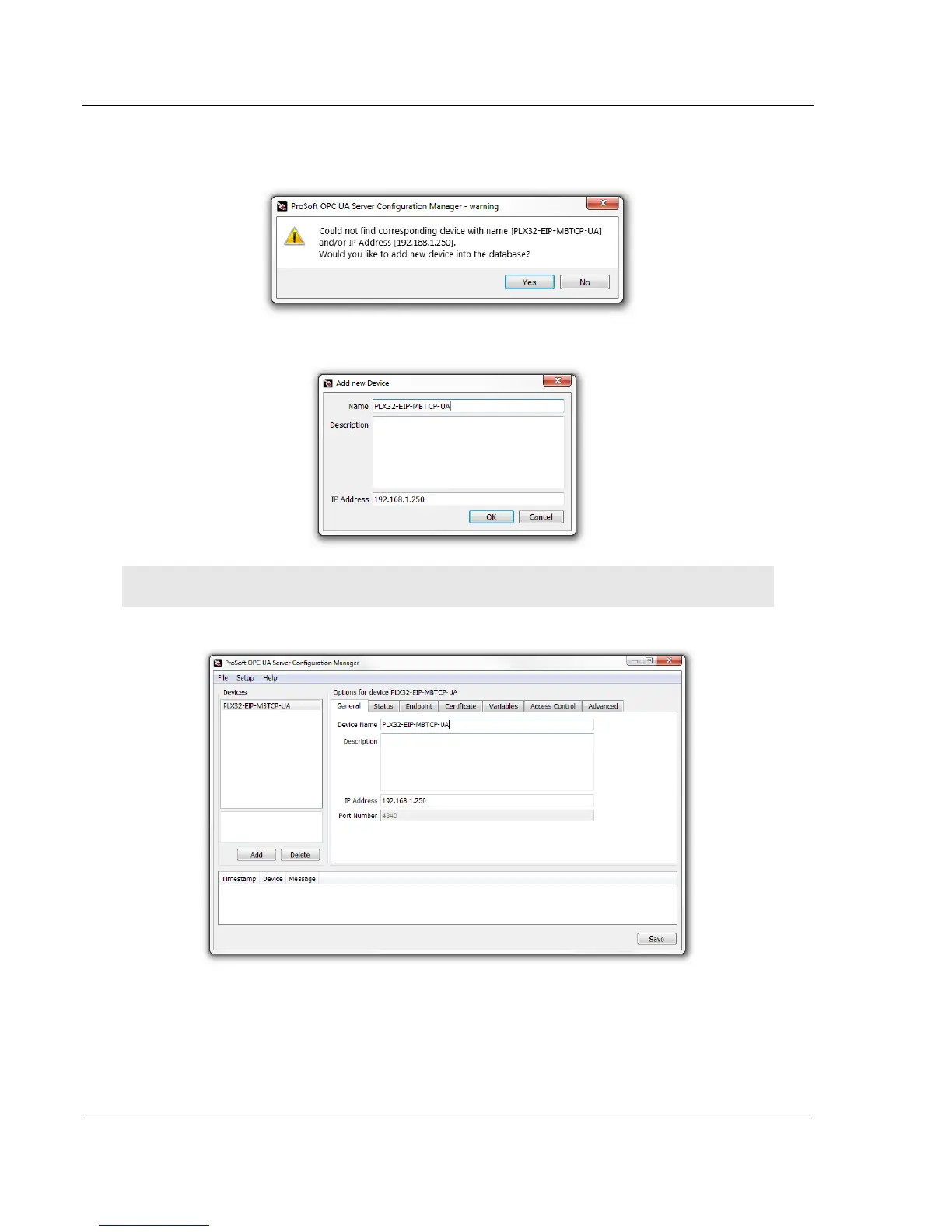
3 A warning message may appear. It indicates that the PSW-UACM has not
found the PLX32-EIP-MBTCP-UA on the local network. Click YES to add
a new device into the UA Server database.
4 Enter the Name, Description (optional), and unique IP Address of the new
device. Click OK.
Note: The IP Address can also be edited in the General tab of PSW-UACM.
5 Once complete, the main window of PSW-UACM displays.
Note that the device in the PSW-UACM is associated with the module name in PCB.
If PSW-UACM cannot find the device with the same name as the PCB module name,
it looks for a device with the same IP address. If the corresponding device cannot be
found, then PSW-UACM prompts you to create a new device.
If a module in PCB is renamed, the corresponding device’s name in PSW-UACM
should be modified to the same name in order to maintain the correct association.



 To Next Page