PLX32-EIP-MBTCP-UA ♦ Multi-Protocol Gateway Using ProSoft Configuration Builder
User Manual
ProSoft Technology, Inc. Page 29 of 156
March 8, 2018
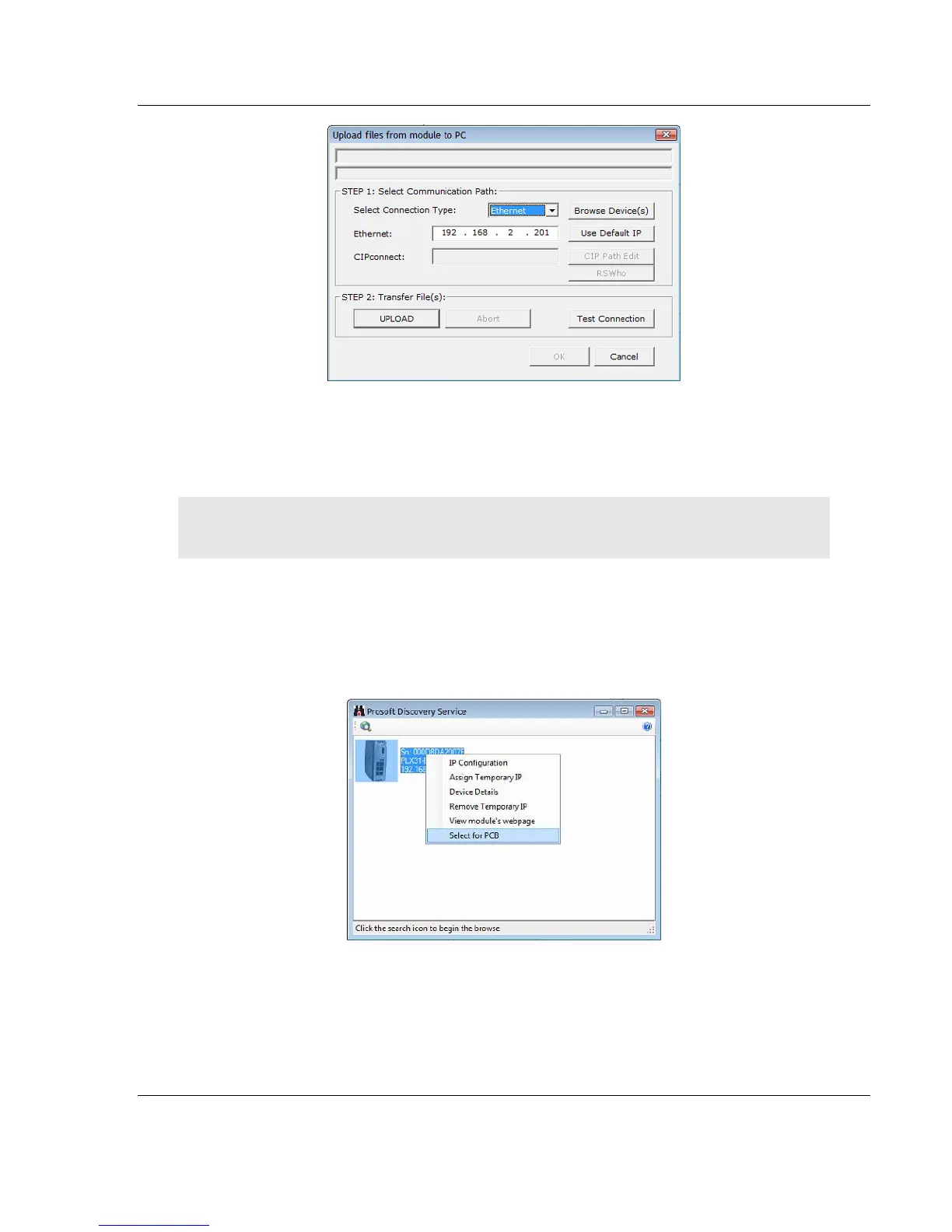
3 Click TEST CONNECTION to verify that the IP address allows access to the
module.
4 If the connection succeeds, click UPLOAD to transfer the Ethernet
configuration to the PC.
Note: The steps above only uploads or modifies the OPC UA server’s IP address and name, it
does not upload or modify the OPC UA configuration.
If the Test Connection procedure fails, you will see an error message. To correct
the error, follow these steps.
1 Click OK to dismiss the error message.
2 In the Upload dialog box, click BROWSE DEVICE(S) to open ProSoft Discovery
Service.
3 Right-click the module and then choose SELECT FOR PCB.
4 Close ProSoft Discovery Service.
5 Click DOWNLOAD to transfer the configuration to the module.



 To Next Page