3. Additionally, you can configure stamp elements from the Customize stamp screen
as follows:
Change Imprint left or right:
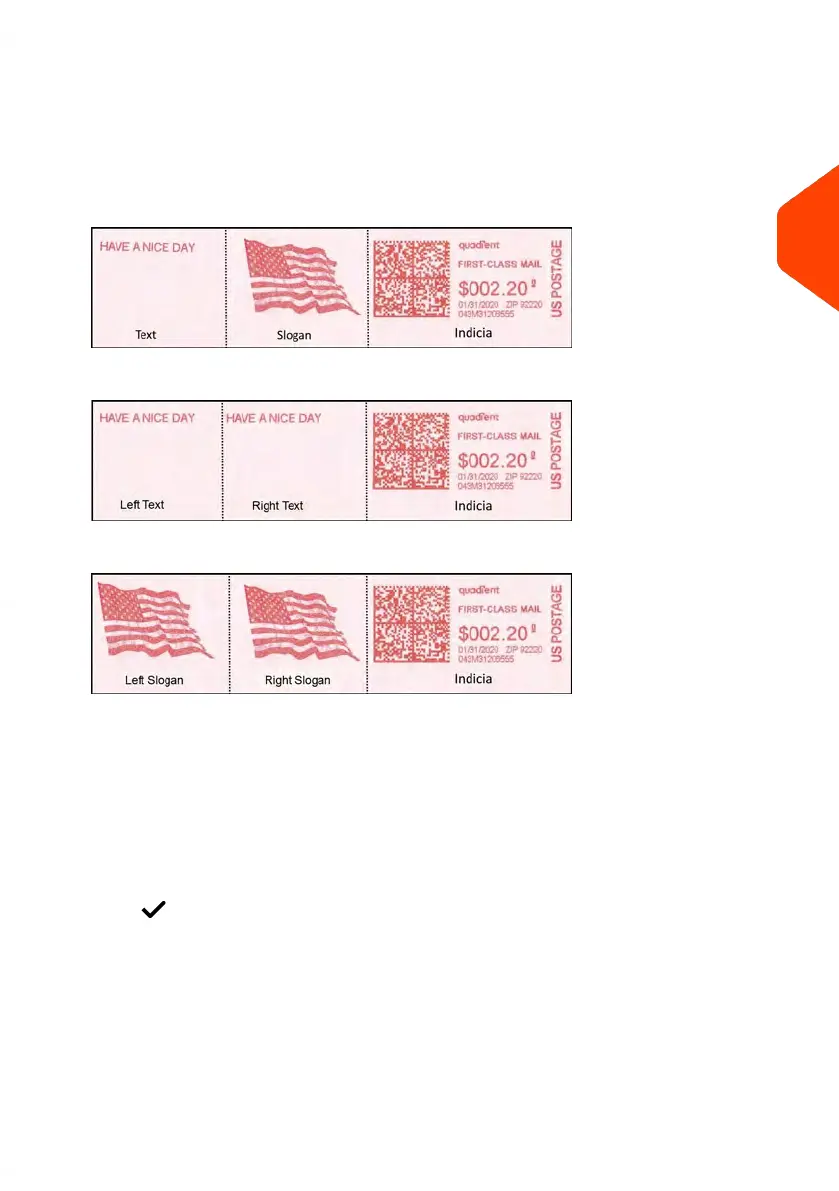
The machine supports Imprint left and Imprint right. These flexible areas allow
you to select Slogan or Text. Therefore you can print a stamp with:
- One slogan and one text:
- Two texts:
- Two slogans:
To select a Slogan, see How to Add (or Cancel) a Slogan on the Stamp on page
340.
To select a Text, see How to Add (or Cancel) a Text on the Stamp on page 331.
Check or change the Date or Date Format:
Select Date and then select a date option in the Date advance screen. Select
Today's date for printing today's date. For more details, see How to Change the
Date on page 117.
Press to return to the home screen.
3
Processing Mail
43
| Page 43 | Apr-15-2022 12:02 |















 To Next Page