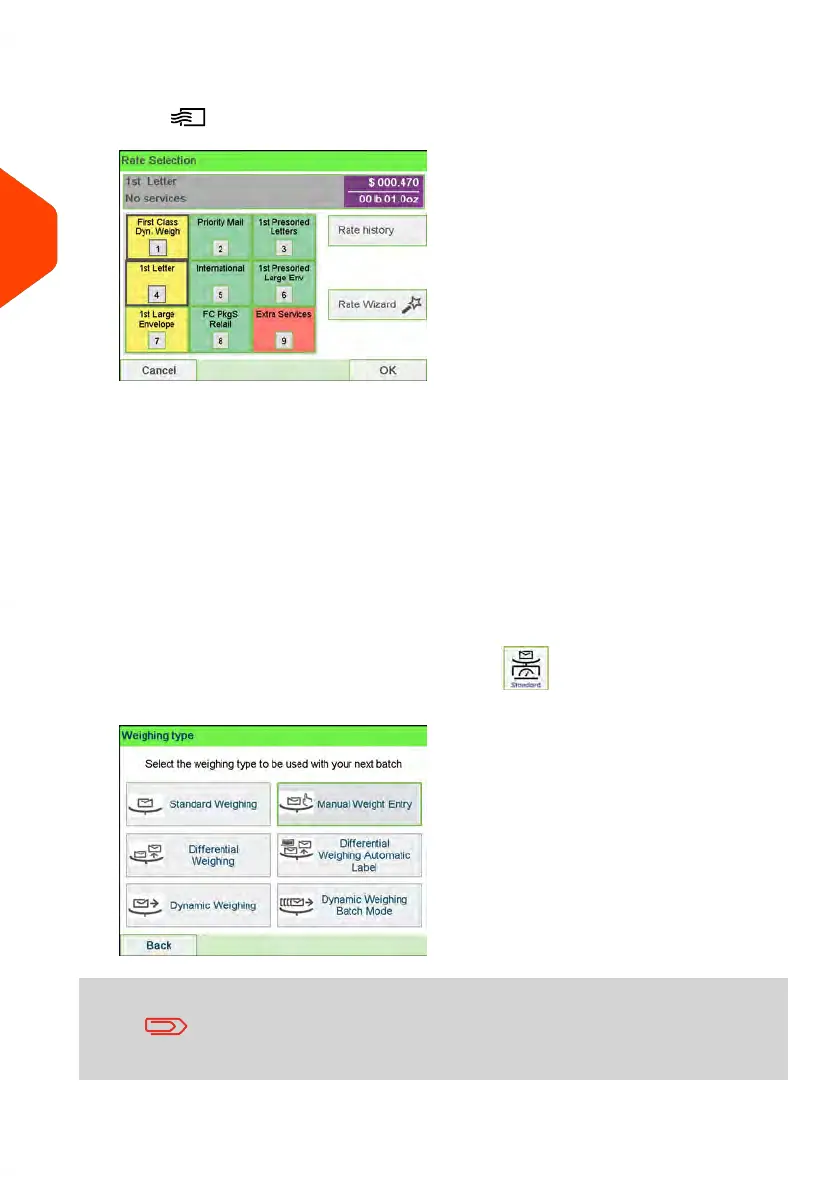
4. Select a rate and add services.
Press to open the Rate selection screen.
Type a rate number to select a rate or display new rate options.
- Select Rate History to choose a recently selected rate.
- Select Rate wizard to choose rate options in lists (includes rates not shown
on rate selection screen).
For more details, see Selecting a Rate on page 208.
5. Select a Weighing Mode.
Depending on the quantity and type of mail you have to process, you can choose
an efficient weighing method that uses a weighing platform or the dynamic scale
(if installed) to save time: see Choosing a Weighing Type on page 90.
To change the current weighing mode, press and select a weighing mode
in the Weighing type screen.
If the WP automatic selection is activated (see Weighing
Platform Automatic Selection on page 284), you can change, from
the home screen, the weighing mode to Standard Weighing
(WP) by putting a mail piece on the Weighing Platform.
44
| Page 44 | Apr-15-2022 12:02 |
3
Processing Mail















 To Next Page