HandKey II Installation and Operation Manual
Revision 2.0 Page 117
Service Menu
There are no user serviceable parts inside the Hand Reader. Hand Reader Calibration
can be performed from the Hand Reader’s keypad. Hand Reader Status and Network
Status (for the Master Hand Reader in a network) can be viewed from the Hand
Reader’s display.
Cleaning the Hand Reader
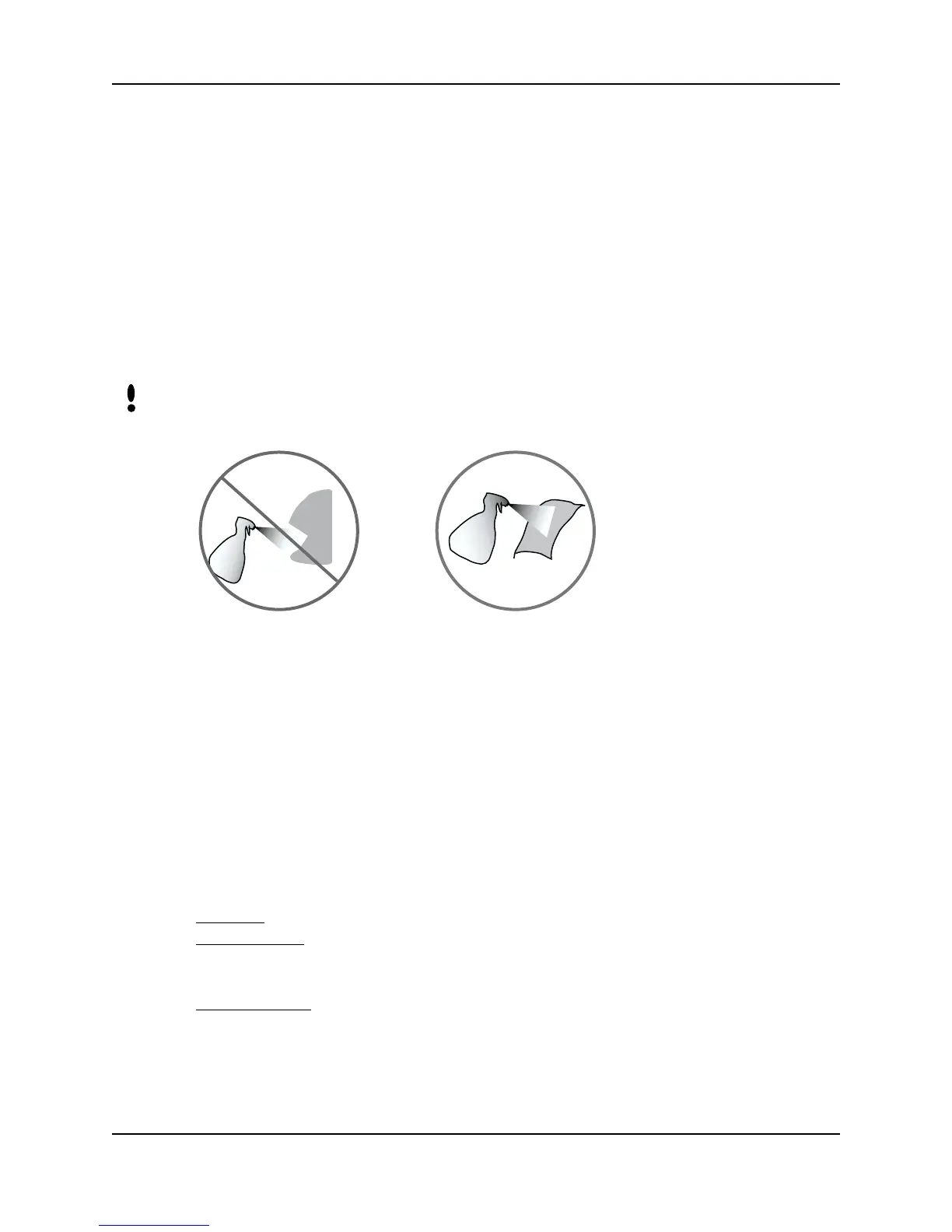
Inspect and clean the Hand Reader regularly to maintain optimum performance. Clean
the platen, side mirror, reflector, and the window above the platen using a clean cloth
dampened with ordinary, non-abrasive window cleaner (see Figure 9-1). Start at the
rear corners of the platen and work your way forward.
DO NOT SPRAY CLEANING FLUID DIRECTLY INTO OR ON THE HAND
READER.
Figure 9-1: Hand Reader Cleaning
User Score
Periodically check users’ scores (refer to the Read Score section on page 71). Scores
should average under 30. Occasionally a user will score above 30. This is not
necessarily an indication of poor performance. If a number of scores average over 30,
clean the Hand Reader and check scores again. If scores remain high, or if users are
experiencing frequent rejections, run the Calibration command described below.
Service Commands
There are three commands available from the Service command menu.
Calibrate
– Run a calibration test to check Hand Reader exposure values.
Status Display
– Check the status of Hand Reader inputs and outputs, the hand read
score of the last user to verify on the system, and the master/remote status of the
Hand Reader.
Network Status – Check the network communication status of Hand Readers in a hand
reader network (for the Master Hand Reader in a network).
NOTE



 To Next Page