12
Before Use
This section describes the precautions to be observed when installing the machine. Read this section before installing the
machine.
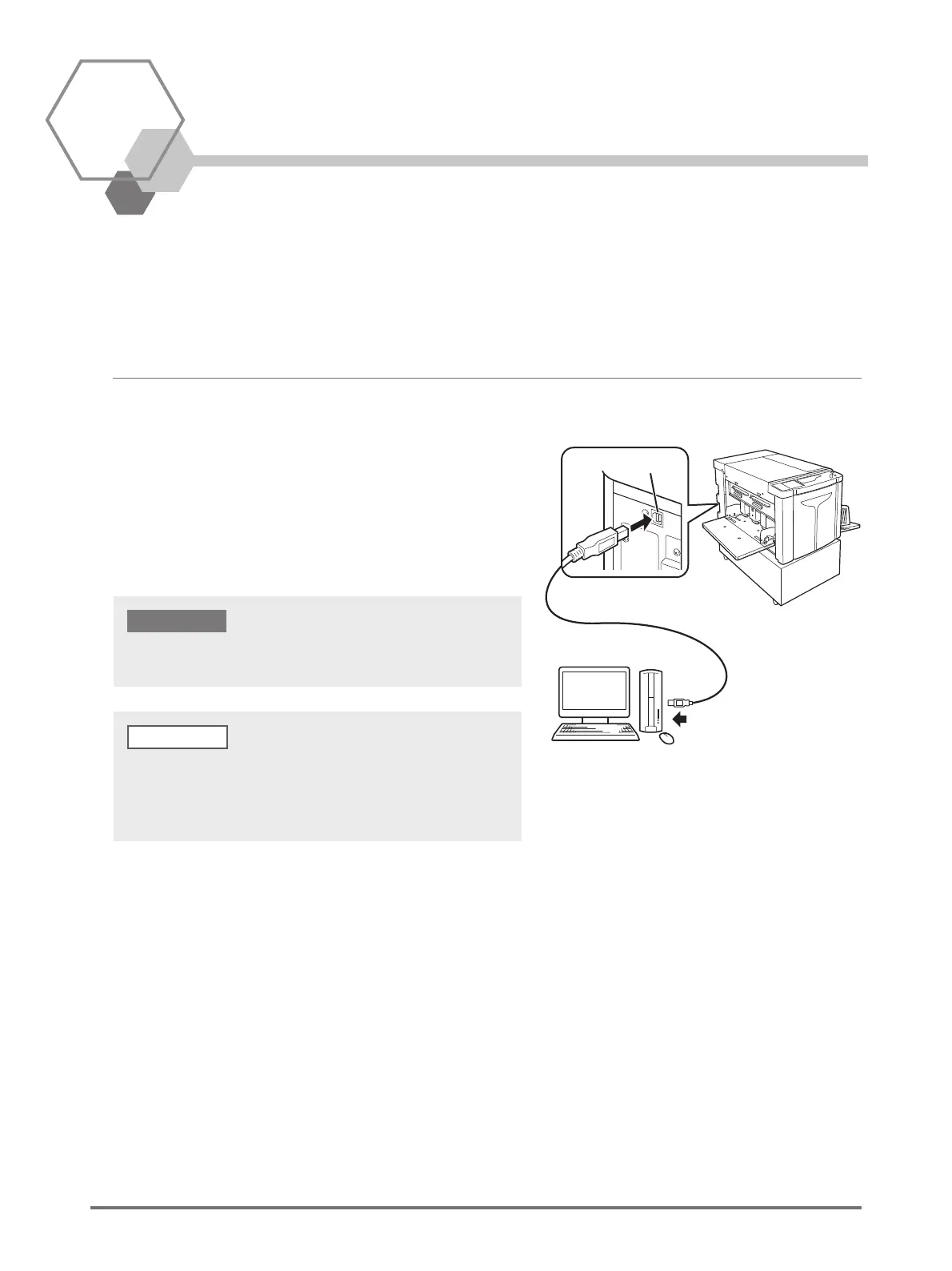
Connection with a Computer
By connecting the machine with a computer (OS: Windows XP/
Windows Vista/Windows 7/Windows 8/Windows 8.1), you can
directly send original data from the computer to the machine for
printing.
Use a commercially available USB cable (Hi-speed USB, 3 m or
less) to connect the machine with a computer.
(1) To the USB port on the machine
USB port
(2) To the USB port on
the computer
The maximum allowable voltage for USB connector input and output is
5 V.
When connecting the machine with a computer via a network, a RISO
Network Card (optional) and a commercial Ethernet cable (shielded
cable that supports 10BASE-T or 100BASE-TX) are required. For details,
see "RISO Network Card" in the User’s Guide.



 To Next Page