Automatic Sorting into Groups [Program]
80
5 Advanced Features
(Printer Machine Side)
5.1 Automatic Sorting into Groups [Program]
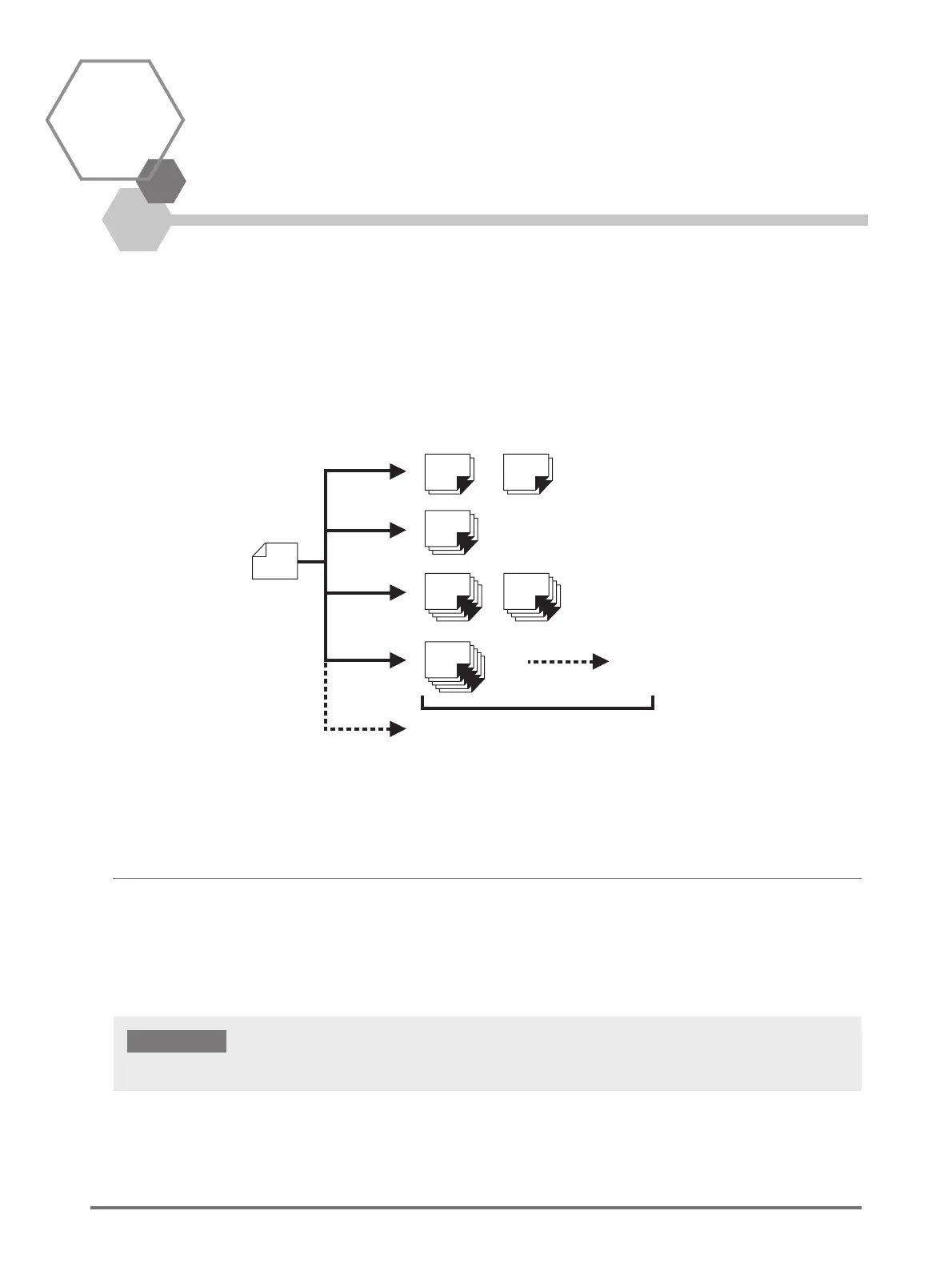
[Program] features printing into multiple groups of sets from a single original document.
A maximum of 50 groups can be created, where each group can be up to 9999 copies and 99 sets.
The machine can be configured to specify how many copies (sheets) per set, then how many sets are to be created for each
group.
How to Program Print
There are two ways to print in sets using the Program printing feature.
• Program, then print.
• Retrieve a saved program, then print.
Original
data
20
sheets
30
sheets
20
sheets
40
sheets
50
sheets
40
sheets
Group 1
Group 2
2 sets
1 set
1 set
2 sets
A maximum
of 99 sets
A maximum
of 9999 sheets
Group 3
Group 4
A maximum
of 50 groups
[Program] is a function that is enabled only when printing (Print increase).



 To Next Page