Check & Error Display
124
8 Troubleshooting
8.1 Check & Error Display
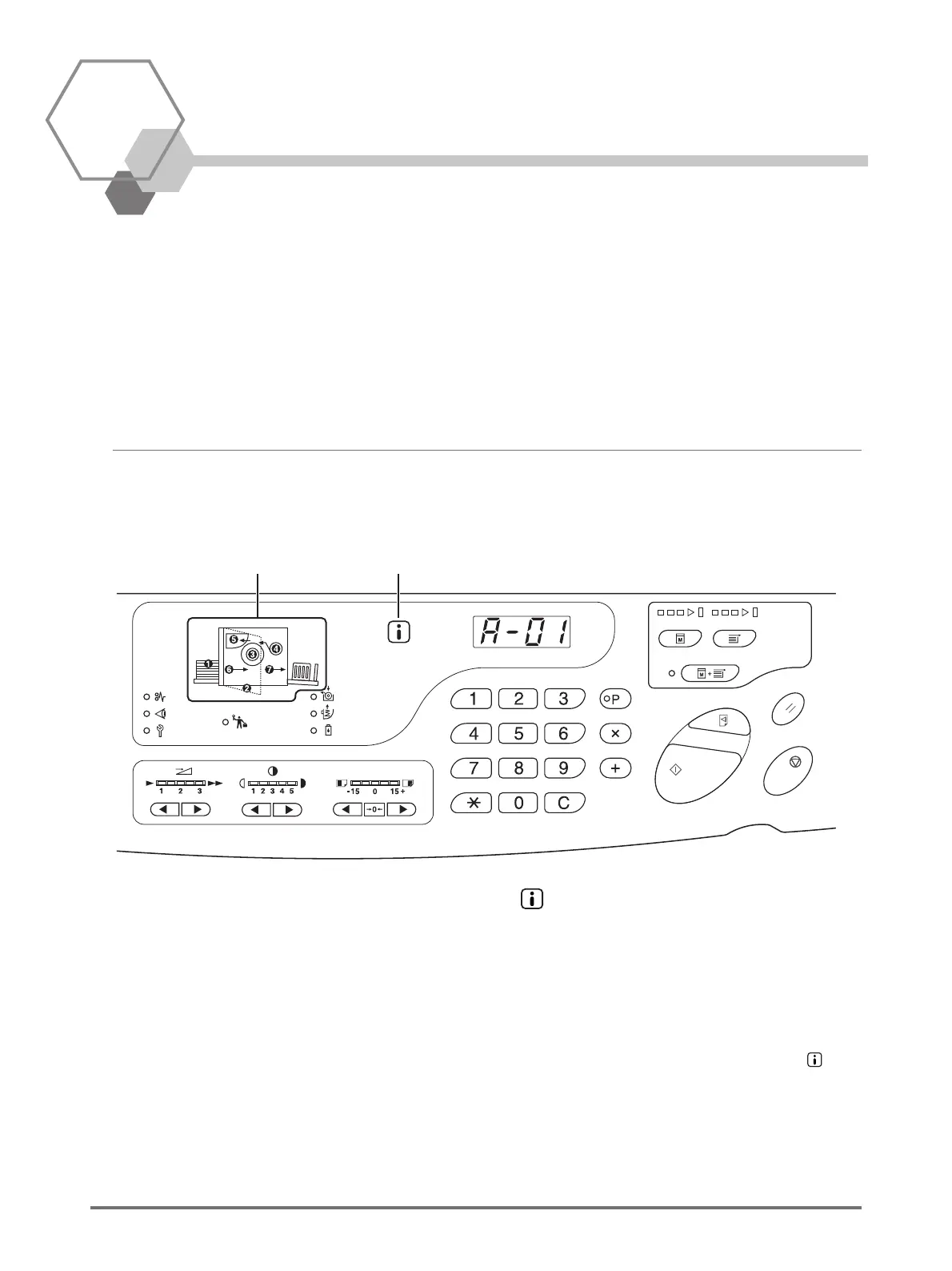
When an error occurs on this printer machine or when consumables or other sections are not yet ready, the Check & Error
display shows error locations and numbers indicating error types. For some errors, error numbers are shown on the Error
Number Display (Print Quantity Display).
Checking with the Check & Error Display
Besides indicators that show error types, numbers that show error locations light.
Check the display, and then take an appropriate procedure according to the methods described on the subsequent pages.
(2)(1)
(1) Error Location Indicator
Numbers corresponding to Error Locations light.
(2) Indicator
This machine acquires "matching information" from the
consumables to control print functions.
Indicator is ON: Matching information is acquired and
print functions are controlled correctly.
Indicator is OFF: Matching information is not acquired.
Matching information needs to be
entered. p.131 "When the
indicator is off and "H" is shown on the
Print Quantity Display"



 To Next Page