17
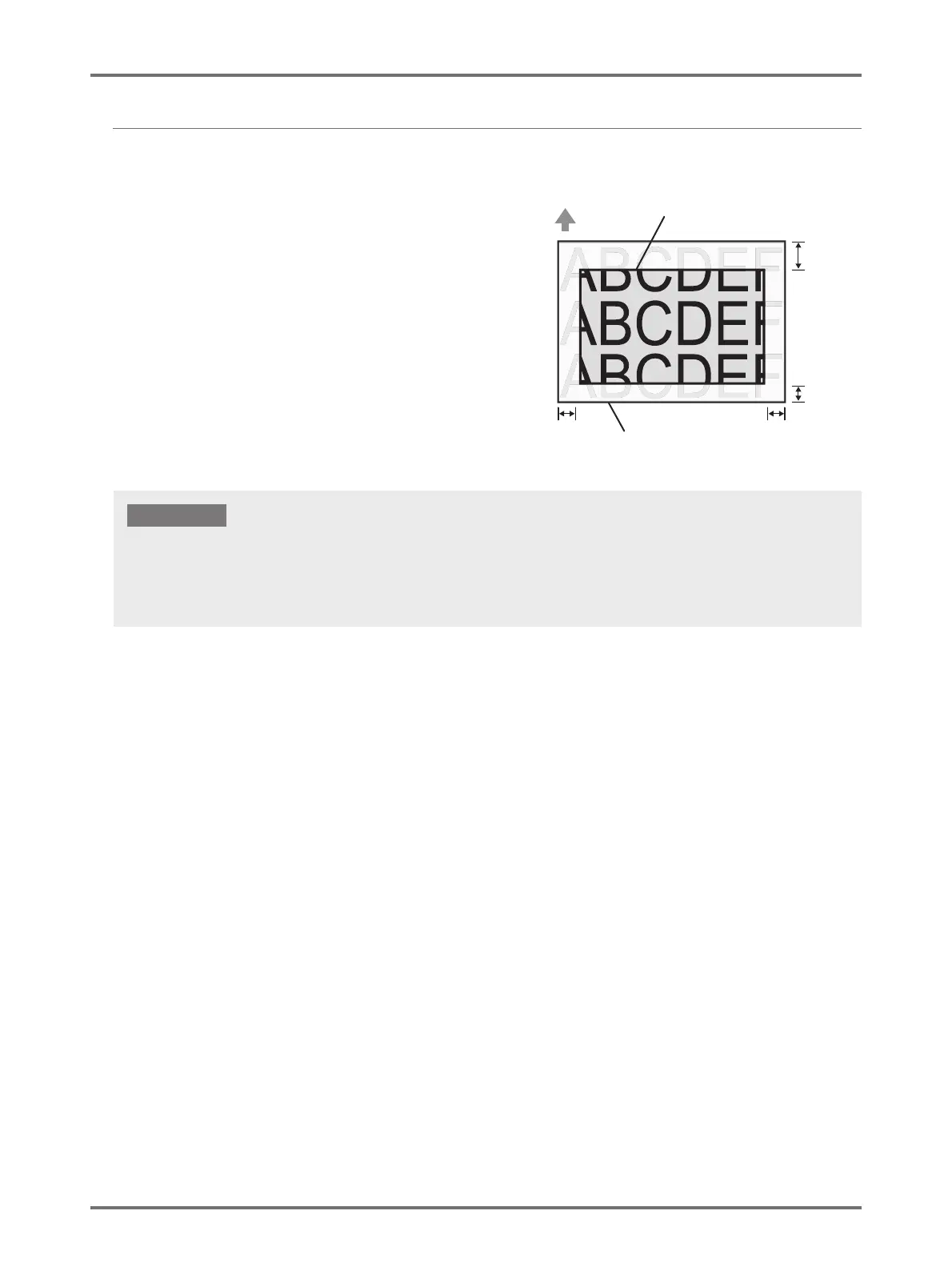
Maximum Printing Area (Maximum Master-Making Area)
Regardless of the size of original, the Maximum Printing
Area (Maximum Master-Making Area) will be determined
according to the [Output size] specified by the Printer Driver.
The Maximum Printing Area is the "Output size" with no
margin shown in the right-hand figure.
• You should prepare the original by taking this margin into
consideration.
• Image area outside this Maximum Printing Area are not
made into a master.
Top Edge
3 mm 3 mm
5 mm
2 mm
Output size specified
by the Printer Driver
Maximum Printing Area
(Maximum Master-Making Area)
Original Data
The Paper Size and Print Direction is normally specified by the application software. Be sure that the 'Paper Setting" of the application
software, which was used when the original data was prepared, and the [Original Size] and the [Print Direction] specified by the Printer
Driver match before you start printing.
• Direction of the size of paper placed on the Paper Feed Tray of this machine p.14 "Printing Paper"
IMPORTANT!



 To Next Page