Automatic Sorting into Groups [Program]
86
Advanced Features (Printer Machine Side)
Retrieving Programs
Stored programs can be retrieved for printing and changing the contents of setting.
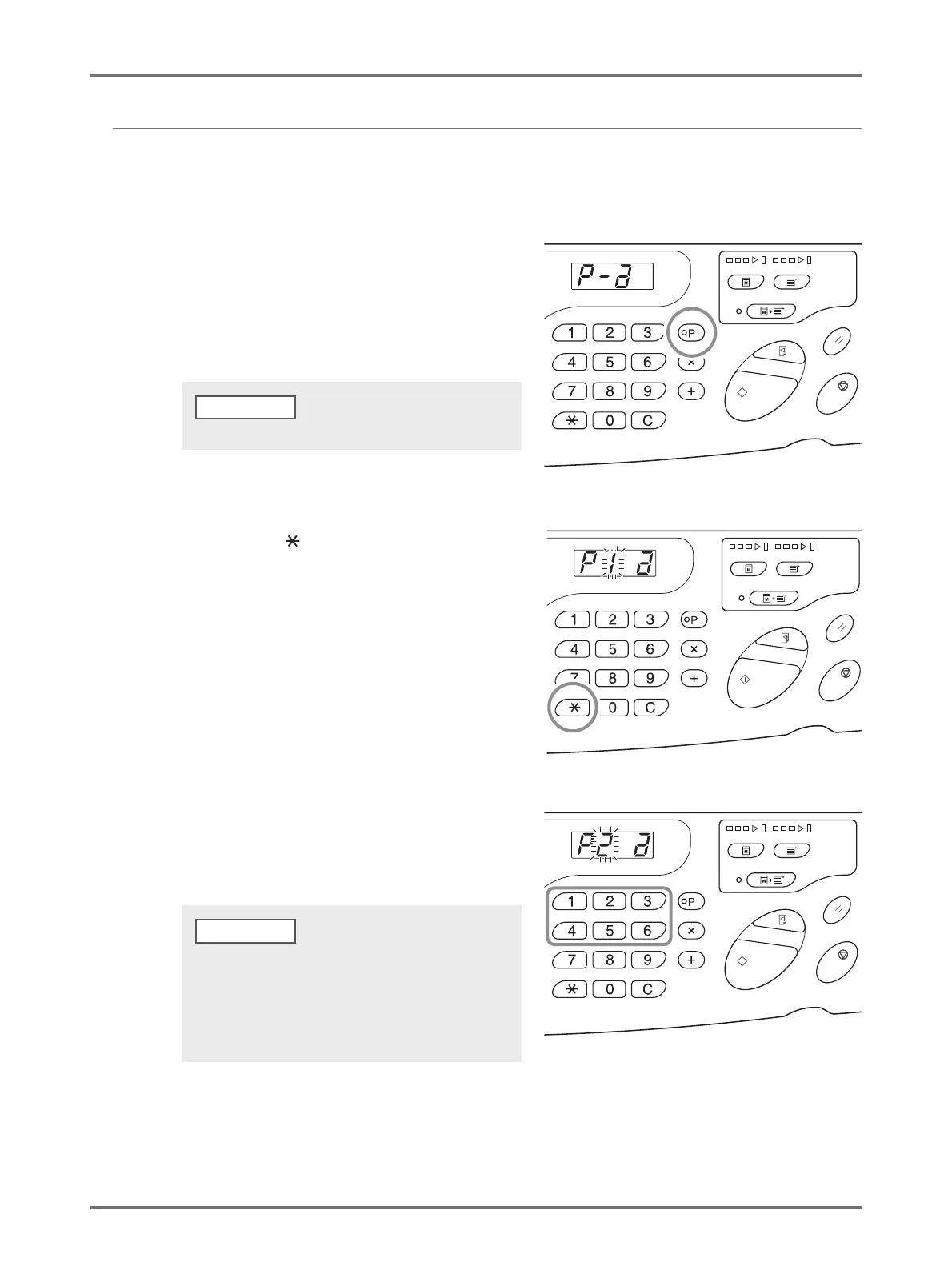
1
Press the <P> key to turn on the
indicator.
2
Press the < > key.
3
Enter the Program Number using the
Print Quantity keys.
A stored program is retrieved.
To clear the program mode, press the <P> key again.
NOTE
• By pressing the <Start> key, you can start printing with
a retrieved program.
• You cannot enter an unstored program number.
• Press the <P> key to check or change the contents.
p.87 "Making Changes to Stored Programs"
NOTE



 To Next Page