Setting the Printing Preferences
56
2
Functions to be Set Up with the Printer
Driver (Computer Side/Driver Side)
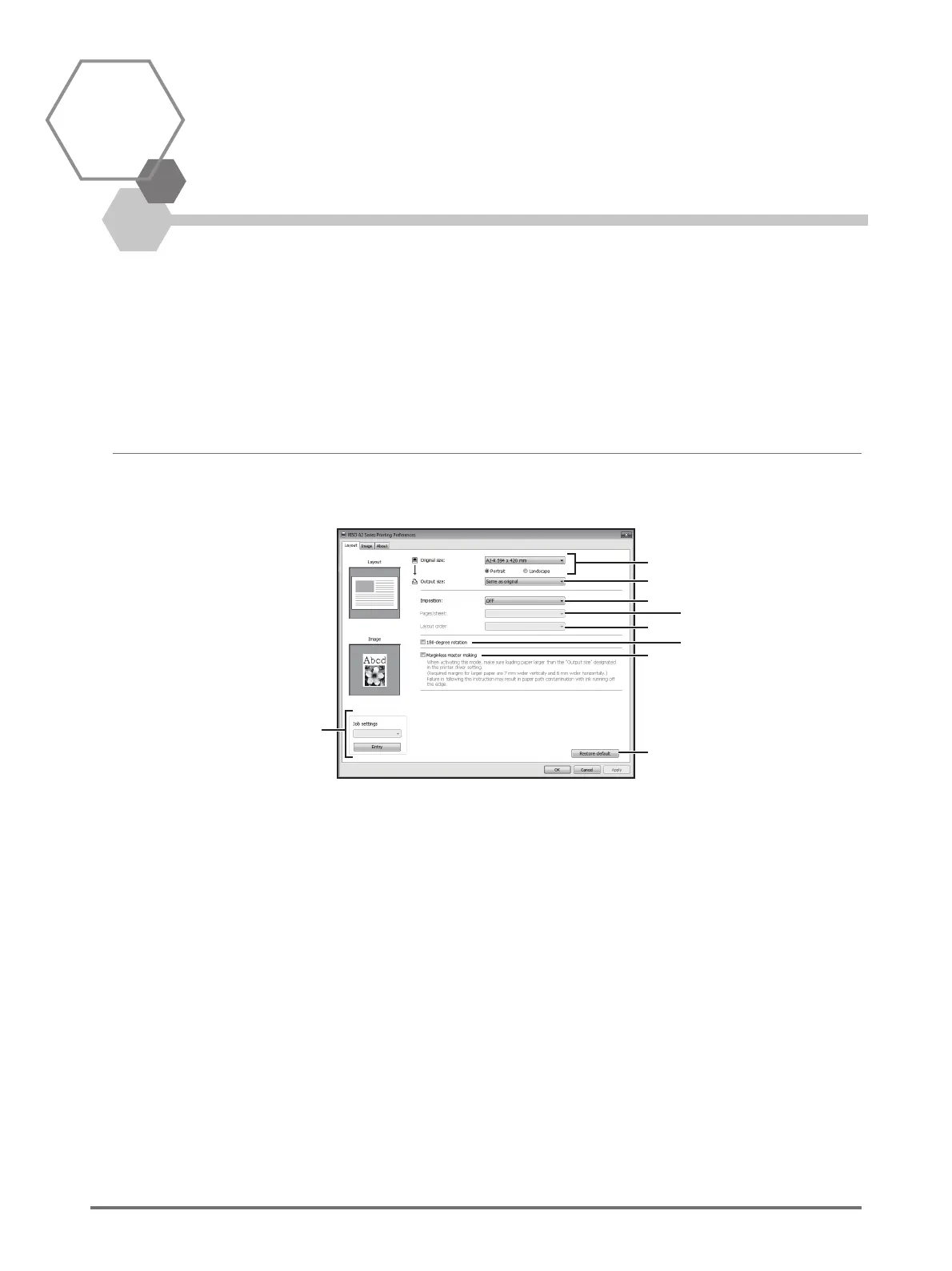
2.1 Setting the Printing Preferences
Click the tab on the top part of dialog box to display each setting item.
[Layout] Tab
Settings
(1)
(2)
(3)
(4)
(5)
(7)
(6)
(9)
(8)
(1) Original size
[Portrait] / [Landscape]
(2) Output size
(3) Imposition
[OFF]
[Multi-up]
[Page layout]
(4) Pages/sheet
[2 pages]
[4 pages]
(5) Layout order
[Left to right (Top to bottom)]
[Right to left (Bottom to top)]
[Left top to right]
[Left top to bottom]
[Right top to left]
[Right top to bottom]
(6) 180-degree rotation
(7) Marginless master making
(8) Job settings
(9) Restore default



 To Next Page