Automatic Sorting into Groups [Program]
84
Advanced Features (Printer Machine Side)
Saving Programs
Store frequently-used program settings for later retrieval and printing.
A total of six settings can be stored.
1
Set the program.
Enter the necessary settings on the control panel. p.81 "Setting Up for Programmed Printing"
2
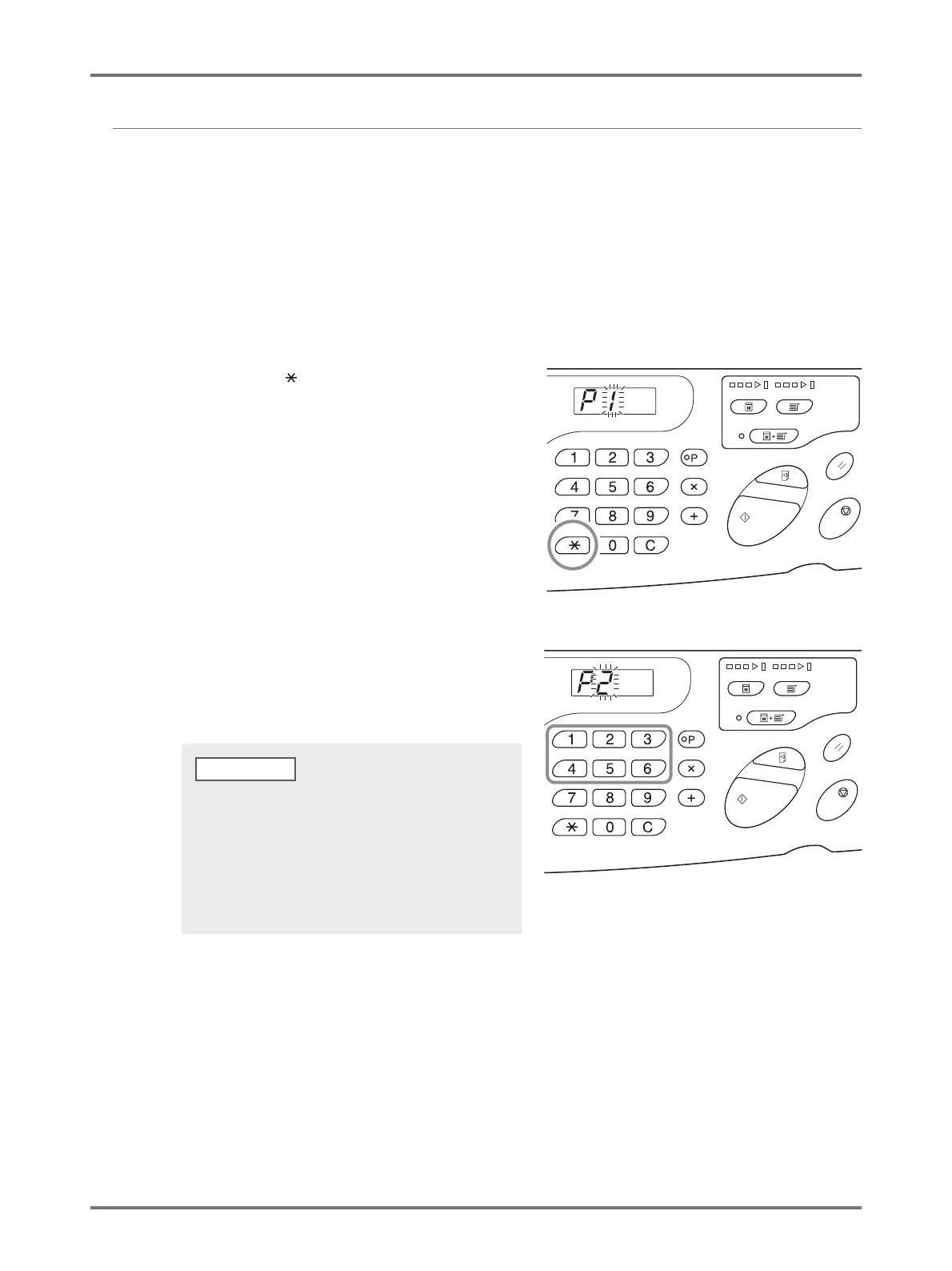
Press the < > key.
Store program settings.
3
Enter the program number using the
Print Quantity keys.
Select the number from 1 to 6.
• When a program number that has already been stored is
selected, [a] is displayed. When a program number that
has not been registered is selected, the display
becomes blank.
• Selecting a number that has already been stored
overwrites the previous settings. Confirm the settings on
the display before saving to the same number.



 To Next Page