Printing Data
49
Basic Operation
1.3 Printing Data
This section explains how to print out original data directly on the machine. Prepare the original data on the computer
beforehand.
1
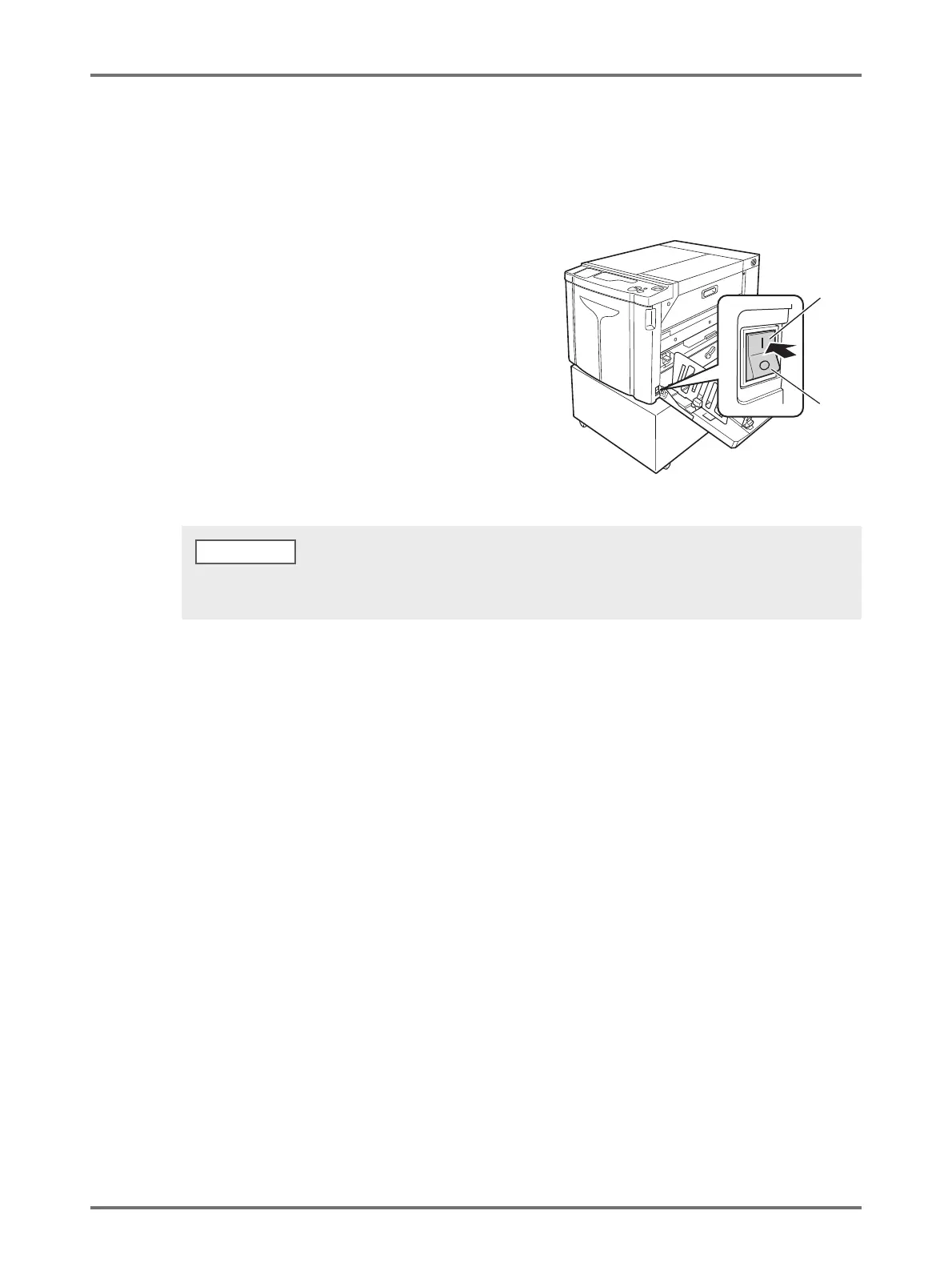
Turn on the machine.
The power switch is on the lower right part of the
machine.
2
Check the display.
Ensure that Check & Error Display is not turned on or
blinking. p.124 "Check & Error Display"
3
Check the printing paper and drum color.
Ensure that the printing paper is loaded. Also, ensure that the drum color to be used for printing are set.
4
Set the necessary functions.
Set functions such as Auto-process and custom setting mode. p.68 "Automatic Printing [Auto-process]",
p.93 "Customizing Initial Settings [Custom Setting Mode]"
5
Check the contents of the original data using any application on the
computer.
(1) Display the [Print] screen on the document data using any application (such as Adobe Reader).
For details, see the User's Guide of the application.
(2) Select [RISO A2 Series] (name of this machine) in [Printer Name].
Select the printer name specified in p.34 "Step10".
ON
OFF
• When the <Idling> indicator on the Sub Control Panel is turned on, idling is performed when making a master.
p.70 "Idling Action [Idling]"
NOTE



 To Next Page