Customizing Initial Settings [Custom Setting Mode]
96
Advanced Features (Printer Machine Side)
Operation Procedure
This section explains how to set items in [Custom Setting mode].
Refer to the relevant page for the following items.
• Paper ejection adjustment registration p.98 "Registering Paper Ejection Adjustment"
• Machine IP address setting p.102 "Machine IP Address Setting"
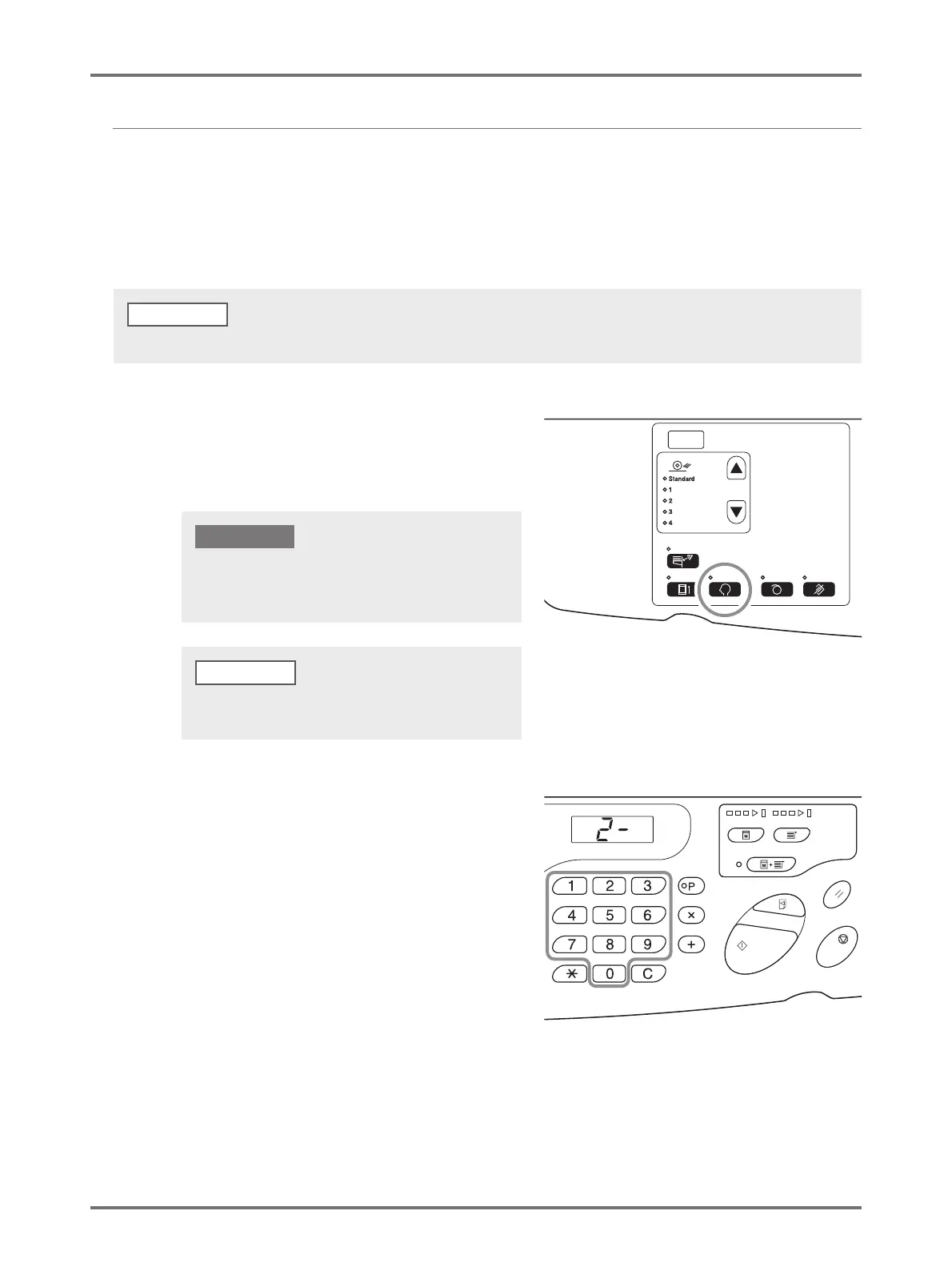
1
Press the <Custom> key to turn on
the indicator.
The item entry mode is started.
2
Enter an item number to be changed,
using the Print Quantity keys.
The <Print Quantity> Display shows the current
parameter setting for the selected item number.
Cancel the entered numerical value by using the <C> key.
NOTE
If the RISO Network Card (option) is installed, you will not
be able to enter the custom setting mode for up to one
minute after turning on the power.
IMPORTANT!
To clear the mode, press the <Custom> key again to turn
off its indicator.



 To Next Page