Adjusting the Print Position [Print Position Adjustment]
74
Printer Edition (Print Mode)
4.3 Adjusting the Print Position
[Print Position Adjustment]
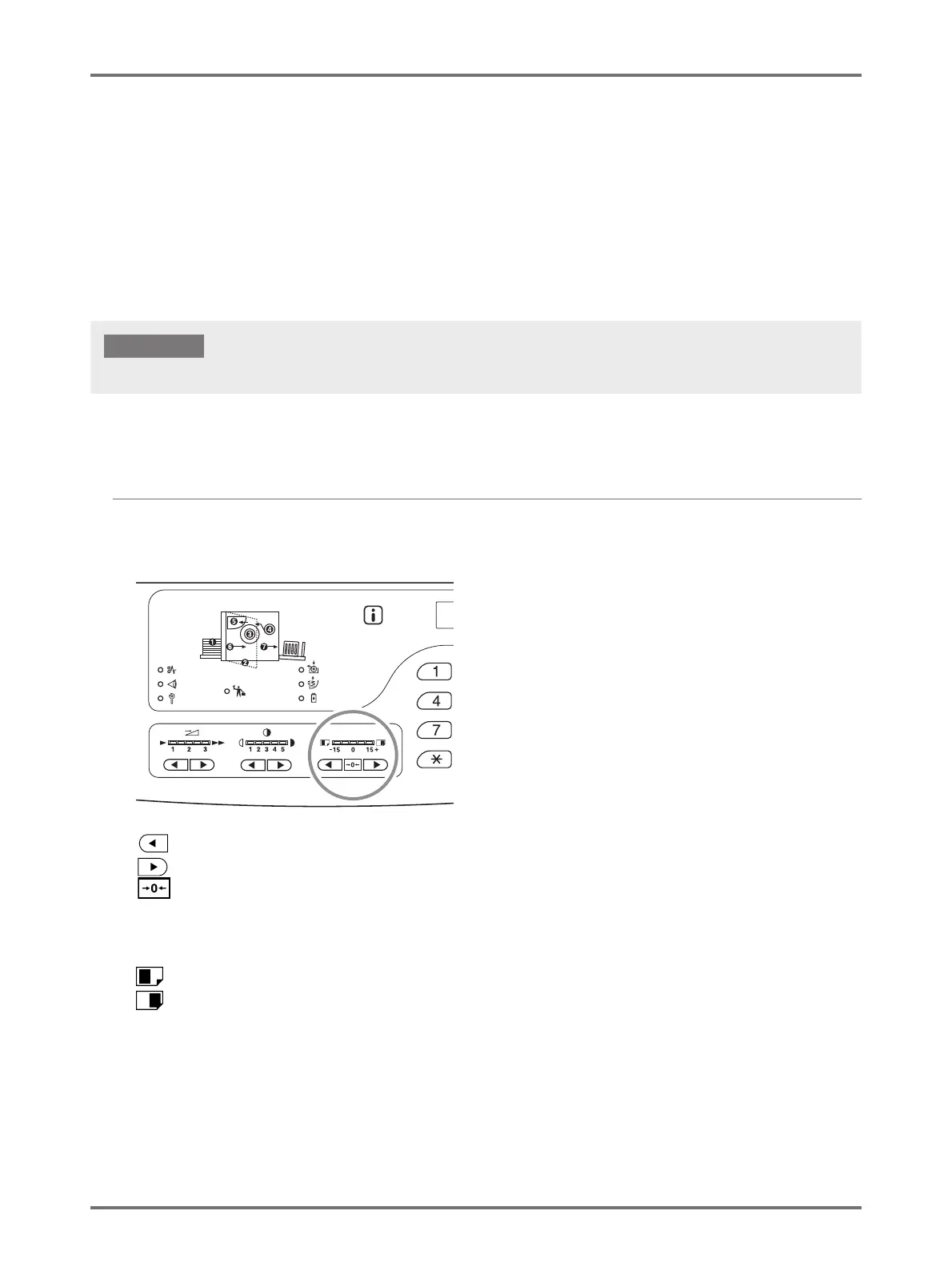
Use the <Vertical Print Position Adjustment> keys to adjust the print position in the vertical direction, and then use the Horizontal
Print Position adjustment of the Feed Tray Paper Guides to adjust the position in the horizontal direction.
It is possible for the print position (vertical direction) to be adjusted during printing.
Adjustment range Vertical: ±15 mm Horizontal direction: ±10 mm
*
*
For paper widths over 604 mm, the adjustment range in the horizontal direction becomes less than ±10 mm.
Adjusting the Vertical Position
Press the < > key or < > key to adjust the vertical position.
key: Each press shifts the print position downward in increments of about 0.5 mm.
key: Each press shifts the print position upward in increments of about 0.5 mm.
key: Returns the printing paper to the original position.
Print position (vertical) indicator:
Indicates the amount (reference) of movement of current vertical position.
: Shifts the print position downward.
: Shifts the print position upward.
After adjusting the print position, print a proof copy to check the result.p.72 "Producing Proof Copies [Proof]"
IMPORTANT!



 To Next Page