Setting the Output for Printing with Special Paper [Paper Ejection Adjustment]
77
Printer Edition (Print Mode)
4.5 Setting the Output for Printing with
Special Paper
[Paper Ejection Adjustment]
When printing with special paper or when paper jam occurs on the Paper Receiving Tray side, you can adjust the output setting.
Combination of each adjustment value of separation fan, suction fan, and air blow are registered to the output setting in
advance.
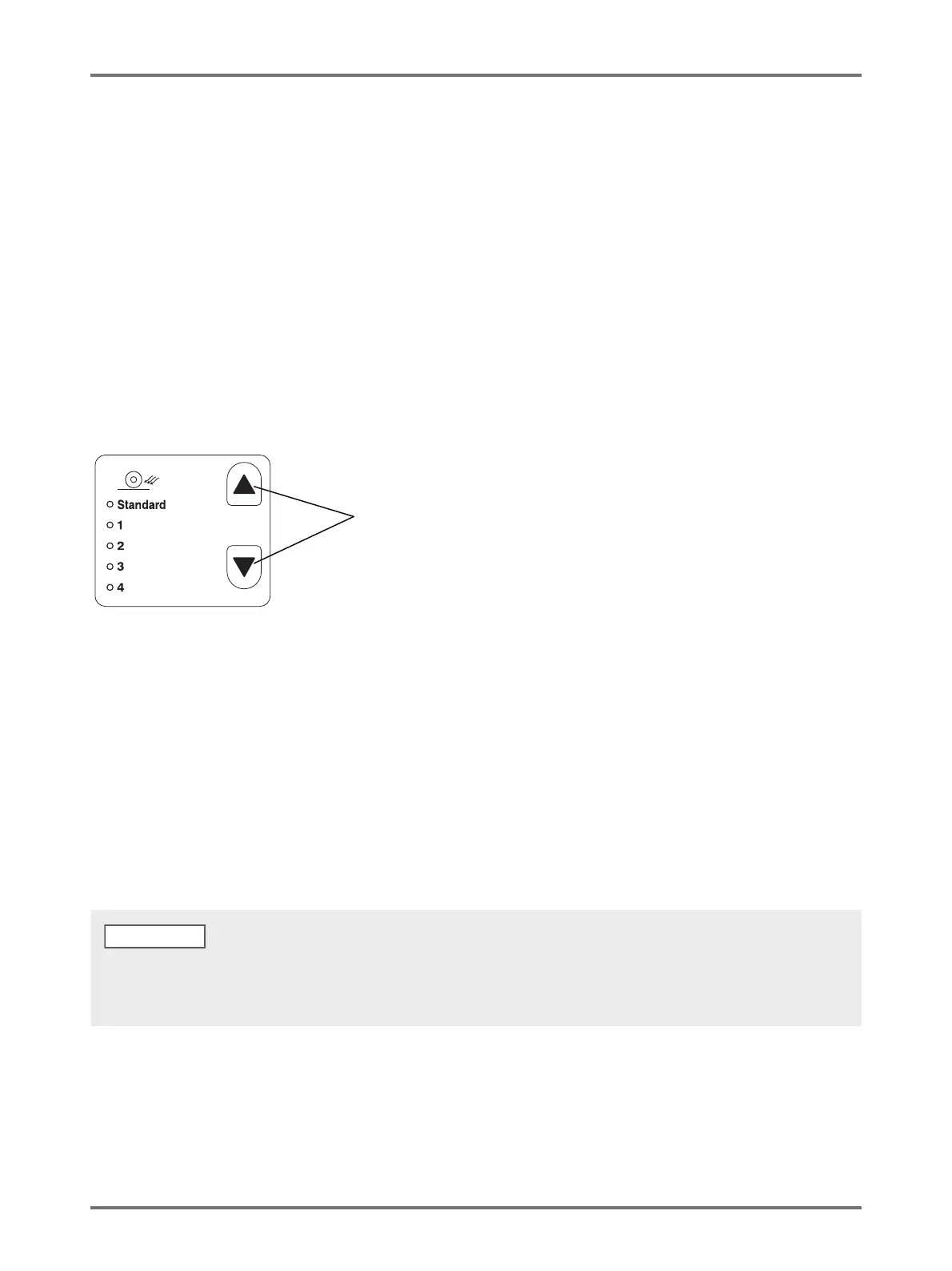
Press the <> key or the <> key to adjust output.
You can select Output setting from 1 to 4, which is registered in the "Paper ejection adjustment" in the custom setting mode
or Standard in advance.
The indicator of the currently selected number is lit every time the key is pressed.
Select the value according to the Output state.
Setting value
Standard: Recommended setting
1: The value, which is effective
*1
when printing paper remains on the pressure roller, is registered.
2: The value, which is effective at flying up
*2
is registered.
3: For the factory default, the same setting as "Standard" is registered.
4: For the factory default, the same setting as "Standard" is registered.
*1 When printing paper is coiled around the pressure roller: Phenomenon where printing paper has slipped under the
suction belt because the air from the air blow or the separation
fan is too strong.
*2 Flying up: As the air from the air blow or the separation fan is weak, a phenomenon where the printing paper does not
come off the drum and is not passed over to the suction belt (is not ejected) occurs.
Paper Ejection Adjustment key
For setting value 1 to 4, which can be selected at [Paper ejection adjustment], you can register the combination of each adjustment value
for separation fan, suction fan, and air blow. [Standard] is our recommended setting and cannot be changed. p.94 "Customizing Initial
Settings [Custom Setting mode] / Paper Ejection Adjustment Registration"
NOTE



 To Next Page