Customizing Initial Settings [Custom Setting Mode]
98
Advanced Features (Printer Machine Side)
Registering Paper Ejection Adjustment
Up to four types of adjustment value can be registered by combining the value for air blow, separation fan, and suction fan
to be used for paper ejection adjustment at normal mode. The setting value, which was registered here, can be selected
from "Paper ejection adjustment" 1 to 4 in the control panel.
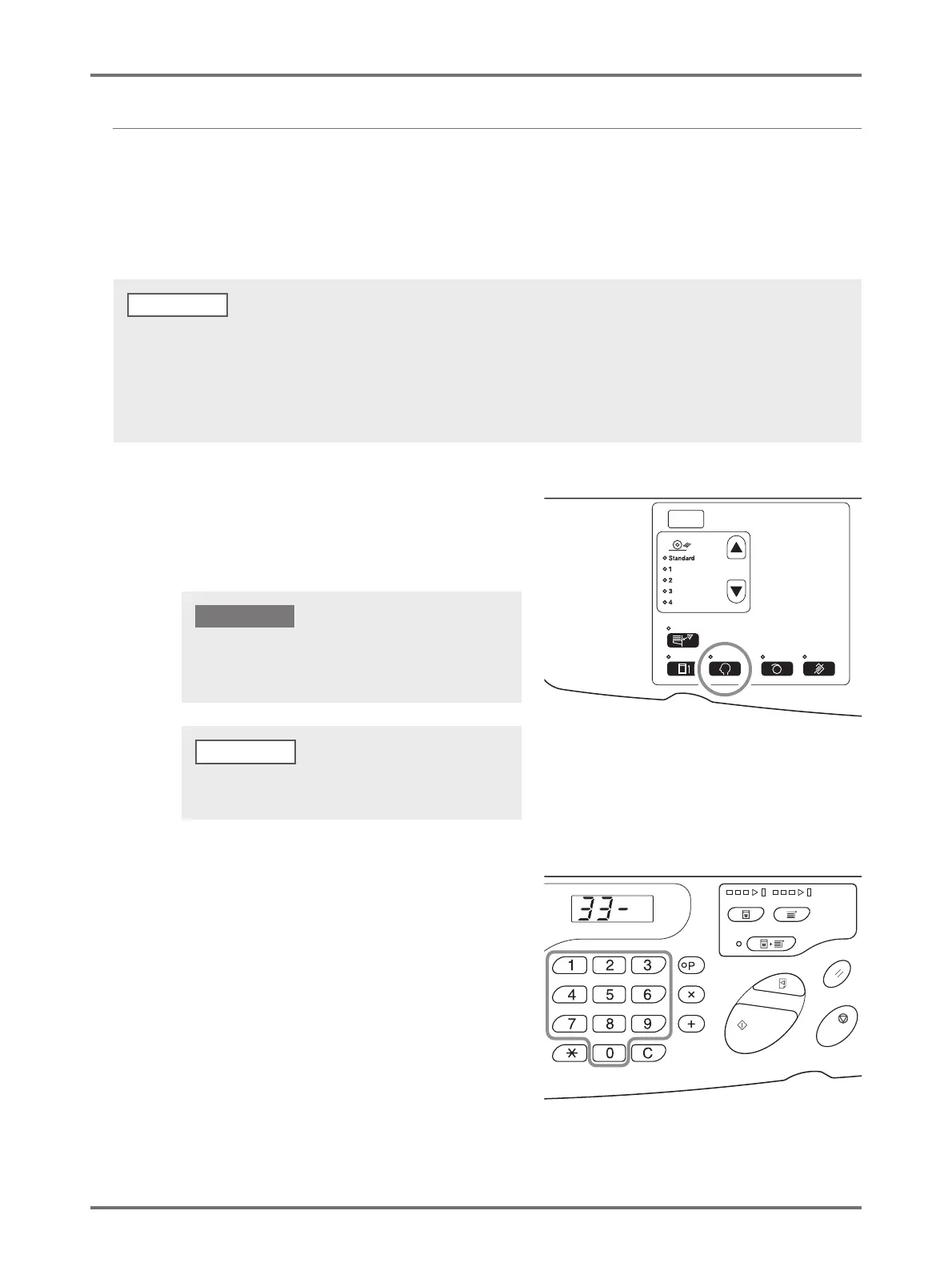
Enter the paper ejection adjustment registration number and enter separation fan, suction fan, and air blow in this order.
1
Press the <Custom> key to turn on
the indicator.
The item entry mode is started.
2
Enter an item number to be changed,
using the Print Quantity keys.
Enter "33" for the item number.
• The recommended setting value is set to paper ejection adjustment 1 to 4 in advance.
• "Standard (0)" of the paper ejection adjustment registration cannot be changed.
• Press the <C> key to cancel the entered numerical value.
• Press the <X> key to return to the previous screen.
• Refer to p.101 "Output mechanism and adjustment value" to find the effect of each setting value.
NOTE
If the RISO Network Card (option) is installed, you will not
be able to enter the custom setting mode for up to one
minute after turning on the power.
To clear the mode, press the <Custom> key again to turn
off the indicator.
NOTE



 To Next Page