Customizing Initial Settings [Custom Setting Mode]
102
Advanced Features (Printer Machine Side)
Machine IP Address Setting
It is necessary to set IP address to connect the machine with the personal computer. Network must be connected before
setting up IP address. IP address cannot be set if Ethernet cable and RISO Network Card (option) is not connected.
1
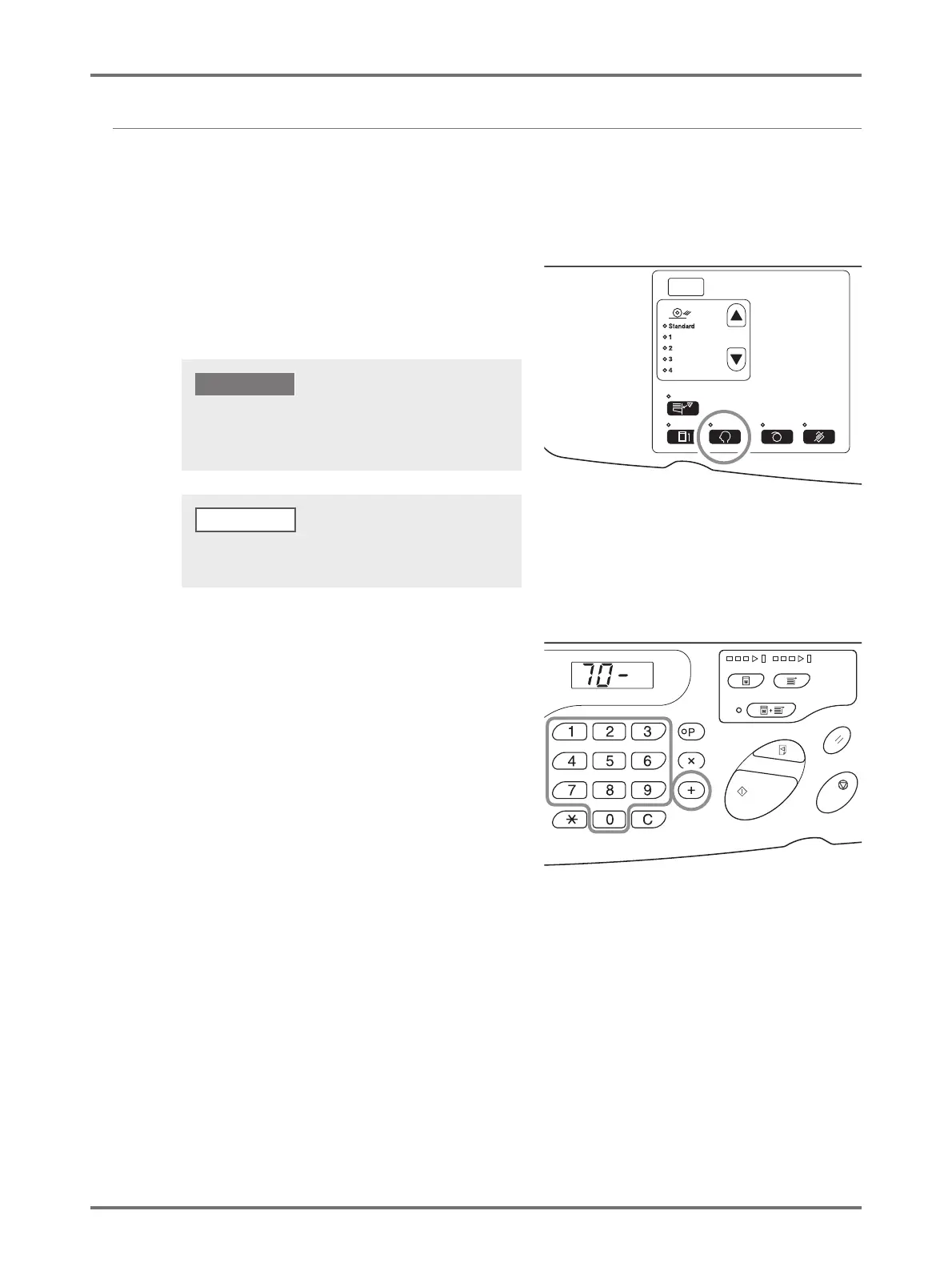
Press the <Custom> key to turn on
the indicator.
The item entry mode is started.
2
Enter an item number, using the Print
Quantity keys.
Enter "70" for the item number.
3
Press the <+> key.
If the RISO Network Card (option) is installed, you will not
be able to enter the custom setting mode for up to one
minute after turning on the power.
IMPORTANT!
To clear the mode, press the <Custom> key again to turn
off the indicator.
NOTE



 To Next Page