Preparing to Print (Printer Machine Side)
28
Basic Operation
Setting up the Paper Receiving Tray
1
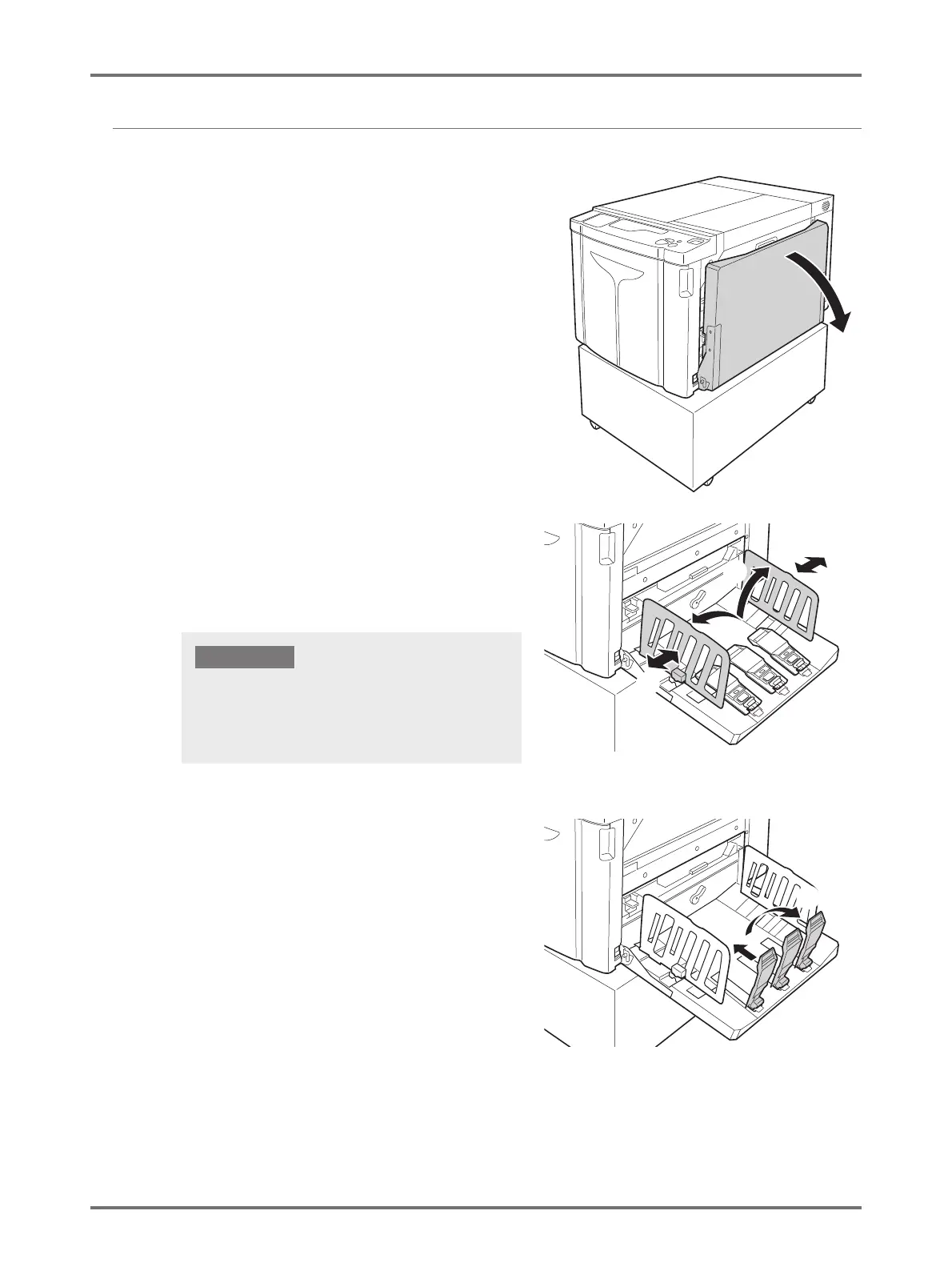
Open the Paper Receiving Tray.
2
Position the Receiving Tray Paper
Guides.
Set up the Receiving Tray Paper Guides. Hold the lower
part of the guides, and adjust to the width of the paper.
3
Set up the Paper Stopper, and adjust
by sliding it according to the length of
the paper.
(1) Set up the Paper Stopper.
(2) Slide to fit the length of the paper.
(1)
(2)
(2)
(1)
When you move the paper on the Paper Feed Tray,
reposition the Receiving Tray Paper Guides also. If the
guides are not correctly positioned, problems such as
paper jams can occur.



 To Next Page