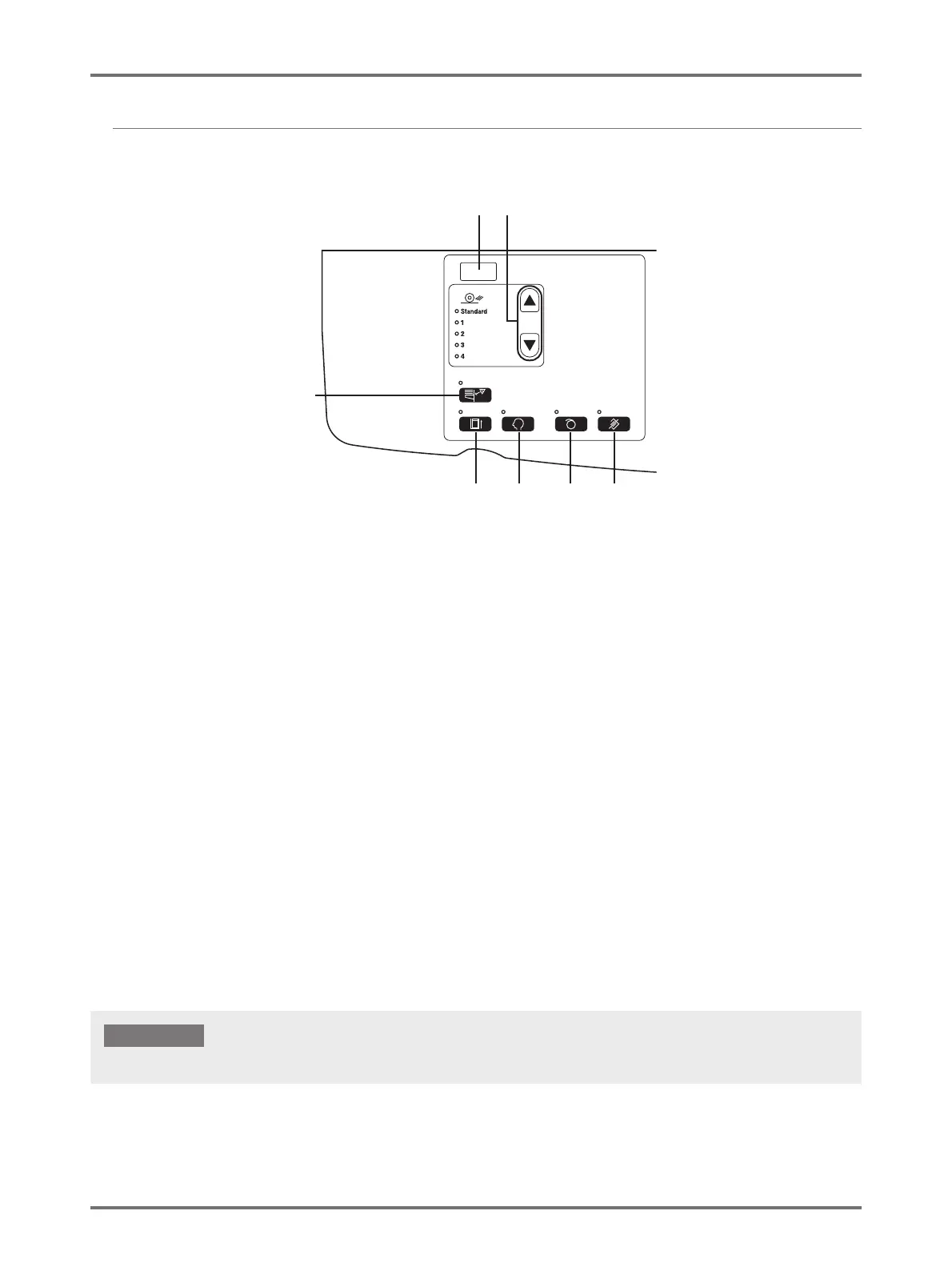
Control Panels
22
Sub Control Panel
(1) IP Address Display (p.102)
Displays the IP Address set in the "IP Address of the
machine" in the custom setting mode.
(2) Paper Ejection Adjustment Key/Indicator (p.77)
Selects the paper ejection adjustment.
Each time you press the key, the Output setting
changes. The indicator for the selected number of
Output setting lights. You need to register the Output
Setting 1 to 4 beforehand.
(3) Double Feed Check (p.92)
This detection is normally set to [ON]. Each time you
press the key, the function is switched on and off. When
activated, the indicator above the key lights.
(4) Confidential Key/Indicator (p.91)
Prevents confidential documents from being copied.
Each time you press the key, the function is switched on
and off.
When activated, the indicator above the key lights.
(5) Custom Key/Indicator (p.96)
Use when changing the initial settings.
When activated, the indicator above the key lights.
(6) Idling Key/Indicator (p.70)
Sets up for idling.
Each time you press the key, the function is switched on
and off.
When activated, the indicator above the key lights.
(7) Clear Job Key/Indicator (p.90)
Pressing this key while the indicator is lit clears all data
being received or waiting for master-making.
(1) (2)
(3)
(5)
(4) (6) (7)
(6) is invalid, if not set before master-making.
IMPORTANT!



 To Next Page