Preparing to Print (Printer Machine Side)
26
1 Basic Operation
1.1 Preparing to Print (Printer Machine Side)
Set up the Paper Feed Tray and Paper Receiving Tray, etc. to prepare the machine for printing.
Setting up the Paper Feed Tray and Paper
1
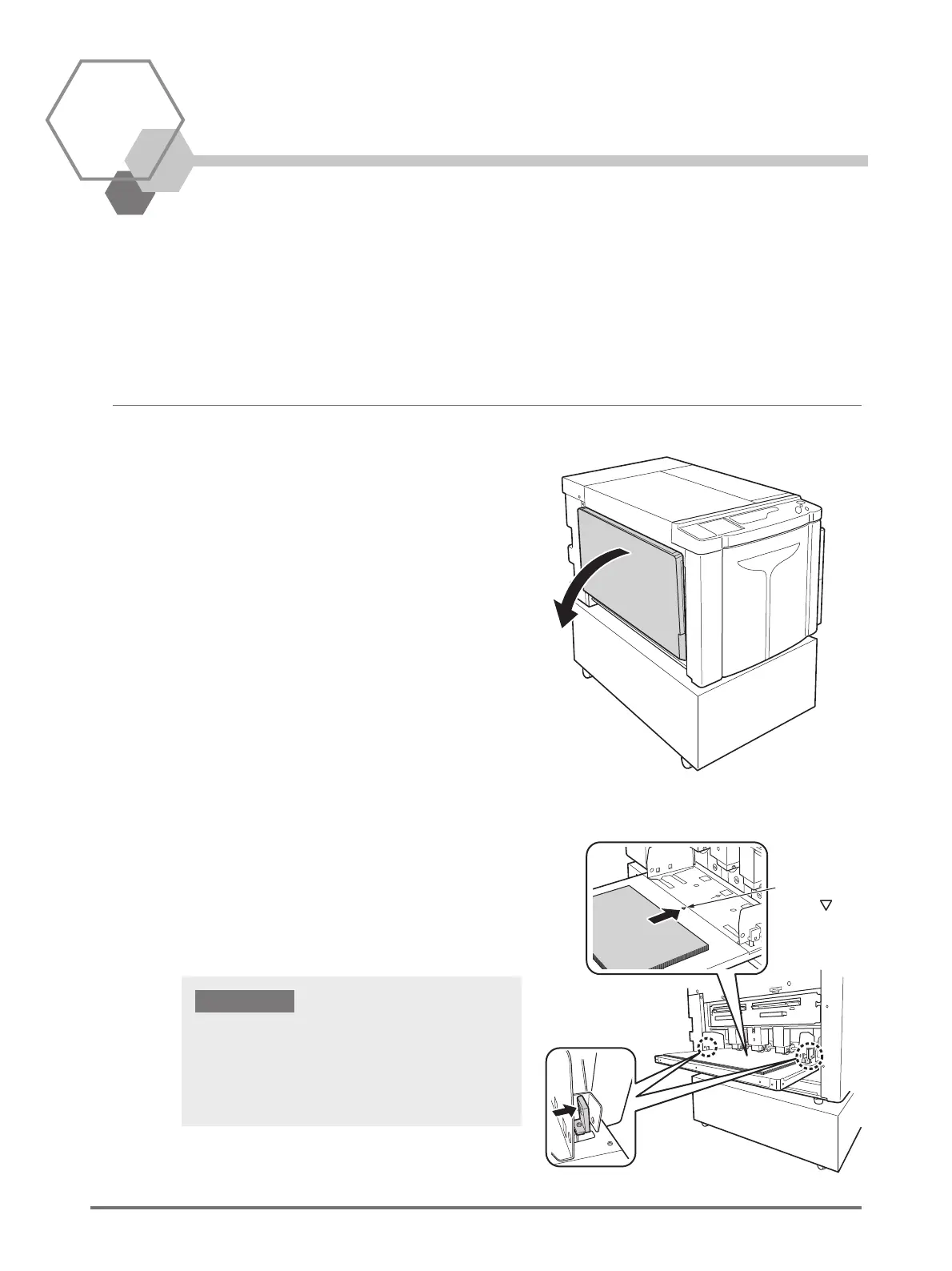
Open the Paper Feed Tray.
2
Load paper.
Place paper according to the page orientation. Ensure
the center of the paper is aligned with the center mark of
Paper Feed Tray (marked with ). Slide the Feed Tray
Paper Guides by holding the Feed Tray Paper Guides
Lock Levers on both sides of the Feed Tray Paper
Guides and adjust to the width of the paper.
Center
Mark ( )
• Do not use inappropriately sized paper or mix paper of
different sizes.
• Ensure the Feed Tray Paper Guides fit securely against
the paper. Failure to do so can produce unsatisfactory
results.
IMPORTANT!



 To Next Page