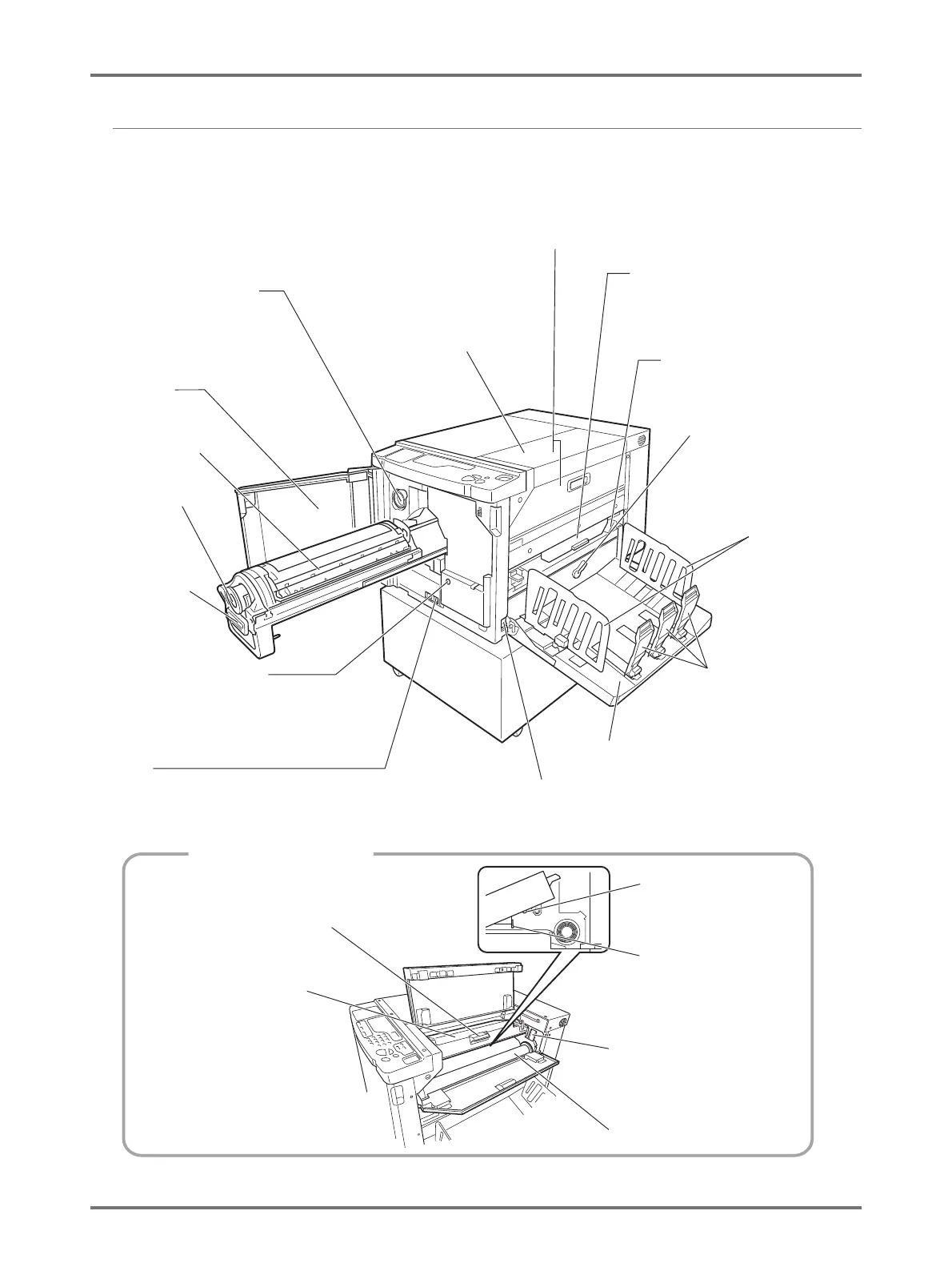
Function and Name of Each Part
19
Paper Receiving Tray Side
Ink Cartridge Cap Holder
(
p.108)
Holds the cap of the ink
cartridge.
Power Switch
Turns ON/OFF the power.
Master-Making Unit
(
p.109)
Opens the
Master Cover.
(See below.)
Paper Receiving Tray (
p.28)
Receives the printed paper.
Paper Jumping Wing (
p.29)
Adjusts to keep printed paper
neatly stacked.
Master Cover (
p.109)
Opens and closes to install a
Master Roll.
Paper Receiving Tray Jam Cover
(
p.129)
When paper is jammed, open the
cover and remove the paper.
Paper Eject Unit
(
p.129)
When paper is jammed,
lower this to remove the
paper.
Paper Stopper (
p.28)
Slide according to the
length of paper to be
printed.
Receiving Tray
Paper Guides
(
p.28)
Slide according
to the width of
paper to be
printed.
Front Cover
Print Drum (
p.114)
Ink Cartridge
(
p.106)
Print Drum Handle
(
p.114)
Grasp this handle to
pull out the Print Drum
until it stops.
Print Drum Release Button
(
p.114)
When the indicator is on, you can pull out the
Print Drum. If the indicator is off, press the Print
Drum Release Button to turn on its indicator.
Counter
Counts the number of copies (total print counter) and the
number of masters made (Master Quantity display).
Master-Making Unit
Master-Making Unit Cover
(
p.109)
Opens and closes when
setting a Master Roll.
Master Guide Flap
(
p.110)
Thermal Print Head
(
p.119)
Makes a Master.
Master Roll Lock Lever
(
p.110)
Master-Making Unit Cover Lever
(
p.109)
Locks the Master Roll which was
set.
Master Roll (
p.109)



 To Next Page