Automatic Printing [Auto-process]
68
3 Printer Edition
(Master-making Mode)
3.1 Automatic Printing [Auto-process]
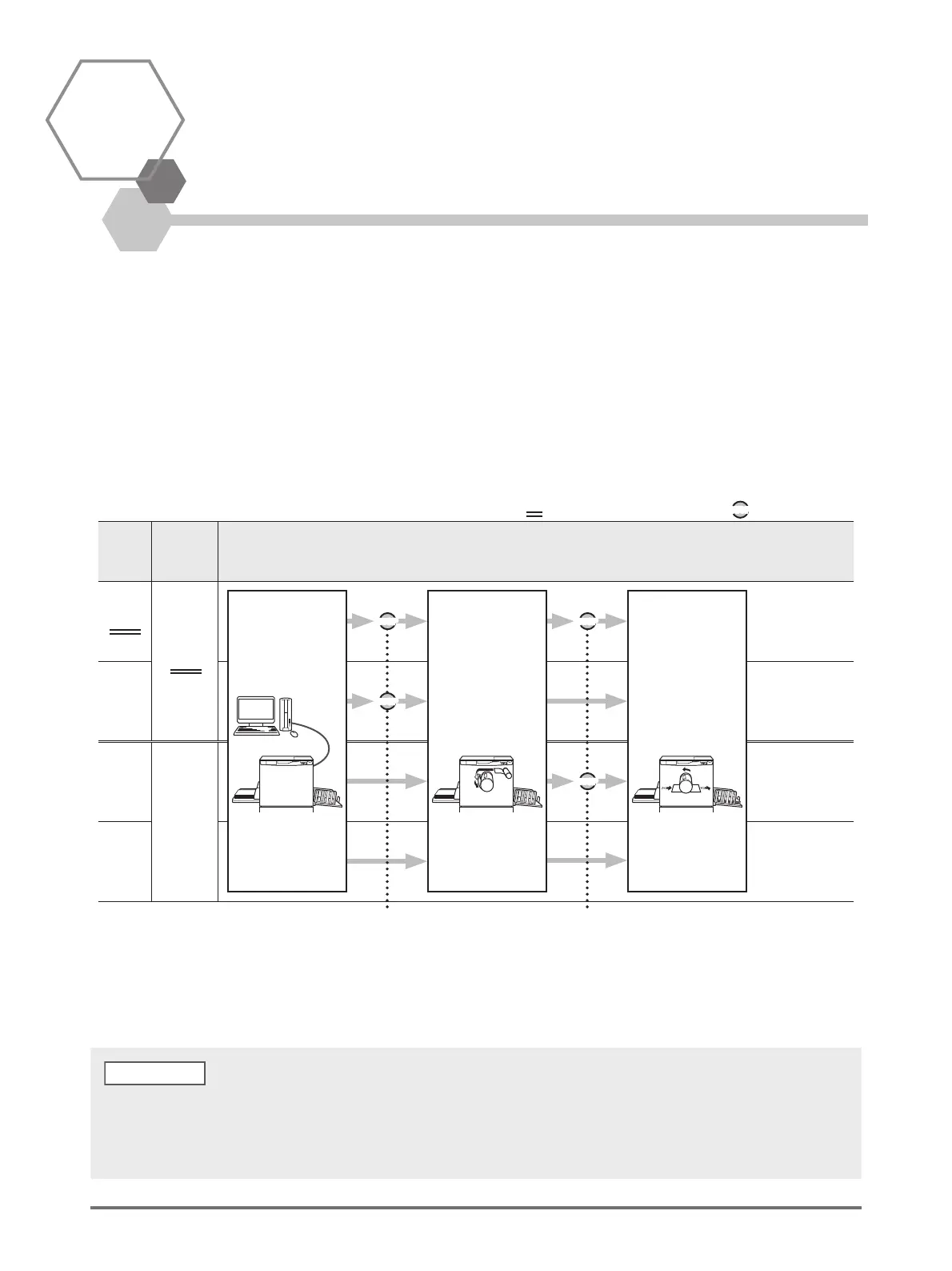
The master-making and printing processes are automatically executed in sequence.
When Auto-process is set, the machine does not stop after the proof copy is ejected.
Auto-process and pause timing
By combining the [Auto-process] and [Auto switch to master-making] (Custom Setting mode), the pause timing differs.
Auto
process
Auto
switch to
master-
making
Pause Timing
OFF
OFF
ON
OFF
ON
ON
Receiving
original data
from the computer
Master-making Printing
: Pause timing
STOP
STOP
STOP
STOP
STOP
: Initial setting (factory default)
Stops before
master-making and
before printing.
Stops before
master-making,
after data was
received.
Stops when a proof
copy is printed after
master-making
process.
No pause is made
between master-mak-
ing and printing
processes until the end
of print jobs.
By interrupting the process
before master-making, you can
do the following operations:
• Setting functions
• Replacing paper
• Replacing Print Drum
By interrupting the process
before printing, you can do the
following operations:
• Checking proof copy
• Adjusting print density
• Adjusting print position
• Changing print speed
• Initial setting of [Auto-process] and [Auto switch to master-making] can be changed by [Custom Setting mode].
p.93 "Customizing Initial Settings [Custom Setting mode] / Auto-process", p.94 "Customizing Initial Settings [Custom Setting mode]
/ Auto Switch to Master-Making"
• If the error number (F-36) is displayed on the Print Quantity Display, Auto-process cannot be performed. p.129 "Troubleshooting"
NOTE



 To Next Page