Automatic Printing [Auto-process]
69
Printer Edition (Master-making Mode)
1
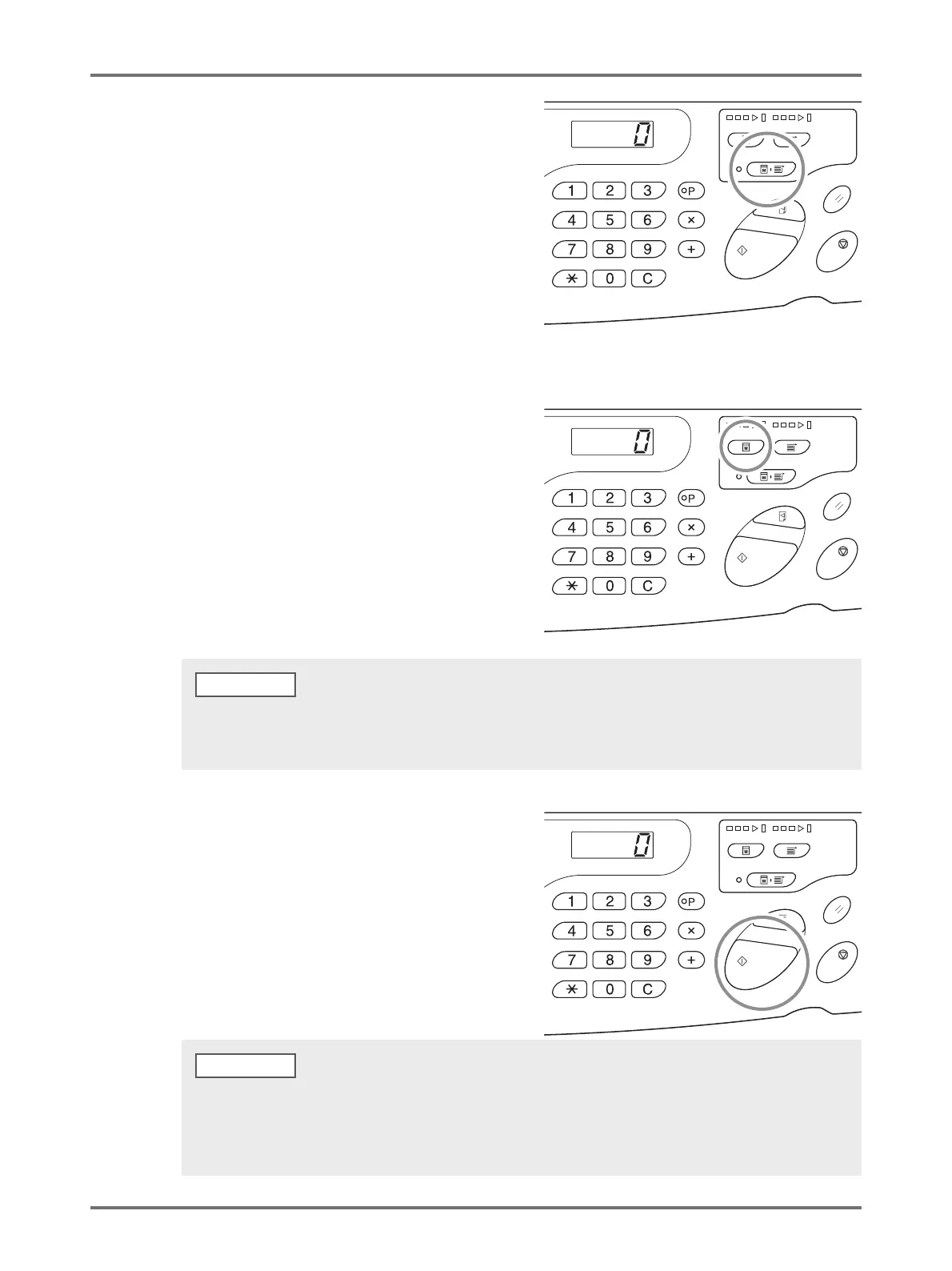
Press the <Auto-process> key to turn
on the indicator.
2
Send the original data from the
computer.
3
Press the <Master-Making> key.
When receiving the original data at [Print] mode of the
machine, press the <Master-Making> key to switch the
mode to the [Master-making] mode.
4
Press the <Start> key.
Confirm the number of pages to be printed out and
press the <Start> key.
Turn [ON] the [Auto switch to master-making] of [Custom Setting mode] in advance. When the original data is available
and needs to be consecutively made into a master, this automatically starts master-making by switching the mode to
[Master-making] mode.
• When the original data has multiple pages, printing continues from the second page.
• When Auto-process is set, the Print Quantity Display returns to the number of sheets that was set before printing after
completion of Auto-process printing.
• To clear [Auto-process], press the <Auto-process> key again to turn off the indicator.
NOTE



 To Next Page