Adjusting the Print Position [Print Position Adjustment]
75
Printer Edition (Print Mode)
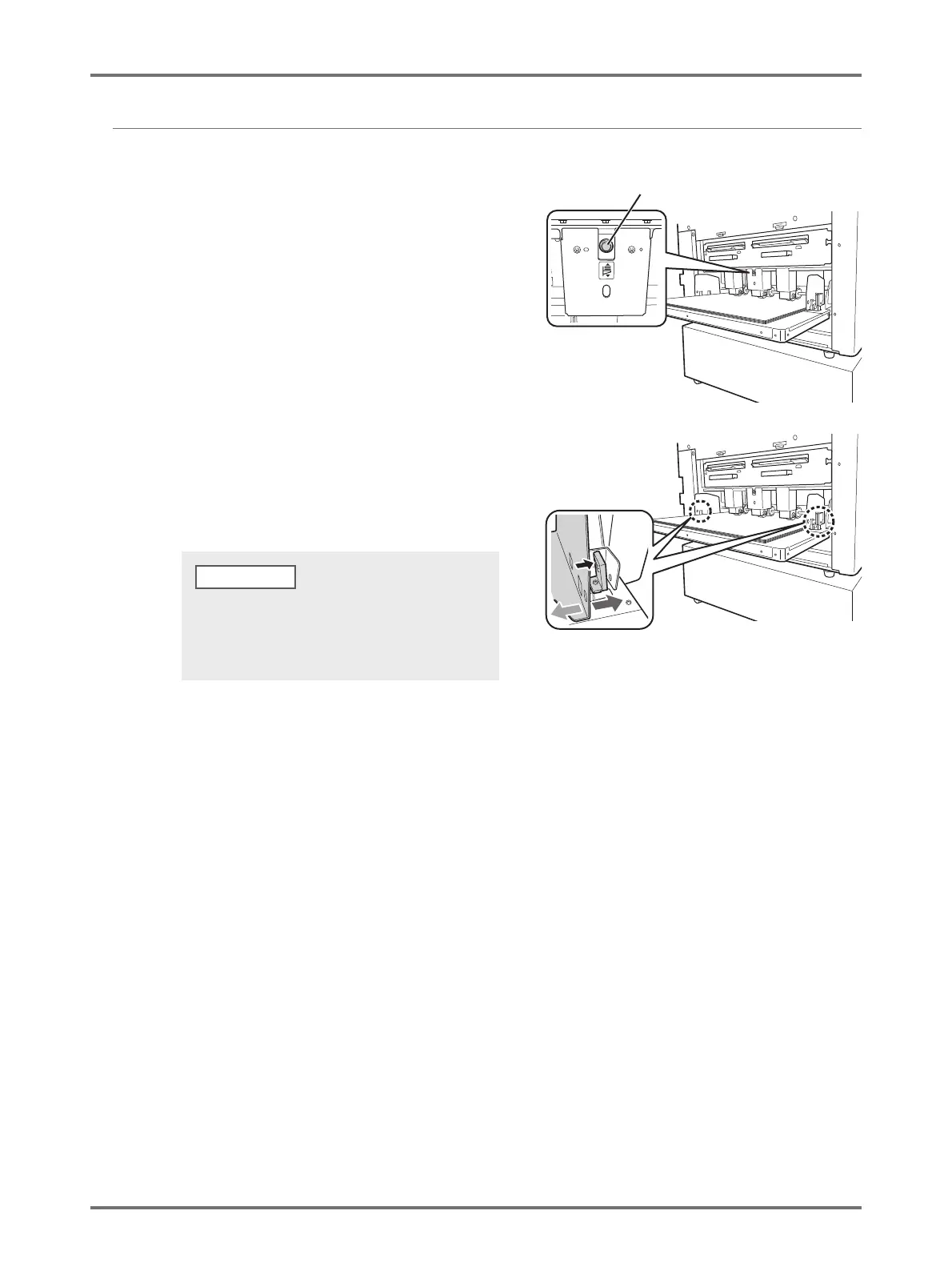
Adjusting the Horizontal Position
1
Press the Feed Tray Ascent/Descent
Button and lower the Paper Feed
Tray.
2
Open the Paper Feed Tray Paper
Guides, move the paper to the
desired direction, and then adjust the
horizontal position.
Feed Tray Ascent/Descent Button
• Move the Receiving Tray Paper Guides as well to
adjust the horizontal direction.
• mark on the Paper Feed Tray indicates the
center. Move the paper with mark as reference.
NOTE



 To Next Page