Preparing to Print (Printer Machine Side)
29
Basic Operation
4
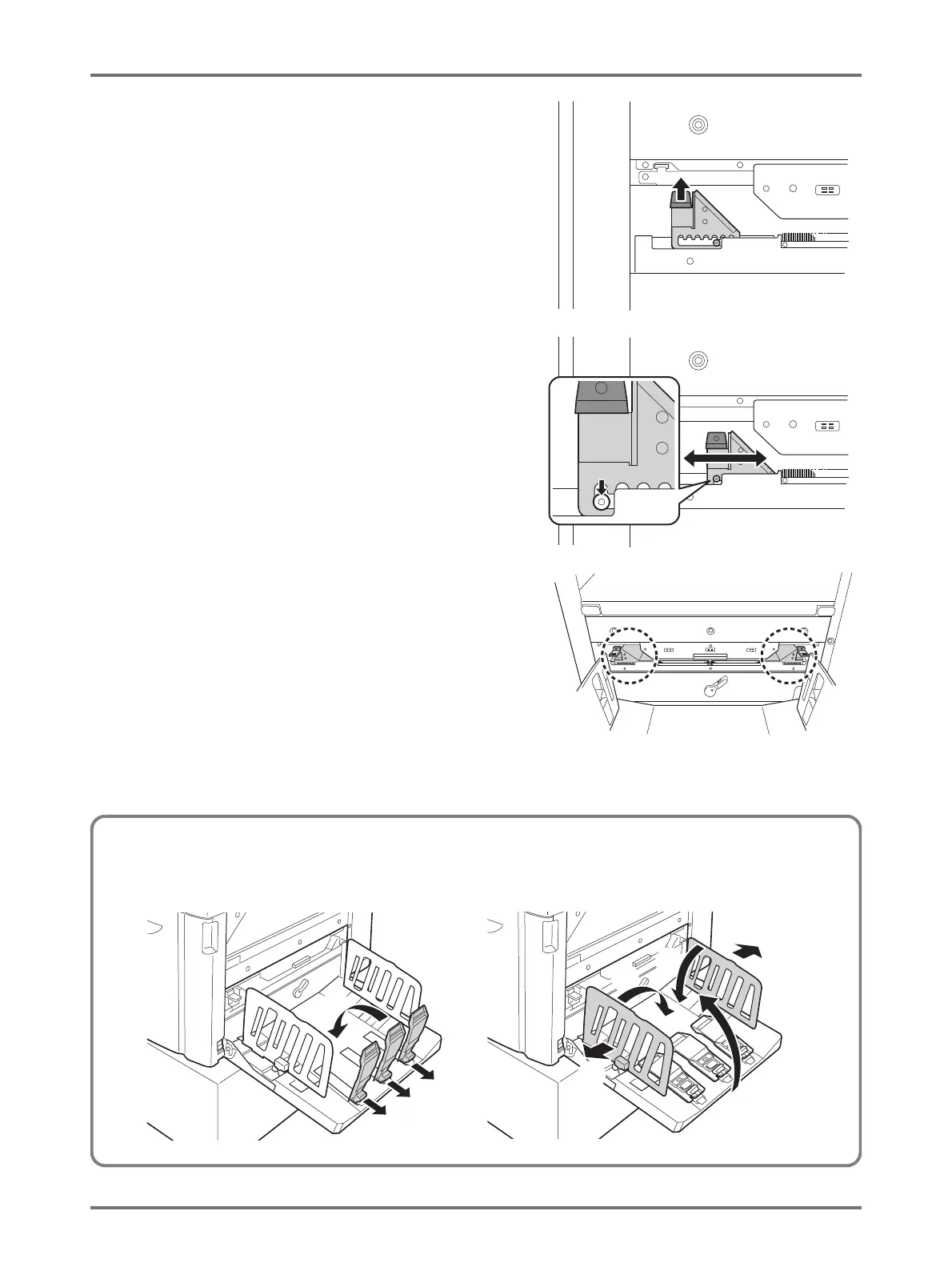
Adjust the Paper Jumping Wing.
Adjust the position of the Paper Jumping Wing,
according to the paper type and size.
(1) Pull up the Paper Jumping Wing Lever.
(2) Slide the position of the Paper Jumping Wing
according to the paper size marks (A2, B3, A3) on
the Paper Jumping Wing.
(3) Adjust the position of Paper Jumping Wing on the
other side in the same manner.
A3 B3 A2
A3 B3
Closing the Paper Receiving Tray
When closing the Paper Receiving Tray, first slide the Paper Stopper to the edge of the tray and fold it inward. Then widen the Receiving
Tray Paper Guides outward and fold the guides inward. Lastly, close the Paper Receiving Tray.
(2)
(1)
(4)
(4)
(3)
(3)
(5)



 To Next Page