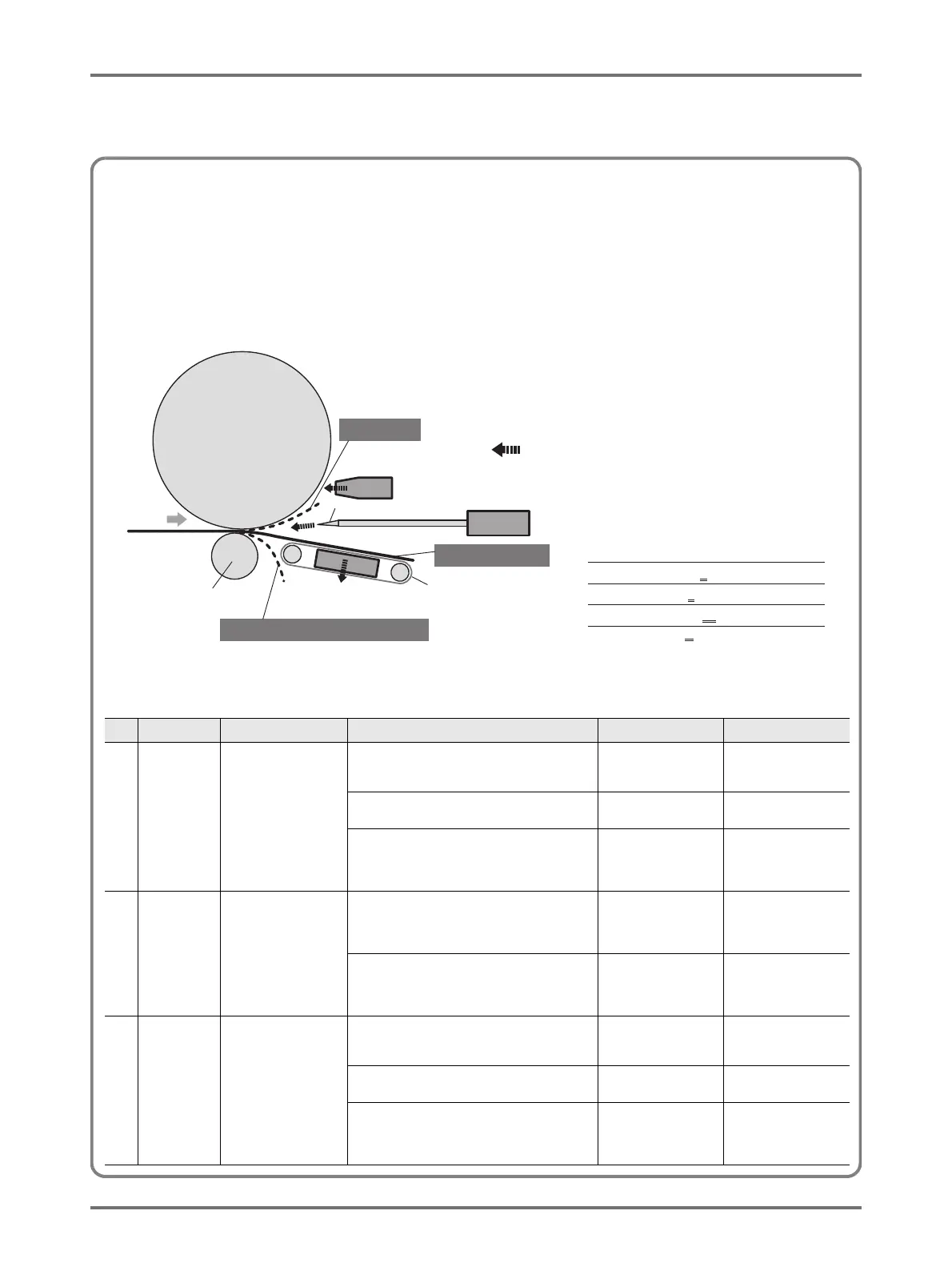
Output mechanism and adjustment value
Print-out images may become uneven or blurred depending on the image type of the original document, type of paper, print speed, and
working environment.
When such phenomenon occurs, adjust air blow, separation fan, and suction fan. If the set contents are registered, printing can be
conducted by selecting from [Paper ejection adjustment] in the control panel from the second time.
Output mechanism
Adjustment value
No. Part name Function Phenomenon Name Adjustment
(1) Separation
fan
Ejects air from the
Paper Separation
Nozzle and peels the
entire paper area from
the drum.
• Separation air is weak and the printing paper
cannot be peeled from the drum, and thus is
not sent to the suction.
Flying up Separation fan: Strong
• Separation air is strong, and the printing paper
enters the suction from the bottom.
Coil around pressure
roller
Separation fan: Weak
• Separation air is weak and the timing when the
paper is peeled off is different between the
center and the edge of the paper (printing
paper top side).
Artifacts on both sides
of the front side
Separation fan: Strong
(2) Suction fan Sucks paper and
presses it against the
suction belt and sends
to Paper Receiving tray.
• Suction force for printing paper is weak and
there is not enough force to carry the paper by
suction, and thus, paper is not aligned at paper
ejection.
Insufficient alignment of
paper to be ejected.
Suction fan: strong
• Suction force of the printing paper is strong and
the timing when the paper is peeled off is
different between the center and the edge of
the paper (Printing paper bottom side)
Artifacts on both side of
the rear side.
Suction fan: Weak
(3) Air blow Ejects air from Paper
Separation Hook and
peels the edge of the
paper from the drum.
• Air blow is weak and printing paper cannot be
peeled from the drum, and thus is not sent to
the suction.
Flying up Air blow: ON
• Air blow is strong and the printing paper enters
the suction from the bottom.
Coil around pressure
roller
Air blow: OFF
• Air blow is strong and the timing when the
paper is peeled off is different between the
center and the edge of the paper (Printing
paper top side)
Artifacts on both side of
the front side.
Air blow: OFF



 To Next Page