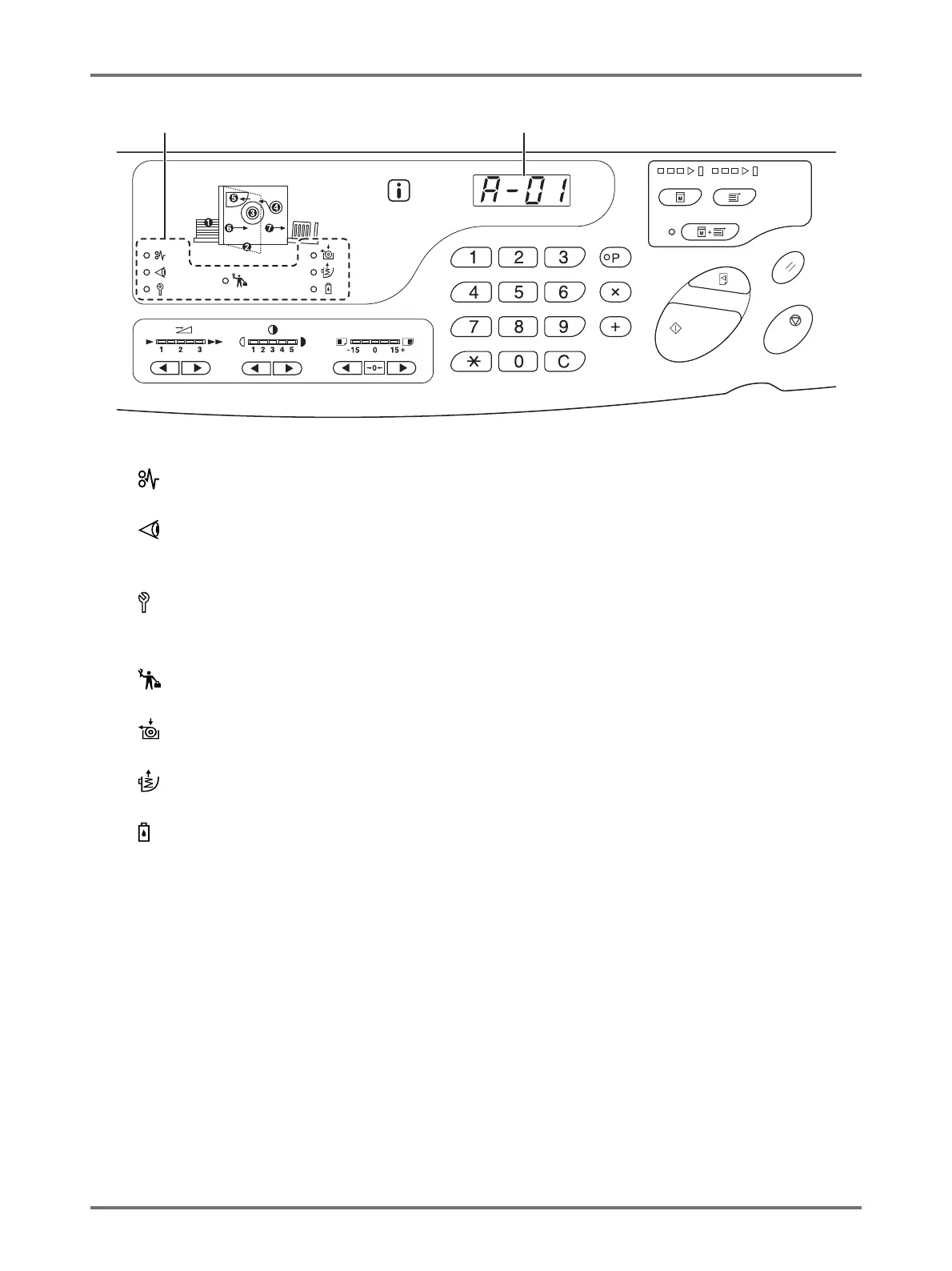
(3) Error Type Indicator
• (Jam) Indicator
Lights up when printing paper is jammed.
• (Check Settings) Indicator
Lights when the Print Drum, paper, or other items are
not set up.
• (Call Service) Indicator
Lights when such an error occurs that needs advice
or support from service personnel.
• (Maintenance Call) Indicator
Lights when the time for periodic inspection comes.
• (Replace Master Roll) Indicator
Lights when the entire master is consumed.
• (Empty Disposal Box) Indicator
Lights when the time for periodic inspection comes.
• (Ink Replacement Cartridge) Indicator
Lights when the entire ink is consumed.
(4) Error Number Display (Print Quantity Display)
Error Numbers are shown and blink on the Print Quantity
Display.
Error contents are shown with an alphabetical character
and a two-digit number.



 To Next Page