Preparing to Print (Computer Side)
31
Basic Operation
1
Turn on the computer.
2
Insert the "RISO Printer Driver" CD-ROM into the computer's CD-ROM
drive.
The installer is started. If the installer does not start up, double-click on the [Setup(.exe)] file in the folder below.
For Windows XP/Windows Vista (32-bit)/Windows 7 (32-bit)/
Windows 8 (32-bit)/Windows 8.1 (32-bit):
(CD-ROM):[Windows 32-bit] folder
For Windows Vista (64-bit)/Windows 7 (64-bit)/Windows 8 (64-bit)/
Windows 8.1 (64-bit):
(CD-ROM):[Windows 64-bit] folder
3
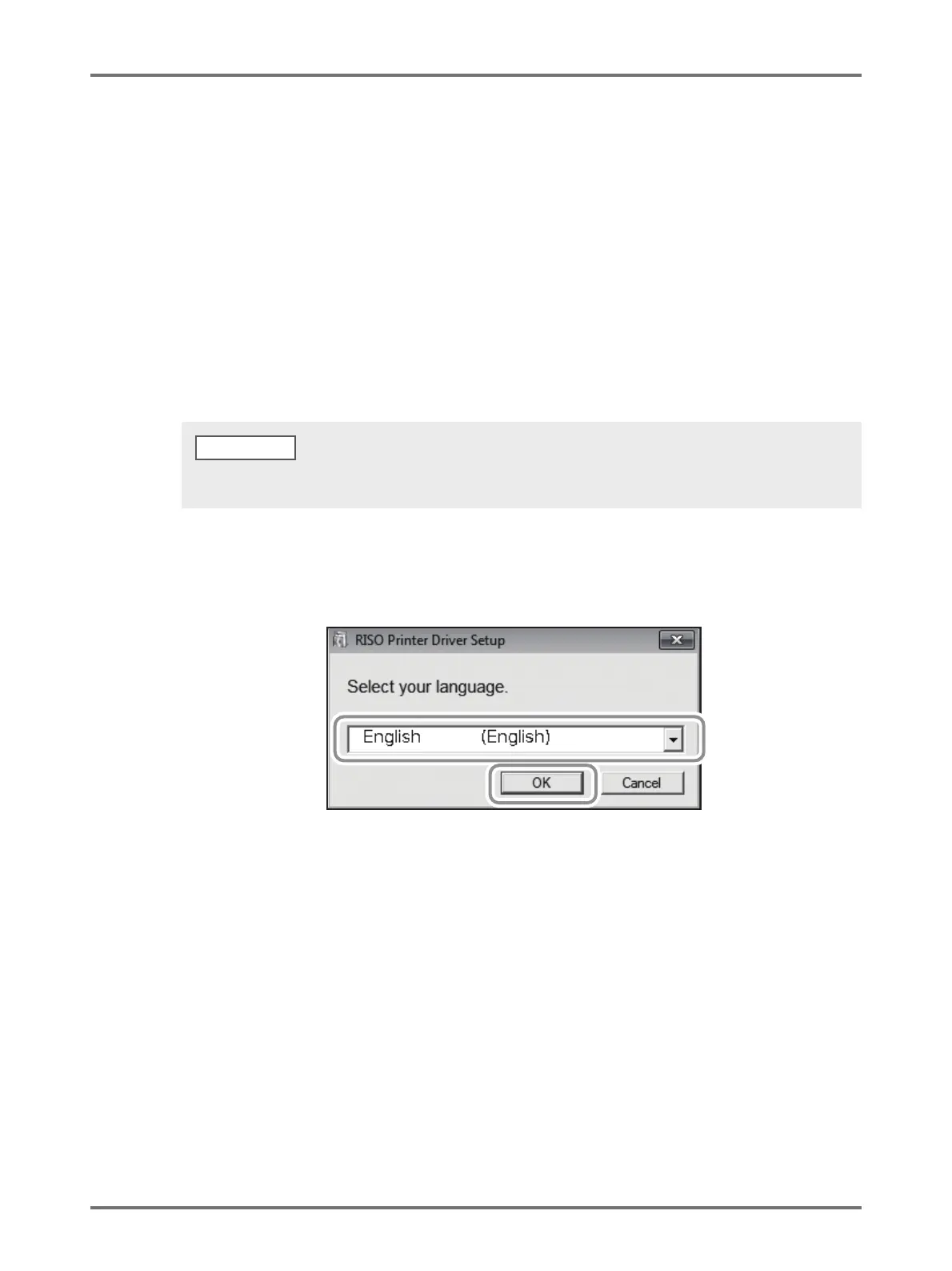
Select your language from the drop-down list, and then click [OK].
4
Click [Next].
For Windows Vista (64-bit)/Windows 7 (64-bit), jump to Step 18.
If the [User Account Control] dialog box appears, click [Allow] (for Windows Vista) or [Yes] (for Windows 7/Windows 8/
Windows 8.1).
NOTE



 To Next Page