Wrist Camera Instruction Manual
Focus
Info
Focus features can be used to sharpen or diminish the contrast between the object and the background, and
adjust the depth of field. The settings will be captured at runtime except if changes are made to the model during
the Configure Model step. Please refer to the Configure Model section for more details.
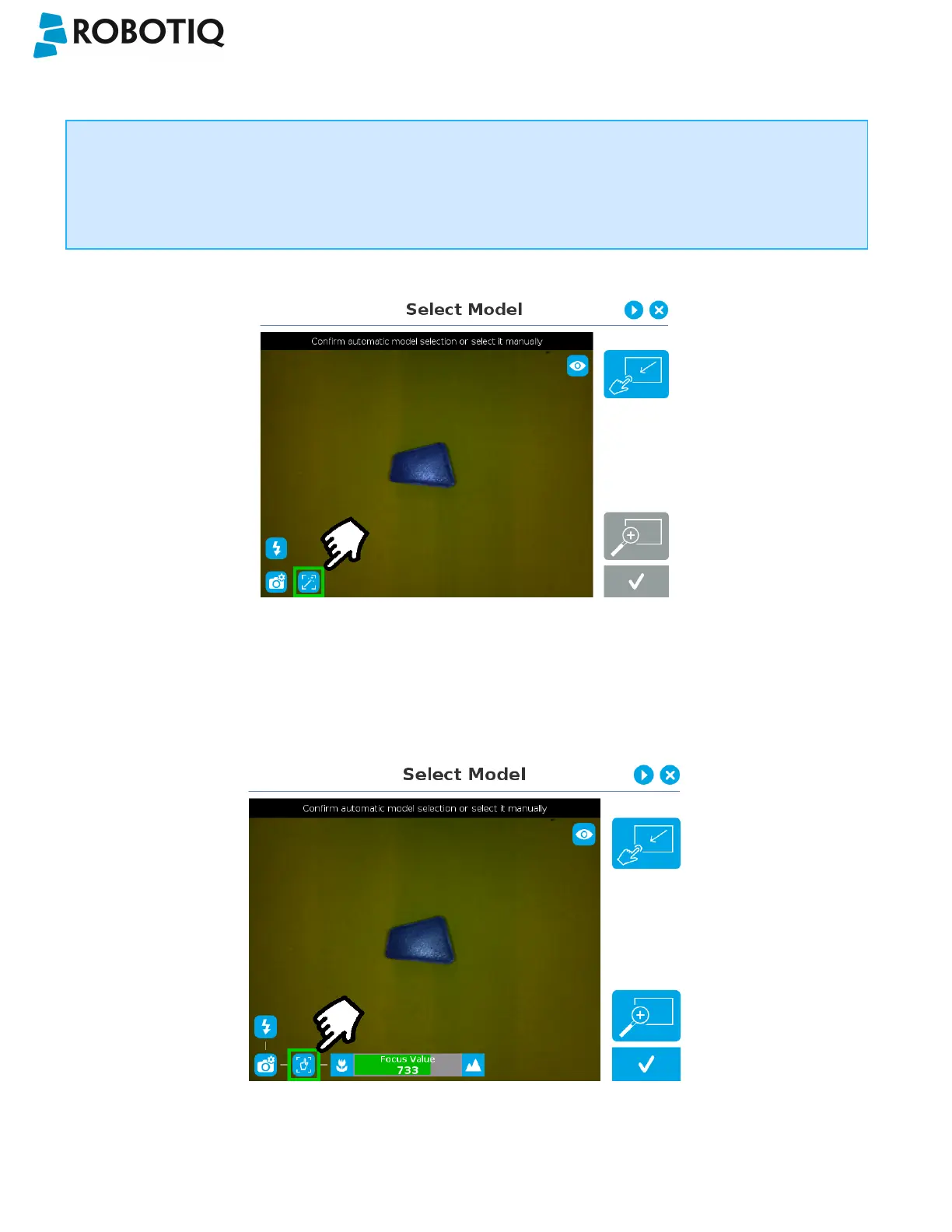
Automatic focus
Fig. 5-9: Select Model step with automatic focus option enabled
To some extent, the automatic focus feature detects sharpness in the overall image. If the image is blurry, the autofocus
system will adjust the focus until sharpness and/or contrast is achieved. This type of automatic focus requires enough
contrast between the object and the background for it to render an appropriate image.
Manual focus
Fig. 5-10: Select Model step with manual focus option enabled
©Robotiq inc. 2016-2018
53



 To Next Page