4 Operation and Configuration
87
S84-ex/S86-ex Operator Manual
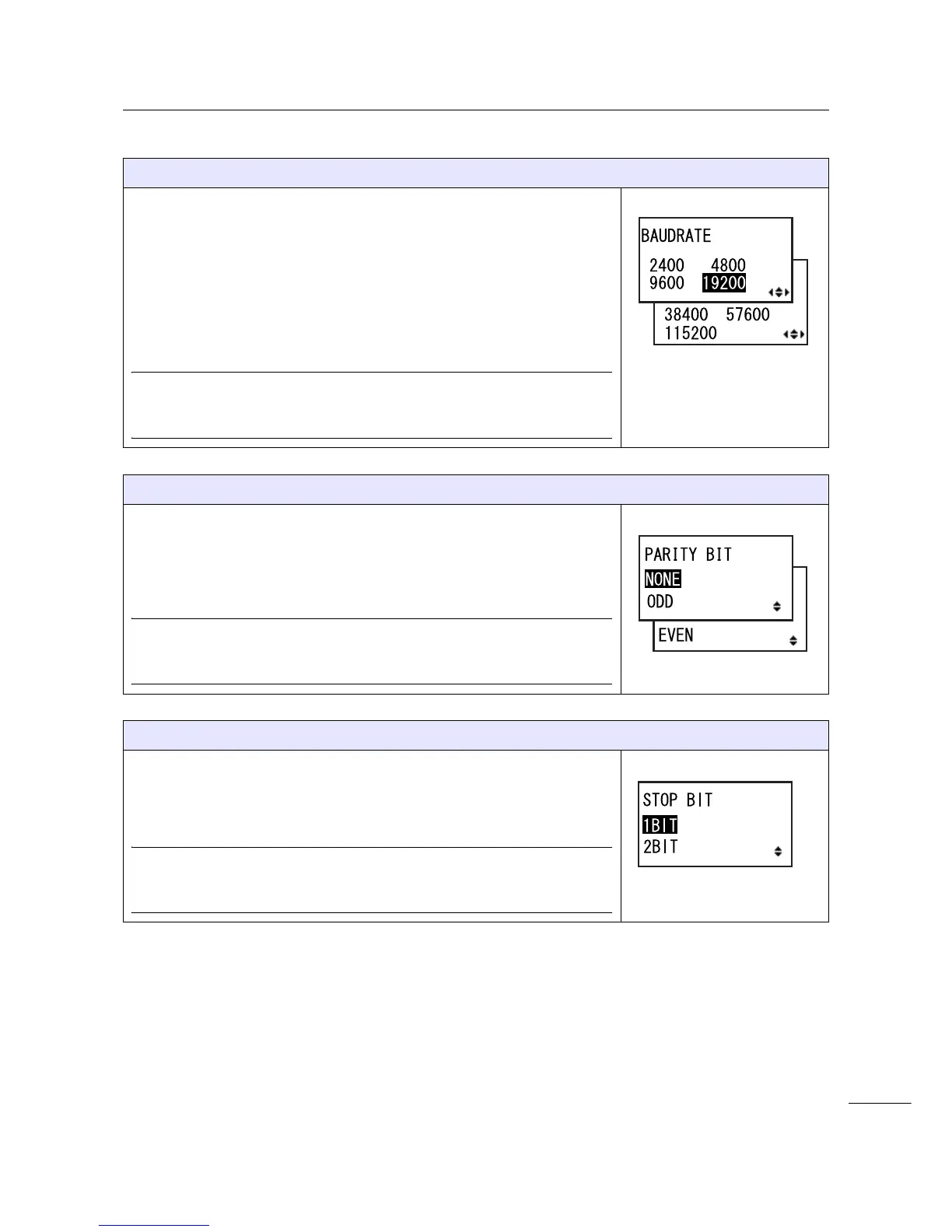
BAUDRATE
Set the RS-232C baud rate.
The following baud rates are available:
•2400 (bps)
•4800 (bps)
•9600 (bps)
• 19200 (bps)
• 38400 (bps)
• 57600 (bps)
• 115200 (bps)
Note
• Shows only if the RS-232C interface is selected.
• The setting will be effective only when you power on the printer again.
PARITY BIT
Set the RS-232C parity bit.
The following options are available:
•NONE
•ODD
• EVEN
Note
• Shows only if the RS-232C interface is selected.
• The setting will be effective only when you power on the printer again.
STOP BIT
Set the RS-232C stop bit.
The following options are available:
•1BIT
•2BIT
Note
• Shows only if the RS-232C interface is selected.
• The setting will be effective only when you power on the printer again.


 To Next Page