Introduction
700-0042 R004 1–7
1.3.3. DVR Back Panel Features
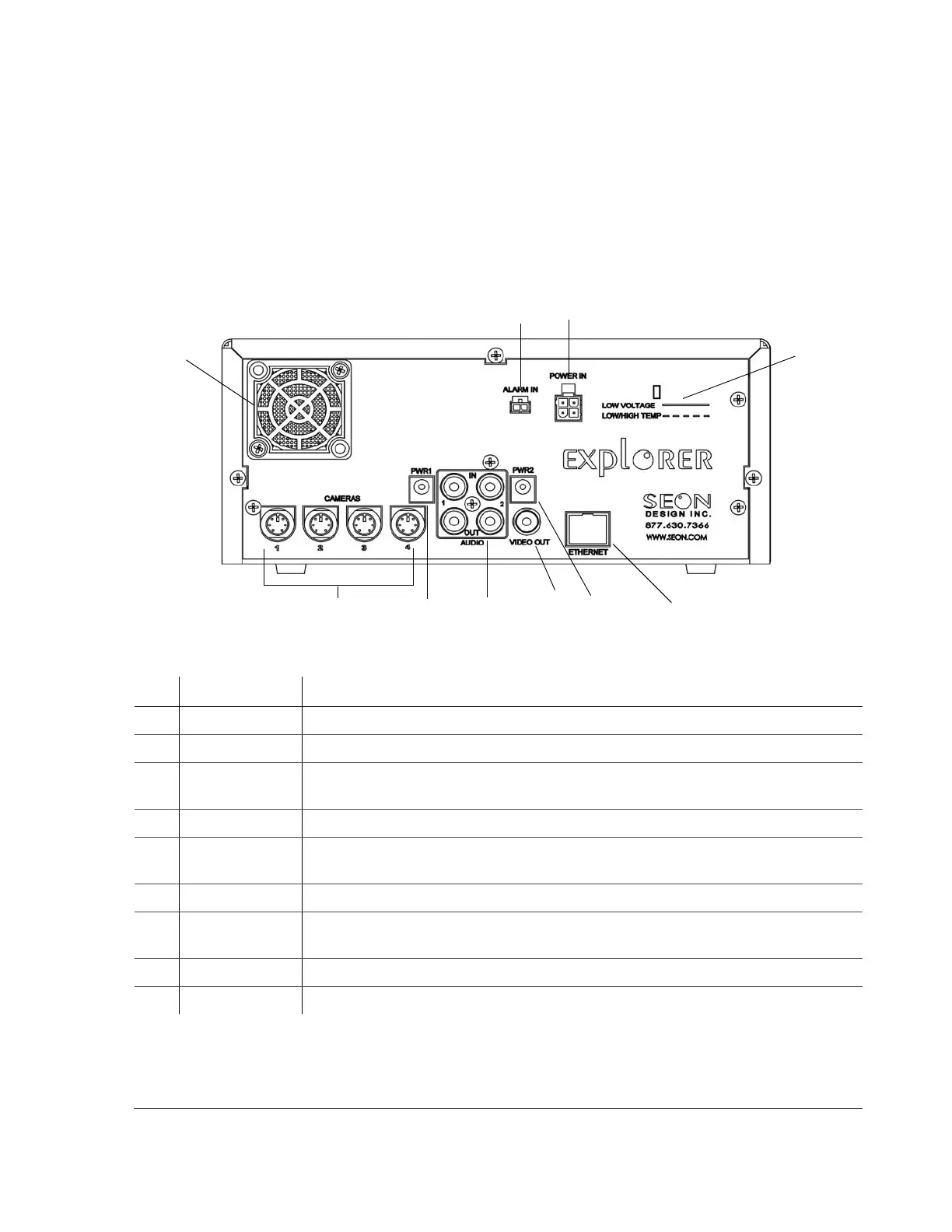
The back panel of the EX4 DVR features the inputs where the DVR connects to
the other components of the EX4 System. See Figure 1-2.
Chapter 2, “Installation” provides detailed information on connecting to the back
panel. See “2.5.1. Connecting to the DVR Back Panel” on page 2–6.
Figure 1-2
Back panel
Item Feature Description
1 ALARM IN Alarm input connector: 2 pins
2
POWER IN Power input connector: 4 pins
3
LOW VOLTAGE
LOW/HIGH TEMP
Low voltage and Low/High temperature indicator (red)
4
ETHERNET Network connector: RJ-45
5
POWER 1
POWER 2
Auxiliary Power jacks: 2.1 mm barrels
6
VIDEO OUT Video output jack: Yellow RCA style
7
AUDIO IN 1, 2
AUDIO OUT 1, 2
Audio input jacks: White RCA style for Audio In
Audio output jacks: Red RCA style for Audio Out
8
CAMERAS Camera input connectors: 6-pin mini-DIN
9 FAN Fan with filter and removable cover
1
2
3
9
4
5
5
6
7
8



 To Next Page