Configuring the DVR
3–2 700-0042 R004
3.1. Configuring the DVR
The EX4 DVR uses on-screen configuring to allow for easy setup of all the
functions and controls. During live viewing and recording, the information
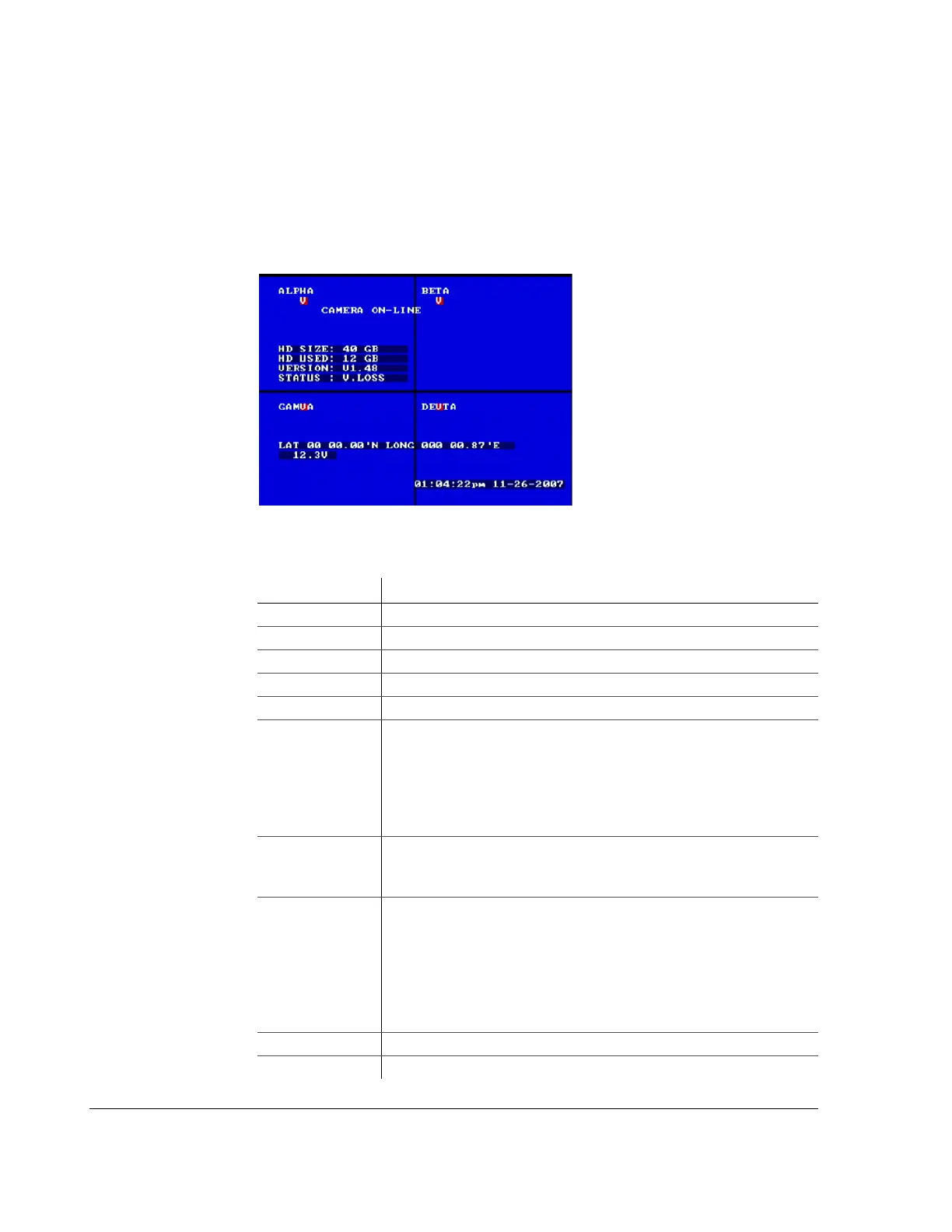
displayed on the screen can include the items shown in Figure 3-1. All menus are
displayed on a blue screen with white text.
Figure 3-1
On-screen display during live viewing and recording
Table 3-1
On-screen display information
Feature Description
CAMERA TITLES Identifies the camera.
MAIN TITLE Identifies the system with a unique title.
HD SIZE The formatted size of the installed hard drive in gigabytes, GB.
HD USED Indicates how much of the hard drive has been recorded.
VERSION Indicates the software version of the DVR, for example V1.48.
STATUS Indicates the operation status of the DVR. The options are:
•
RECORD (Normal recording)
•
LIVE (Live mode not recording)
•
TIMER (Timer recording)
•
ALARM (Alarm recording)
•
V. LOSS (Video loss or camera signal loss)
GPS Information • LAT (Latitude)
•
LONG (Longitude)
•
SPD (Speed)
SIGNALS Identifies the 10 different signals:
•
LT (Left)
•
STP (Stop)
•
BRK (Break)
•
WRN (Warning lights)
•
RT (Right)
• Five user-defined Can Signals
VOLTAGE Indicates the system voltage. See page 4–12.
TIME AND DATE Shows the time and date.



 To Next Page