Installation
2–14 700-0042 R004
2.9. EX4 Plus Step 8: Installing the Driver’s Indicator Panel
If you wish to install the driver’s indicator panel at a later time, please proceed to
“2.10. EX4 Plus Step 9: CAN Network” on page 2–15.
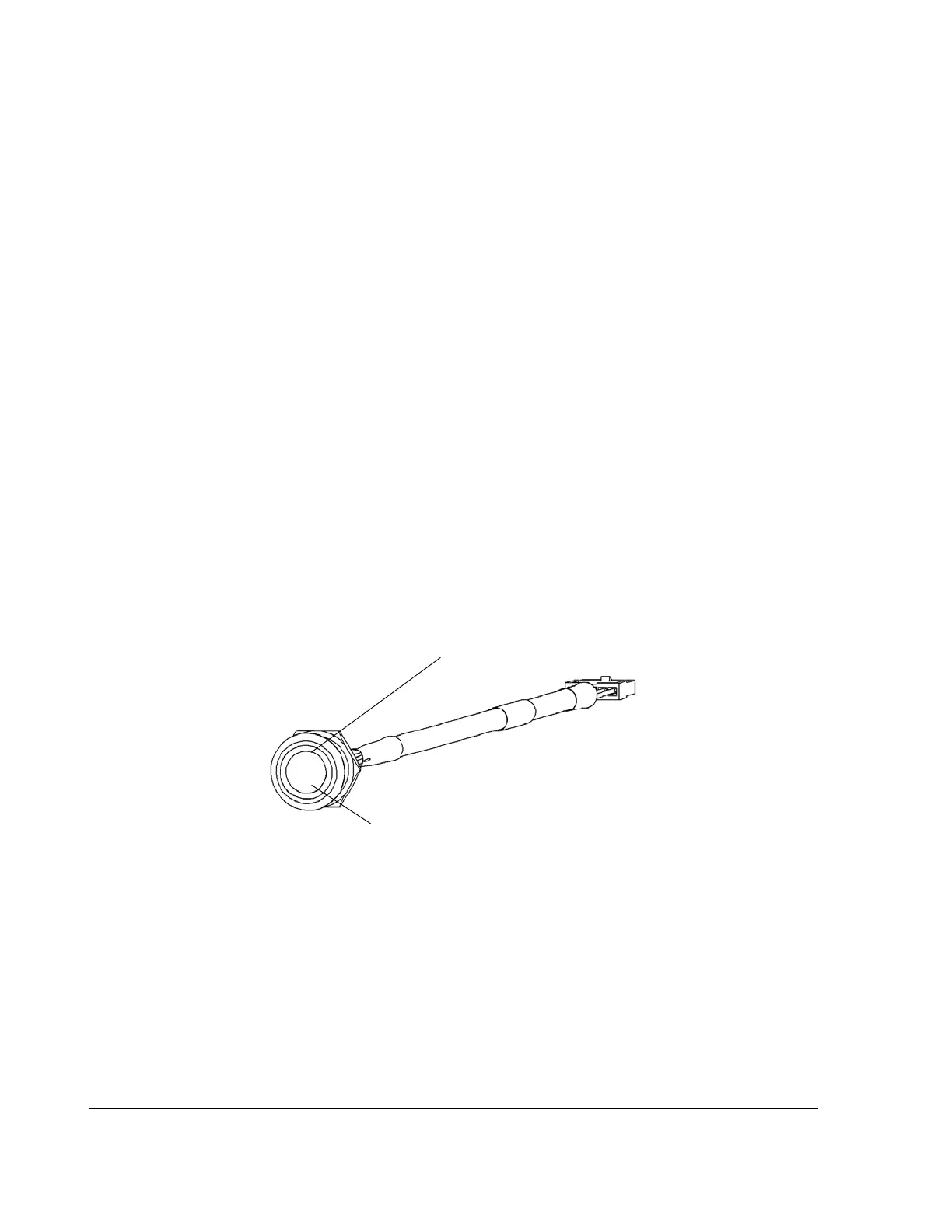
The EX4 Plus with the Smart-Link module has an interface for a driver’s indicator
panel. The basic version of the panel consists of a heavy duty, vandal-resistant
switch with an integrated green indicator ring around the switch button. See
Figure 2-11. The indicator panel has a weather-sealing gasket attached to prevent
water penetration behind the device.
The indicator panel is supplied with a 12 inch cable and connector. A 10-foot
extension cable is provided as a standard accessory with the driver’s indicator
panel. Extension cables of different lengths can be ordered from Seon Design.
Contact your sales representative to order a different length cable.
To install the driver’s indicator panel:
1. Drill a ¾" hole in the desired location. Ensure that the area behind the hole is
clear of obstructions before drilling.
2. Remove the mounting nut from the indicator panel.
3. If you have purchased the video recording label, install the label between the
button and the dashboard.
4. Feed the connector and cable through the mounting hole.
5. Reattach the nut.
Figure 2-11
Driver’s indicator panel
Alarm button
Indicator ring lamp



 To Next Page