Configuring the DVR
700-0042 R004 3–19
3.2.8. Using the GPS/Speed Menu
The EX4 DVR can display and record
• GPS data from an external GPS receiver
• Vehicle speed from several different sources.
To view the GPS/Speed menu:
1. On the main menu, turn the
JOG wheel to highlight GPS/SPEED.
2. Press the
ENTER button.
The
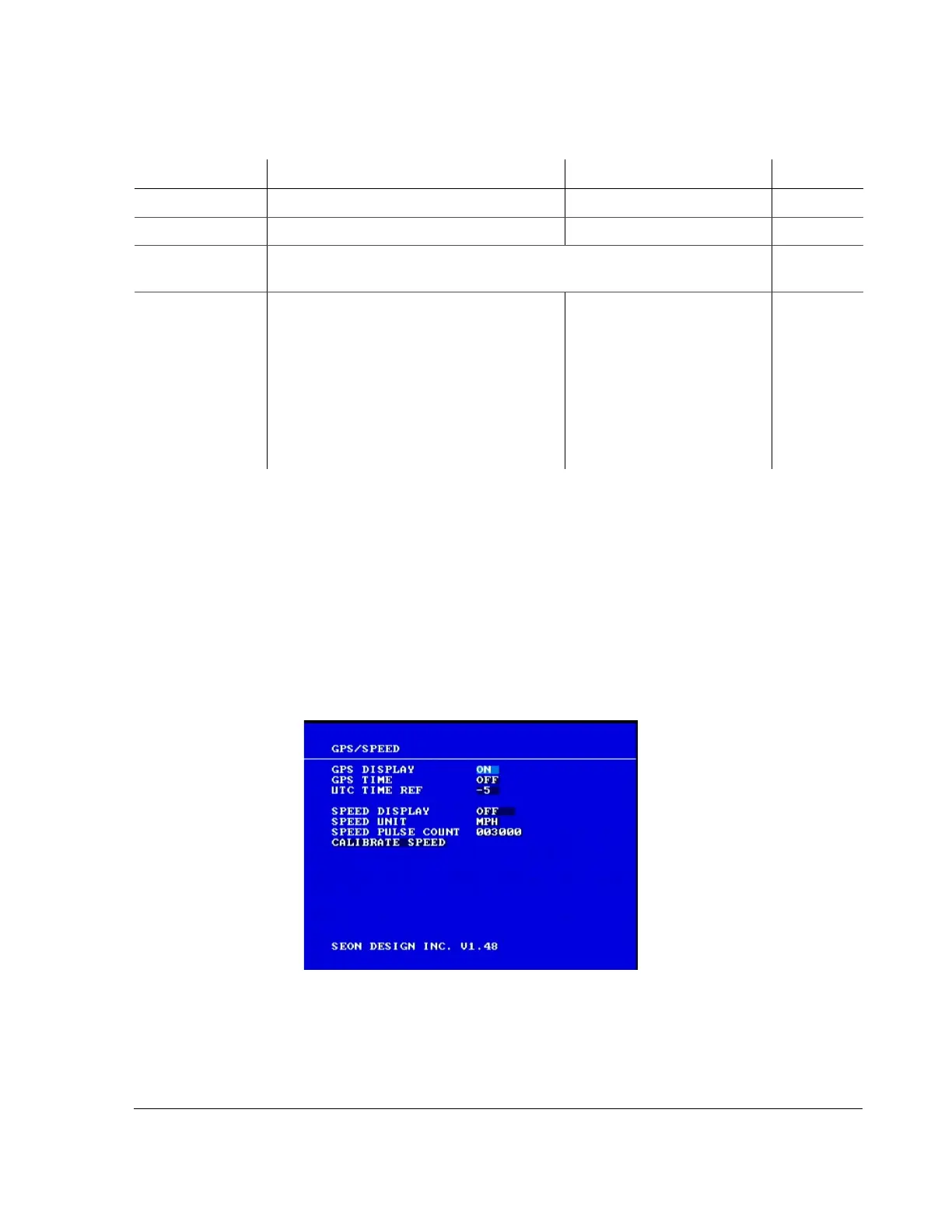
GPS/SPEED menu appears as shown in Figure 3-10.
4 WRN (Warning lights) WRN
5 RT (Right) RT
6–10 Signals 6 to 10 are CAN signals and are defined by the user. See “2.10. EX4
Plus Step 9: CAN Network” on page 2–15.
No default.
LEVEL Indicates the activation level for the signal.
• If
ACTIVE HIGH is selected, then 12 VDC
applied to a signal causes the text to be
displayed.
• If
ACTIVE LOW is selected, then 0 VDC
applied to a signal causes the text to be
displayed.
• If
CAN is selected, then a CAN network
message causes the signal to be activated.
ACTIVE HIGH, ACTIVE LOW OR
CAN
ACTIVE
HIGH
Table 3-13
Signal configuration items
Menu Item Description Values Default
Figure 3-10
GPS/Speed menu



 To Next Page